
Introducing the Timestamp Camera App
The Timestamp Camera app is a powerful and user-friendly tool designed to enhance your photo and video capturing experience by adding real-time timestamp watermarks. Whether you're a professional photographer or a casual shutterbug, this app offers a comprehensive suite of features to document your memories with precision and style. With its intuitive interface and advanced functionalities, Timestamp Camera transforms your smartphone into a professional-grade camera that not only captures moments but also embeds crucial information like date, time, location, and more directly onto your photos and videos.
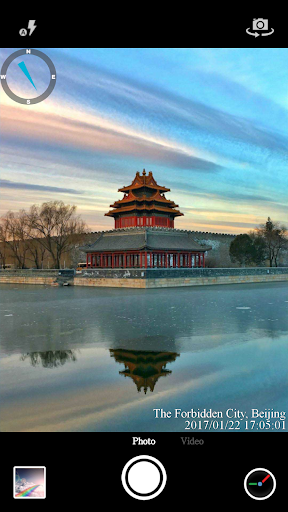
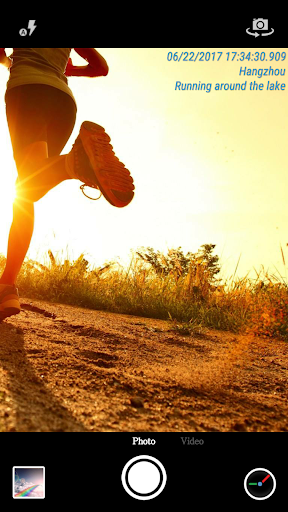
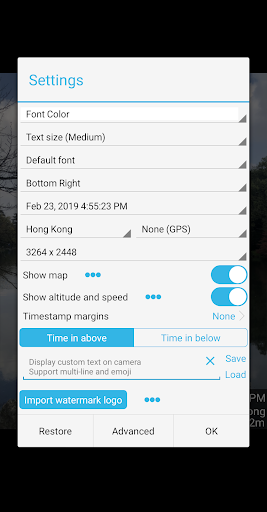
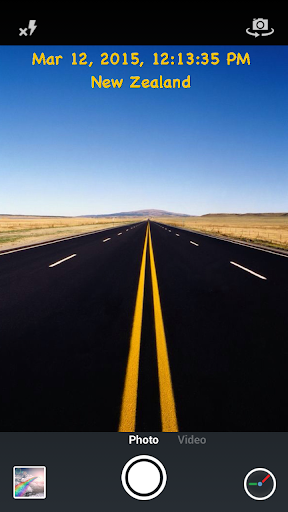
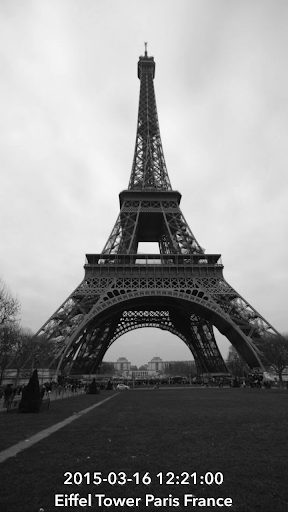
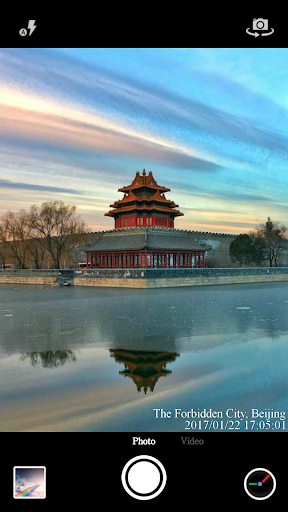
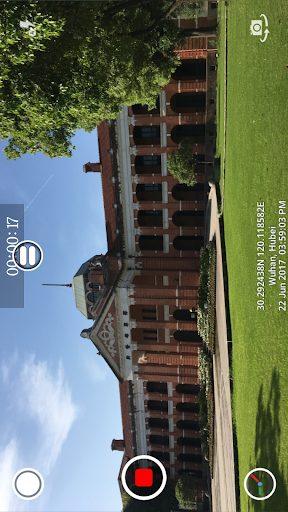
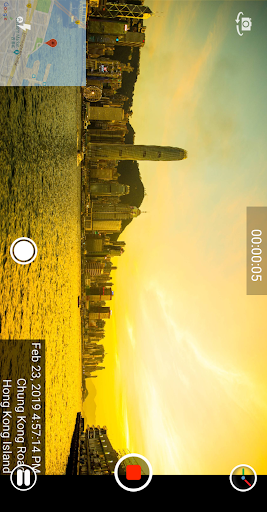
One of the standout aspects of this app is its ability to add current time and location stamps automatically while recording videos or taking pictures. Users can customize the format of the timestamp in over 61 different styles, making it easy to match personal preferences or specific documentation requirements. The app allows you to tailor the appearance by changing the font, font size, font color, and even the opacity and background of the timestamp overlay. Positioning options are flexible too, with seven different placement choices including top-left, top-center, bottom-right, and more, ensuring your watermarks don't obscure important parts of your shot.
Beyond time and location, Timestamp Camera supports displaying additional data such as altitude and speed, making it ideal for outdoor adventures, sporting events, or travel documentation. It also provides features like adding custom text and emoji, so you can personalize your photos further. Want to include a funny emoji or a special message? Just input your text, and it can appear anywhere on the screen.
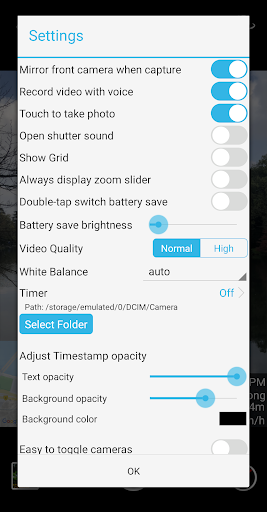
For enhanced contextual information, the app can display a map with adjustable scale, transparency, and size, or show a compass to help orient your shots. Additionally, users can overlay their own logo images, perfect for branding purposes. The app supports recording videos with or without audio, and offers a Battery saver mode to optimize power consumption by adjusting screen brightness. Shooting sounds can be silenced—ideal for discreet photography.
The app also enables capturing still photos while recording videos, supports resolution adjustments, and allows saving directly to an SD card for quick access. Compatibility with portrait and landscape modes ensures versatile shooting angles. Hardware and network limitations on certain devices may affect some features, but overall, the app provides a smooth and reliable experience. A pro version is available for a one-time fee of $4.99 via Google Play, offering additional capabilities and removing ads, making it a worthwhile investment for serious users.
In summary, Timestamp Camera is more than just a simple camera app—it’s a comprehensive tool for documenting your moments with precise timestamps, location data, and customizable overlays. Whether you're capturing travel memories, sporting activities, or everyday moments, this app ensures every photo and video is timestamped and contextualized perfectly. Its intuitive design, extensive customization options, and real-time effects make it a top choice for anyone looking to elevate their mobile photography game.
One of the standout aspects of this app is its ability to add current time and location stamps automatically while recording videos or taking pictures. Users can customize the format of the timestamp in over 61 different styles, making it easy to match personal preferences or specific documentation requirements. The app allows you to tailor the appearance by changing the font, font size, font color, and even the opacity and background of the timestamp overlay. Positioning options are flexible too, with seven different placement choices including top-left, top-center, bottom-right, and more, ensuring your watermarks don't obscure important parts of your shot.
Beyond time and location, Timestamp Camera supports displaying additional data such as altitude and speed, making it ideal for outdoor adventures, sporting events, or travel documentation. It also provides features like adding custom text and emoji, so you can personalize your photos further. Want to include a funny emoji or a special message? Just input your text, and it can appear anywhere on the screen.
For enhanced contextual information, the app can display a map with adjustable scale, transparency, and size, or show a compass to help orient your shots. Additionally, users can overlay their own logo images, perfect for branding purposes. The app supports recording videos with or without audio, and offers a Battery saver mode to optimize power consumption by adjusting screen brightness. Shooting sounds can be silenced—ideal for discreet photography.
The app also enables capturing still photos while recording videos, supports resolution adjustments, and allows saving directly to an SD card for quick access. Compatibility with portrait and landscape modes ensures versatile shooting angles. Hardware and network limitations on certain devices may affect some features, but overall, the app provides a smooth and reliable experience. A pro version is available for a one-time fee of $4.99 via Google Play, offering additional capabilities and removing ads, making it a worthwhile investment for serious users.
In summary, Timestamp Camera is more than just a simple camera app—it’s a comprehensive tool for documenting your moments with precise timestamps, location data, and customizable overlays. Whether you're capturing travel memories, sporting activities, or everyday moments, this app ensures every photo and video is timestamped and contextualized perfectly. Its intuitive design, extensive customization options, and real-time effects make it a top choice for anyone looking to elevate their mobile photography game.
Why Choose Timestamp Camera for Your Photography Needs
In today’s digital age, capturing and preserving memories with detailed context is more important than ever. The Timestamp Camera app stands out as a reliable solution that enhances the way you document your life. Its ease of use combined with its advanced features makes it suitable for both casual users and professional photographers alike.
The app’s ability to support a variety of timestamp formats ensures your photos are not only beautiful but also informative. Whether you prefer a minimalist date stamp or detailed GPS data, Timestamp Camera has you covered. The customization options—such as changing fonts, colors, and positions—allow you to personalize your watermarks to match your style.
Furthermore, the inclusion of features like adding emojis, custom text, and overlaying logos makes the app versatile. You can create branded content or add fun elements to your photos effortlessly. The real-time effects mean your adjustments are visible immediately, helping you capture just the right shot every time.
Performance-wise, this app is optimized for quick launches and smooth operation, with high-resolution image support. Its straightforward interface allows for quick changes on the fly, which is crucial when capturing spontaneous moments. Sharing your timestamped images on social media is seamless, boosting your content creation process.
Investing in the pro version unlocks additional features and is a smart choice for enthusiasts who need more flexibility. With lifetime access, you don’t have to worry about recurring payments, making it an economical option for professional use.
Overall, Timestamp Camera enriches your photography by adding valuable metadata directly onto your visuals. It acts like a personal time machine, keeping your memories organized and meaningful. For anyone serious about photography or just wanting to add a professional touch to their casual snapshots, this app is an essential tool.
The app’s ability to support a variety of timestamp formats ensures your photos are not only beautiful but also informative. Whether you prefer a minimalist date stamp or detailed GPS data, Timestamp Camera has you covered. The customization options—such as changing fonts, colors, and positions—allow you to personalize your watermarks to match your style.
Furthermore, the inclusion of features like adding emojis, custom text, and overlaying logos makes the app versatile. You can create branded content or add fun elements to your photos effortlessly. The real-time effects mean your adjustments are visible immediately, helping you capture just the right shot every time.
Performance-wise, this app is optimized for quick launches and smooth operation, with high-resolution image support. Its straightforward interface allows for quick changes on the fly, which is crucial when capturing spontaneous moments. Sharing your timestamped images on social media is seamless, boosting your content creation process.
Investing in the pro version unlocks additional features and is a smart choice for enthusiasts who need more flexibility. With lifetime access, you don’t have to worry about recurring payments, making it an economical option for professional use.
Overall, Timestamp Camera enriches your photography by adding valuable metadata directly onto your visuals. It acts like a personal time machine, keeping your memories organized and meaningful. For anyone serious about photography or just wanting to add a professional touch to their casual snapshots, this app is an essential tool.
Pros
- Accurate timestamping.
- Supports both video and photo modes.
- Allows customization of date formats.
- Includes geotagging features.
- Intuitive and easy-to-use interface.
Cons
- Limited options for editing content.
- Free version includes a watermark.
- Contains advertisements that may interrupt use.
- Drains battery quickly.
- Asks for location access permissions.











