


Introducing Timemark: Photo Proof – Your Ultimate Photo Documentation App
Are you in need of a reliable and efficient way to document the time and location of your photos directly on your device? Look no further than Timemark: Photo Proof. This innovative application is designed to enhance your photo documentation process by seamlessly adding accurate timestamps, GPS coordinates, and other vital information to your images. Whether you're a professional in construction, security, field services, delivery, retail, or any other industry, Timemark provides a versatile solution to meet your needs with ease and professionalism.
Main Features of Timemark: Photo Proof
Absolute Accuracy & Customization
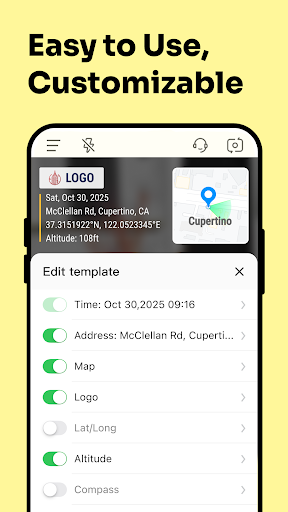
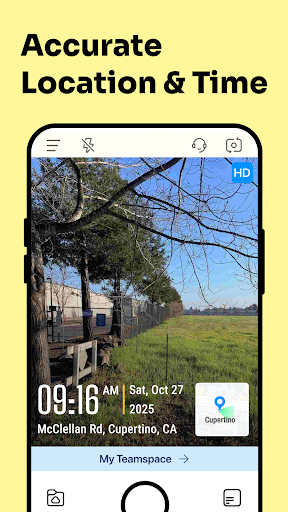
With Timemark Camera, you get guaranteed accurate •time: and •GPS coordinates: embedded directly into your photos. The app supports detailed customizations, allowing you to select font styles, sizes, and additional overlays such as logos, notes, weather info, and altitude. This ensures your photo records are both professional and personalized.
Rich and Enriched Information
Capture comprehensive photo proof by including map views, precise location •coordinates:, weather conditions, notes, company logos, business cards, tags, altitude, and more. This feature transforms simple photos into detailed documentation, facilitating clear communication and verification across various industries.
Industry-Specific Templates & Use Cases
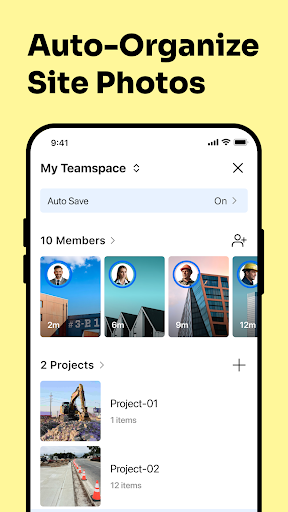
Designed to cater to a broad range of professions, Timemark offers preset templates for •construction: progress documentation, •security: patrol reports, •field technicians: visual records with notes and maps, •delivery: proof of delivery in real-time, and more. You can auto-sync photos to cloud drives, making photo management seamless and efficient.
Reliable and Trustworthy Photo Evidence
This app ensures your photo proof remains credible with features like ultra-accurate •timestamps: that display the precise time zone, backed by anti-fake GPS technology. Each photo is assigned a unique code for easy tracing back to the original capture, making it an invaluable tool for legal and verification purposes.
Efficiency Boosters for Your Workflow
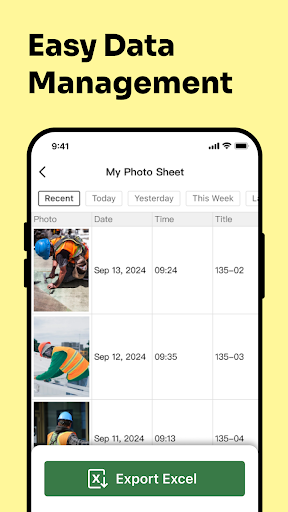
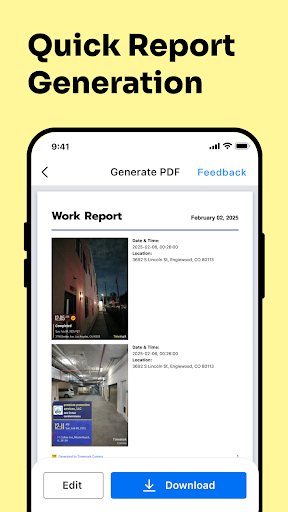
Timemark automates many processes to save your time and effort. Photos are automatically named with timestamps and notes, then saved and synced to cloud storage without manual intervention. You can export your photo logs as KMZ files to view on maps or as PDF and Excel for detailed reports. Plus, generate timesheets with attendance tracking for quick work hour calculations.
Hassle-Free and User-Friendly Experience
The app is compatible with older devices, ensuring accessibility for users across various smartphones. Its intuitive interface makes it easy for anyone, whether tech-savvy or not, to quickly start capturing professional-grade photo proof with embedded details effortlessly. Timemark is designed to be completely ad-free, providing a smooth, interruption-free experience.
Why Choose Timemark: Photo Proof?
Choosing Timemark means opting for a dependable, customizable, and comprehensive photo documentation tool. Its ability to generate a reliable record of your work, backed by trustworthy metadata, makes it an essential app for professionals and casual users alike. Plus, with upcoming industry-specific templates, the app continues to evolve in versatility and usefulness.
Get Started Today
Discover how Timemark can streamline your photo documentation and prove your work with undeniable accuracy. Whether you need detailed project logs, geotagged images, or branded promotional photos, this app is ready to serve your needs. Download Timemark: Photo Proof now and start capturing your world with verified proof embedded directly into every photo!
Pros
- User-friendly interface for easy navigation.
- High-quality photo output.
- Efficient time-stamping feature.
- Offers cloud storage integration.
- Supports multiple photo formats.
Cons
- Limited features in the free version.
- Requires internet connection for full functionality.
- Sometimes crashes on older devices.
- Subscription plans can be expensive.
- Limited editing tools.











