
Texture Maker for Minecraft PE
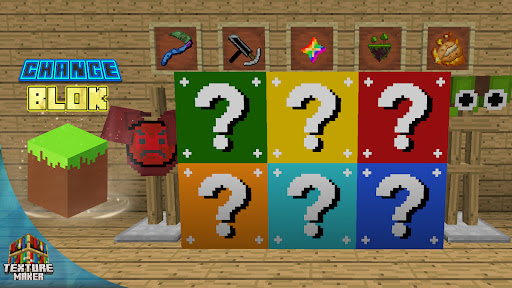
Unleash your creativity with the Texture Maker for Minecraft PE, an innovative app designed to give players the power to create, edit, and install new texture packs effortlessly. This all-in-one toolkit transforms your Minecraft experience by allowing you to customize everything from block textures to user interface elements, sky, water, and more. Whether you're a seasoned modder or a casual gamer, this app offers a range of features that make crafting your perfect Minecraft world both fun and accessible.
Highlight Features
CREATE, EDIT, and INSTALL your texture packs with ease. This feature-packed application empowers you to bring your unique visions to life, making every gameplay session special.
Create Your Own Masterpieces
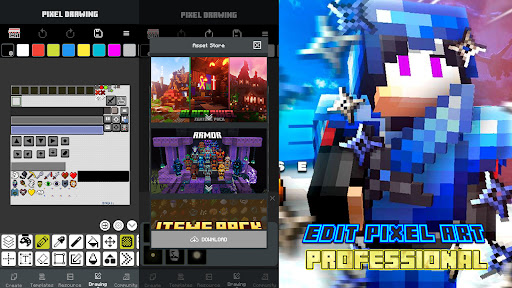
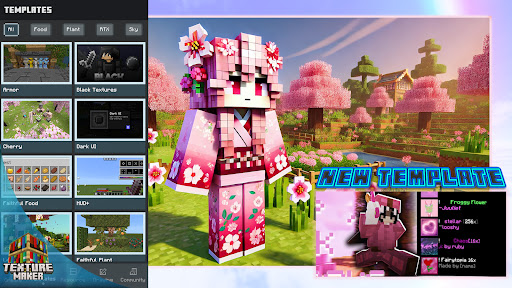
Design custom texture packs from scratch, giving you control over textures for blocks, UI elements, sky, and water. The app provides access to a vast library of over 1000+ texture pack ideas to inspire your creativity. From Actions and Stuff to Realism and Survival textures, you can craft a wide variety of styles including gun 3D models, sword 3D designs, RTX packs, PvP packs, and more. Share your creations with the vibrant Minecraft community and showcase your artistic flair.
Effortless Texture Editing
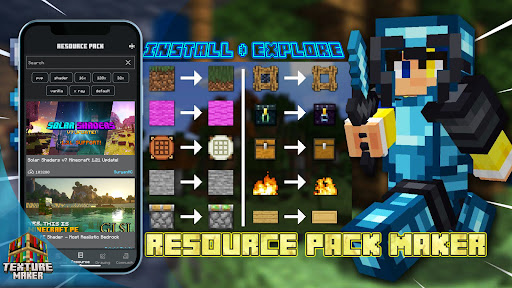
Install unlimited resource packs and shaders compatible with Minecraft 1.21+ seamlessly. The app allows you to extract mcpack files to modify shaders, PvP packs, and other custom content. Use the intuitive Pixel Art Editor to refine your textures with pixel-perfect precision, making your designs stand out in the game.
Become a Minecraft Modding Master
Effortlessly create and manage Minecraft texture paths. Edit JSON files like a professional with the built-in JSON Editor, and craft stunning PvP texture packs in just a few simple steps. The app also supports adding new resource packs for MCPE 1.21+ and extracting them for editing. Once completed, easily export your custom textures and resource packs directly into Minecraft Pocket Edition or other popular Minecraft versions, enhancing your gameplay or sharing your work with others.
Discover a World of Textures
The app provides access to an exclusive collection of Minecraft texture packs, including:
- Actions and Stuff resource pack
- Black texture pack
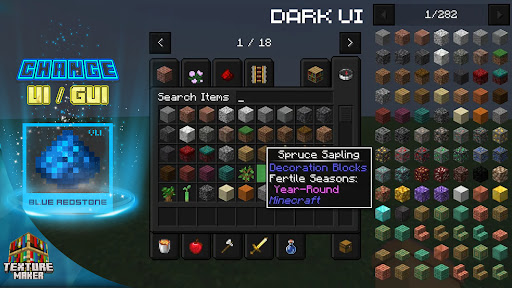
- Dark UI and GUI packs
- 16x PvP texture pack
- Ultra realistic shaders for MCPE
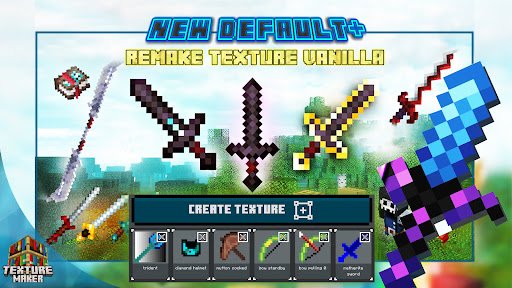
- Vanilla+ Minecraft shader texture packs
- 256x RTX Pack, 32x, 128x resolutions, and more
Explore these diverse options to give your Minecraft worlds a fresh, immersive look that matches your personal style or gameplay needs.
Why Choose Texture Maker for Minecraft PE?
Texture Maker for Minecraft PE is designed for both beginners and experienced modders. Its user-friendly interface and powerful editing tools make it easy to create high-quality textures and resource packs, enhancing your visual experience on mobile devices. Whether you're aiming for a realistic aesthetic or a fun, cartoonish style, this app helps you realize your creative vision with minimal effort. Plus, with its supportive community and continuous updates, you'll always find new ideas and tools to refine your Minecraft creations.
Final Words
If you're passionate about customizing your Minecraft PE experience, Texture Maker for Minecraft PE is a must-have tool. It unlocks endless possibilities for personalizing textures, crafting unique resource packs, and elevating your gameplay to new heights. Whether you want to revamp your world visually or create complex mod packs, this app simplifies the process while delivering professional-quality results. Dive into the world of Minecraft texture customization today and let your artistic abilities shine. Happy crafting!
Pros
- User-friendly interface suitable for beginners
- Extensive variety of textures available
- Supports high-resolution textures
- Regular updates introducing new features
- Enables creation of custom textures
Cons
- Limited features in the free version
- Reports of occasional app crashes
- Requires in-app purchases for premium features
- Advertisements can be disruptive
- Might not be compatible with older devices











