


Spam Call Blocker for Android: Your Ultimate Solution to Phone Spam and Robocalls
Are relentless spam calls disrupting your daily life? Whether it’s scam calls, telemarketers, or no caller ID calls, these unsolicited interruptions can be incredibly frustrating. Fortunately, the Spam Call Blocker for Android offers an effective and reliable way to eliminate up to 98% of these unwanted calls, helping you regain your peace of mind. This comprehensive app functions as your personal guard against phone scams and telemarketing, ensuring that you only answer the calls that matter.
Why Choose Spam Call Blocker for Android?
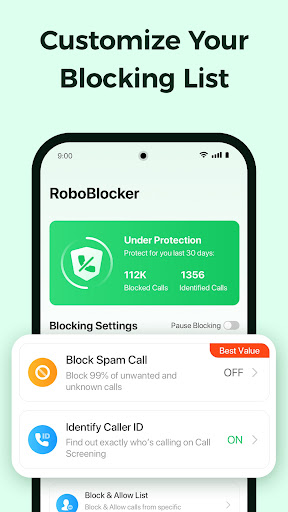
This powerful call filtering application is designed to automatically identify and block various types of unwanted calls. With a constantly updated database, the Spam Call Blocker analyzes incoming calls instantly, providing real-time caller ID spam alerts. It’s the only call filter you’ll ever need to keep pesky robocalls, scam calls, and telemarketers at bay. The app’s intuitive controls allow you to control who can reach you, with features like personal blacklists where you can add specific numbers or caller IDs you wish to block permanently.
Features That Stand Out
The Spam Call Blocker for Android is packed with features that enhance your call management experience:
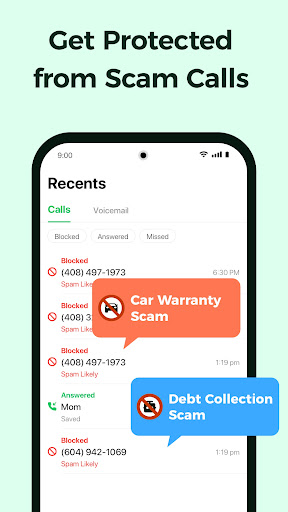
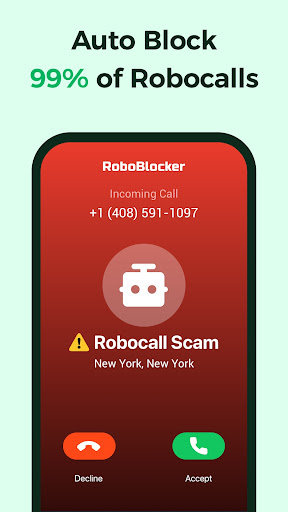
- Automatically block robocalls, spam calls, scam calls, no caller ID calls, telemarketers, and unwanted numbers.
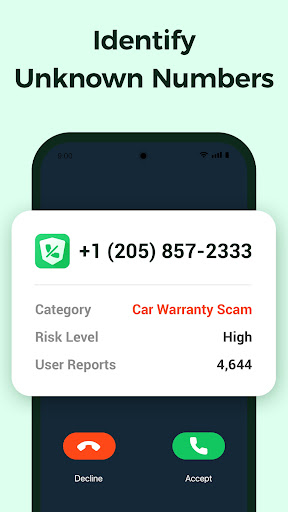
- Identify fraud, spam, and scam calls before you even decide to pick up, thanks to instant caller ID alerts.
- Manage your personal blacklist by adding numbers or caller IDs you prefer not to hear from.
- Use the reverse search feature to look up unfamiliar phone numbers, helping you identify potential telemarketers or scammers.
- Block calls from hidden or unknown numbers effortlessly.
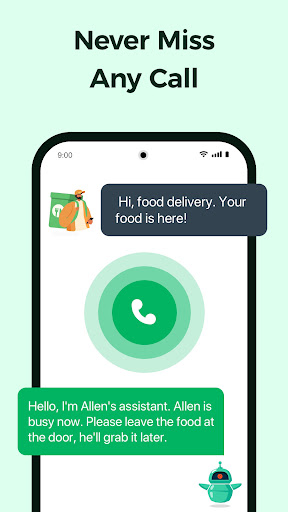
- Send flagged spam callers to "Answer Bots" — a fun feature that plays pre-recorded messages to distract automated callers and robocallers, turning their tactics against them.
Effortless Call Management and Privacy
Getting started with the Spam Call Blocker is a breeze. The app boasts a sleek, user-friendly interface that makes navigation simple, even for those less tech-savvy. Once installed, it runs quietly in the background, seamlessly analyzing calls in real-time without draining your device’s resources or battery life.
How to Block Spam Calls Effectively
Every incoming call from unknown or suspicious numbers is processed through the app’s robust database, enabling automatic spam detection. Numbers identified as spam are instantly blocked, preventing them from reaching your device. You can also create custom blacklists, adding any phone numbers or caller IDs that you want to keep out, giving you full control over your call experience. Plus, the reverse number lookup allows you to verify unfamiliar contacts before deciding whether to answer.
Peace of Mind with Scam Protection
With full caller ID scam alerts, the app helps you stay one step ahead of scammers. It blocks scam calls right after a single ring, protecting your personal and financial information from fraudulent schemes. The app’s scam detection features are designed to intercept malicious calls early, so you can rest assured your assets and privacy are safeguarded.
Privacy and Data Security
Your data stays exclusively on your device—nothing is shared with third parties. All reports and blocked number data are kept anonymous, ensuring your privacy is always maintained. The Spam Call Blocker for Android respects your confidentiality, providing a safe environment for call management.
Conclusion
In a world flooded with spam and scam calls, having a reliable call blocker is essential. The Spam Call Blocker for Android not only simplifies the process of dealing with unwanted calls but also offers a suite of features that enhance your control and security. Its easy setup, effective performance, and privacy-focused design make it the ideal tool to enjoy a spam-free life. Download today and experience the benefits of a quieter, safer phone experience—because you deserve it.
Pros
- Easy to set up and operate.
- Effectively blocks most spam calls.
- Allows customization of the block list.
- Consumes minimal battery power.
- Does not require frequent updates.
Cons
- May fail to block some spam calls.
- Can occasionally produce false positives.
- Free version has limited features.
- Contains advertisements in the free version.
- Requires internet access for updates.











