



SNOW - AI Profile: Enhance Your Social Media Presence with Stunning Profile Pictures
In the fast-paced digital world, a captivating profile picture can significantly boost your online presence. Introducing SNOW - AI Profile, an innovative app designed to help users craft eye-catching, professional-looking profile photos with ease. Leveraging cutting-edge AI technology, SNOW makes it simple to stand out across social media platforms, ensuring your digital persona truly shines. With over 200 million active users worldwide, SNOW has established itself as a trusted companion for those seeking creative and personalized profile images.
Unlock the Power of AI for Stunning Profile Photos
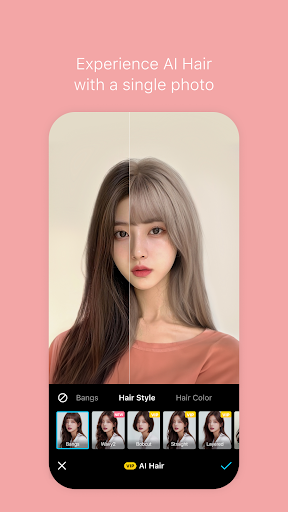
What sets SNOW - AI Profile apart from traditional photo editing tools is its intelligent use of advanced AI algorithms. These algorithms analyze your photos and offer personalized enhancement suggestions to highlight your best features. Whether you aim for a natural glow, artistic flair, or creative effects, SNOW’s smart suggestions help you achieve the perfect look. This makes the app ideal both for casual users wanting a fresh update and for social media enthusiasts seeking to elevate their online image.
Key Features that Make Your Profile Pop
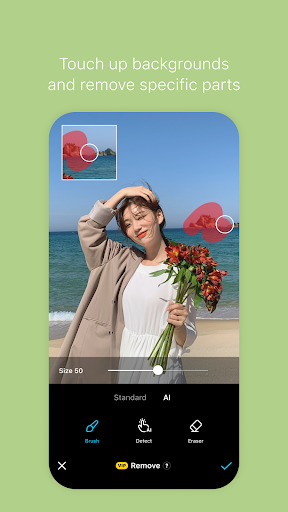
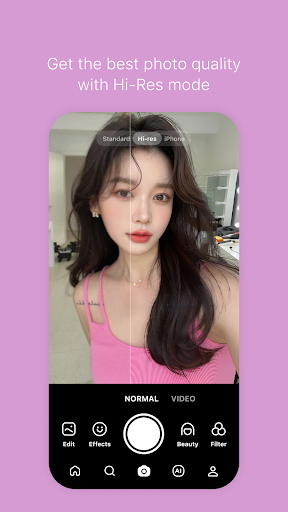
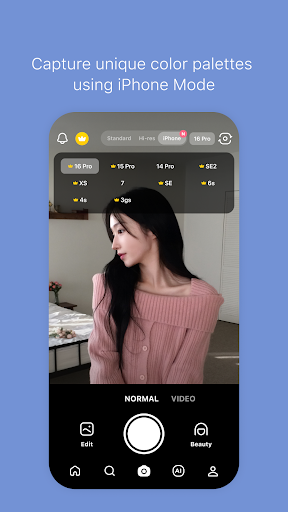
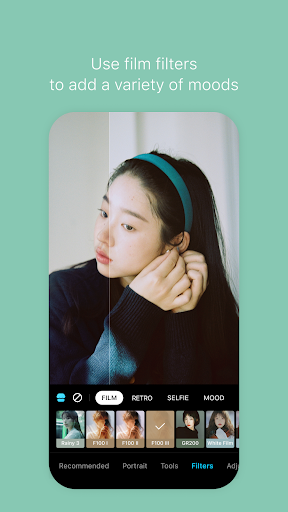
The suite of features embedded in SNOW ensures your profile photos are always impressive. The AI-powered filters automatically optimize lighting, contrast, and color tones – transforming ordinary selfies into professional-quality images within seconds. For those looking to add a unique touch, SNOW offers an extensive array of effects and seasonal filters, each updated regularly to keep your photo content vibrant and engaging. One standout feature is the background editing tool. It enables effortless background swaps, turning a simple shot into a themed scene – whether it’s a tropical beach, a city skyline, or a cozy indoor setup. This flexibility allows users to craft the perfect vibe for their personal or professional profiles.
Intuitive and User-Friendly Experience
Navigating SNOW is a breeze thanks to its clean, minimalist interface. Upload your photo, select the desired effects, and let the AI do the rest. Even novices can create stunning images without prior editing experience. A helpful tutorial section guides first-time users through the process, providing tips on maximizing the app’s capabilities. The entire workflow is designed to be quick and enjoyable, making professional-looking profile pictures accessible to everyone.
Why Anyone Should Use SNOW - AI Profile
In an era where digital engagement matters more than ever, a standout profile picture can open doors and leave a lasting impression. SNOW doesn’t just help you enhance your images—it transforms the process into a fun, creative experience. Whether you’re updating your LinkedIn photo, revitalizing your Instagram feed, or personalizing your online dating profile, SNOW provides the tools to elevate your social media game effortlessly. Its blend of AI-driven features, seasonal updates, and user-friendly design makes it a top choice for improving your digital identity.
Join a Global Community of Creative Users
With a massive community of over 200 million users, SNOW continues to grow as a leading app for photo editing and social media enhancement. The platform’s constant updates, new effects, and innovative filters ensure there’s always something fresh to explore. For those interested in collaborations or partnerships, SNOW offers avenues for engagement, further extending its influence as a creative tool.
Pros
- User-friendly interface for straightforward navigation
- Extensive selection of filters and effects
- High-quality profiles generated by AI
- Frequent updates introducing new features
- Active community with social sharing capabilities
Cons
- Dependent on a stable internet connection
- In-app purchases required for premium features
- May consume significant resources on older devices
- Limited offline functionality
- Potential privacy concerns related to data usage











