
Introducing SnapBridge: Your Ultimate Nikon Camera Companion
Have you ever been out in the wild, capturing the beauty of nature with your Nikon camera, only to wish you could instantly share those stunning shots with your friends? Well, let me introduce you to the solution: SnapBridge. This innovative app seamlessly connects your Nikon camera to your smartphone, making photo transfers feel like a breeze. Whether you're a professional photographer or a casual shutterbug, SnapBridge is designed to elevate your photography experience by simplifying connectivity, enhancing sharing capabilities, and adding smart features to your workflow.
Effortless Connectivity Between Nikon Cameras and Smartphones
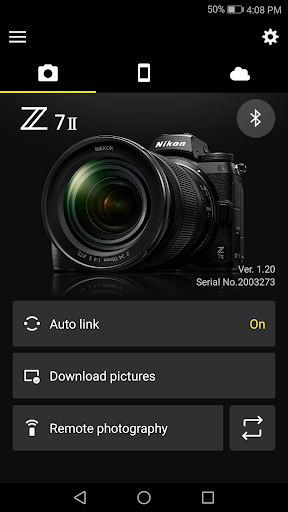
One of the standout features of SnapBridge is its ability to establish a constant connection between your Nikon camera and your smart device. Utilizing Bluetooth Low Energy, the app ensures that your camera stays linked to your mobile device without significant battery drain. This efficient connection allows for real-time photo synchronization, so your high-quality Nikon images can be shared instantly on social media platforms or via email. Additionally, the app supports pairing with up to five cameras, making it ideal for photographers managing multiple devices.
Seamless Photo Transfers Made Simple
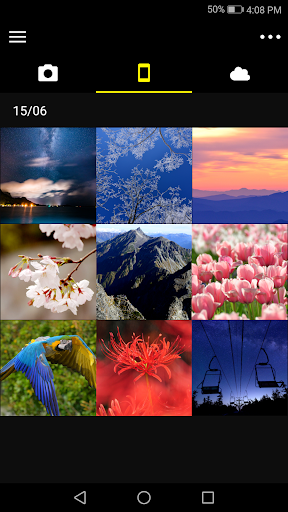
Gone are the days of fumbling with SD cards or connecting cables. With SnapBridge, transferring photos from your Nikon camera to your smartphone is straightforward and automatic once paired. As you_CAPTURE photos, the app intelligently syncs the images to your device, so you can share those memorable moments in real-time. This feature is particularly useful during events like family gatherings, outdoor adventures, or travel excursions, where capturing and sharing spontaneous shots enhances the experience. Moreover, the app supports downloading photos directly from the camera, making it easy to curate your galleries on the go.
Remote Shooting and Advanced Control
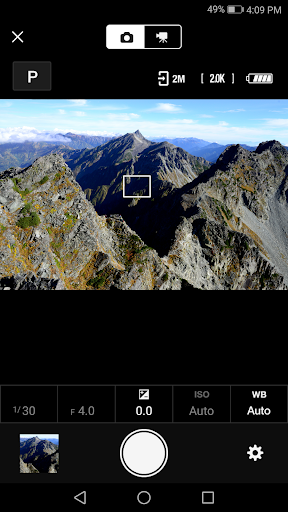
Did you know that SnapBridge can serve as a remote control for your Nikon camera? This feature allows you to set up your camera at a scenic location, then step into the frame and use your smartphone to take photos. It’s perfect for group shots, self-portraits, or capturing challenging angles where a selfie stick might fall short. Remote movie recording is supported on certain models, providing further creative flexibility. Just ensure your camera has Wi-Fi capabilities, as some models may not support remote shooting or video transfer.
Enhanced Photo Management and Cloud Integration
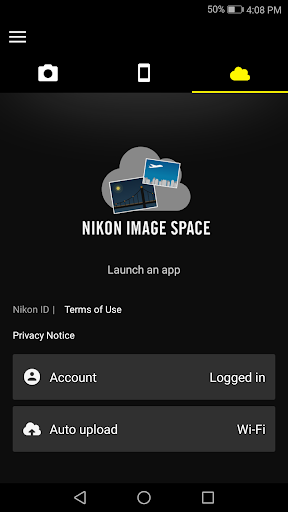
Managing your photos becomes easier with SnapBridge. The app automatically tags images with location data and timestamps, helping you keep your digital memories organized. You can also add notes or text to uploaded photos, making it easy to remember special details about your shots. For backup and storage, the app supports seamless integration with Nikon Image Space, Nikon’s cloud storage service. This feature ensures your photos are safely stored in the cloud, freeing up space on your device while preserving your collection securely online.
System Requirements and Tips for Optimal Use
To get the most out of SnapBridge, ensure your device meets the necessary system specifications: Android 11.0 or later, with support for Bluetooth 4.0 or higher. A device with a screen resolution of at least 960 × 540 pixels (WVGA) is recommended for optimal performance. Before connecting, enable Bluetooth and Wi-Fi on your smartphone, and ensure NFC is activated if you plan to connect via NFC. Keep your Nikon camera's firmware updated by downloading the latest version from the Nikon Download Center, which improves stability and feature compatibility. If you encounter connectivity issues, try restarting your devices or relaunching the app.
Final Thoughts: Elevate Your Photography with SnapBridge
In today’s fast-paced world, capturing and sharing moments instantly has become a standard expectation among photography enthusiasts. SnapBridge stands out as a must-have app for Nikon camera users, offering a host of features that enhance both the convenience and creative potential of your photography. From automatic photo transfers and remote shooting to intelligent image organization and cloud backup, this app transforms how you manage and share your images. Whether you’re out exploring nature, at a special event, or just capturing everyday life, SnapBridge is like having a personal assistant that keeps your camera connected, organized, and ready to share your world—one stunning photo at a time.
Pros
- Seamless connectivity to camera
- Automatic transfer of photos
- Control camera remotely
- Simple sharing on social media
- Energy-efficient operation
Cons
- Requires compatible Nikon camera
- Limited editing capabilities
- Occasional disconnections
- Lacks cloud storage options
- User interface of the app needs enhancement











