
Introduction to SMS Auto Reply - Autoresponder
If you're looking for a dependable solution to manage your messages efficiently, the SMS Auto Reply - Autoresponder app is an excellent choice. This versatile application, first released in 2014, is designed to automatically respond to incoming TEXTS / SMS and messages across various messaging platforms. Whether you're occupied driving, in a meeting, watching a movie, or simply want to avoid disturbances, this app ensures you stay connected without the need to manually reply.
Key Features of the SMS Auto Reply - Autoresponder App
Broad Compatibility with Messaging Platforms
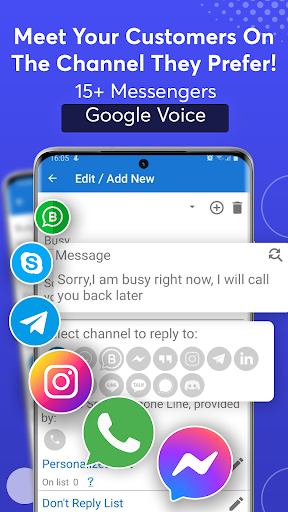
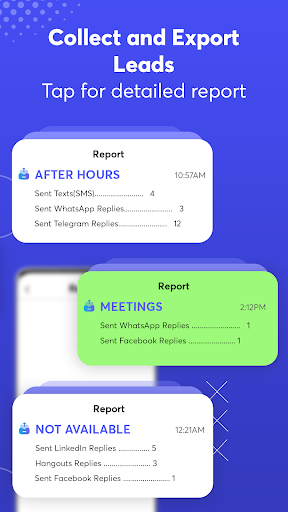
The app seamlessly integrates with numerous popular messengers that have reply options in their notifications, including WhatsApp, Facebook Messenger, Instagram, Telegram, Viber, Skype, Microsoft Teams, LinkedIn, Google Chat, and Discord. It also supports SMS auto-replies for standard messages, making it a comprehensive auto responder tool for both personal and professional use.
Advanced Customization & Automation
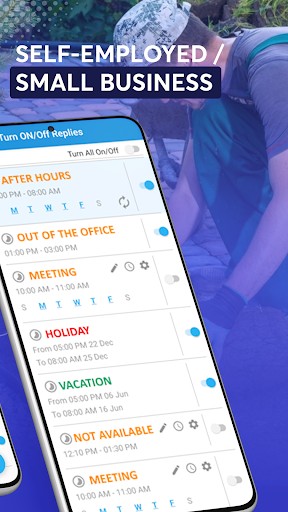
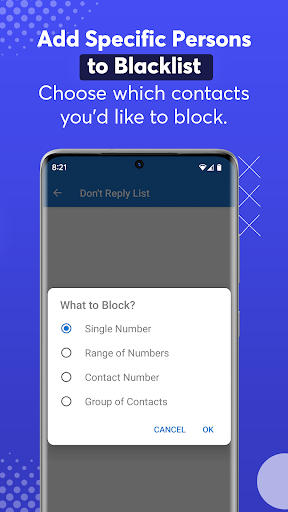
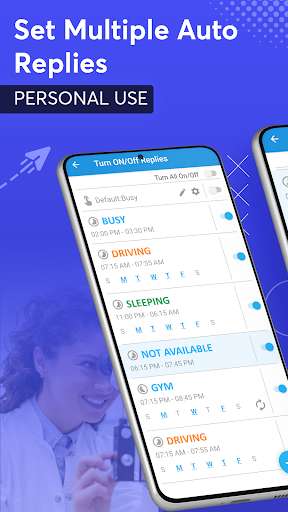
This auto reply app offers extensive customization options, allowing you to set up multiple automated reply rules tailored to your needs. For example, you can create profiles for driving, sleeping, or working, each with specific messages. Additionally, scheduling features let you plan responses days or weeks in advance—perfect for vacations or busy periods. You can also choose to respond only to specific contacts or groups, and blacklist others to prevent auto replies from triggering for certain people, enhancing your control over communication.
Personalized and Intelligent Responses
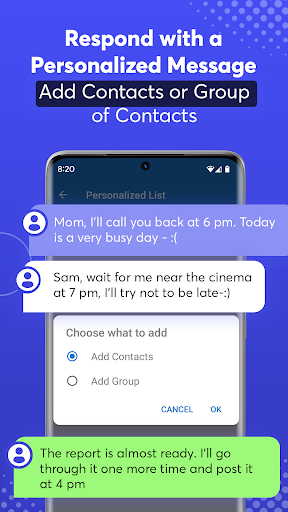
Personalization is at the core of this application's functionality. You can maintain a list of contacts for whom personalized responses are sent, and set the app to respond with custom messages based on contact name, time, location, or activity. The app's ability to send responses using native emojis and share a variety of media enhances the conversational feel of automated replies.
Driving & Safety Features
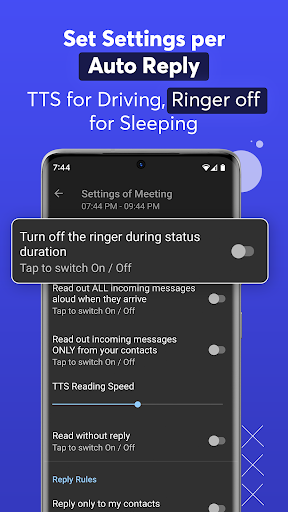
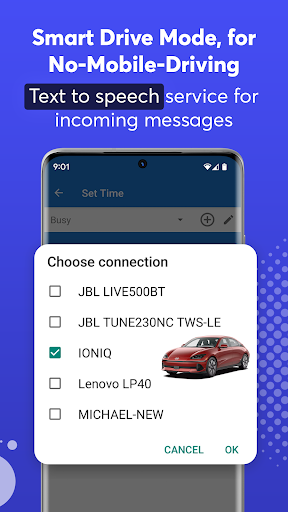
One of the standout aspects of this auto responder is its Smart Drive Mode and Smart Bike Mode. These modes automatically activate when your device connects to your vehicle via Bluetooth. The app then triggers auto-replies, reads incoming messages aloud using Text to Speech (TTS), and even reads sender names and message content aloud, ensuring you stay focused on the road or bike without distractions. You can customize responses and control when the auto reply functions activate, fostering a safer driving experience.
Why Choose the SMS Auto Reply - Autoresponder App?
This app is designed for busy individuals who want to balance their digital communication without being constantly tethered to their phones. Its intuitive interface makes setup straightforward, even for non-technical users. Its ability to handle multiple contacts, support scheduling, and provide safe driving modes makes it stand out as a trustworthy auto reply solution.
Moreover, it consumes minimal battery and system resources, ensuring your device remains efficient while the app runs in the background. Whether you’re in a meeting, driving, or sleeping, SMS Auto Reply - Autoresponder ensures your contacts are informed of your status with timely, automated responses—giving you peace of mind.
Pros
- Easy to set up and operate.
- Supports multiple reply templates.
- Compatible with various messaging applications.
- Offers customizable reply configurations.
- Helps save time for users with busy schedules.
Cons
- Features are limited in the free version.
- Occasional delays in receiving notifications.
- Does not support multimedia reply options.
- Requires permissions to access messages.
- May consume significant battery with frequent use.











