

Discover the Power of Slack: Your Ultimate Collaboration Platform
Slack is a versatile and intuitive communication tool designed to transform chaotic team interactions into seamless, organized collaboration. Whether you’re a large enterprise or a small startup, Slack offers a unified platform where teams can meet, share ideas, and work together efficiently. With its robust features and integrations, Slack has become an essential app for fostering productivity, boosting creativity, and streamlining workflows in today’s dynamic work environment.
Key Features of Slack
Efficient Team Communication
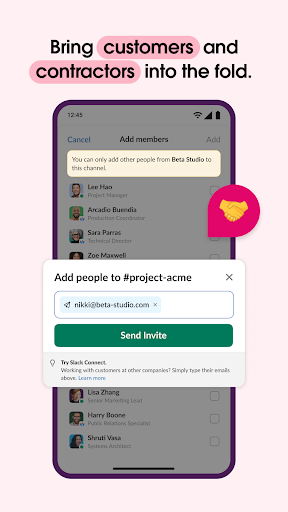
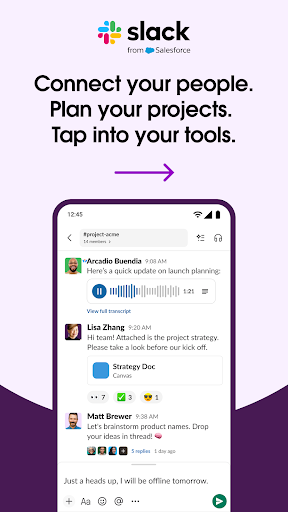
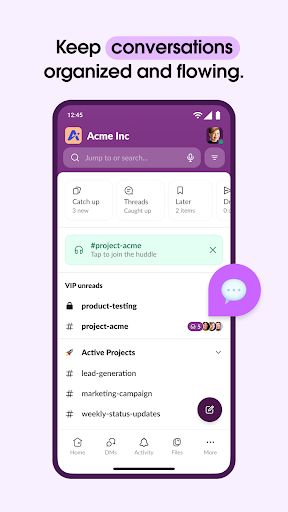
One of Slack’s core strengths lies in its ability to facilitate clear and structured communication. The platform’s channels serve as dedicated spaces for every project, team, or topic, keeping conversations organized and easily accessible. Users can join or create channels for different departments, initiatives, or clients, ensuring relevant discussions stay contained and focused.
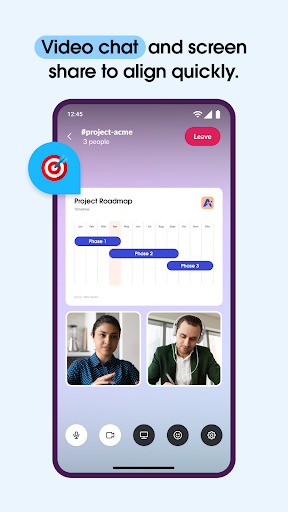
Beyond text messaging, Slack supports video calls directly within the app. You can share your screen during meetings, conduct live discussions, or record audio or video clips to convey complex ideas more effectively. This flexibility allows teams to collaborate visually and interactively, regardless of their geographical locations.
Streamlined Project Management
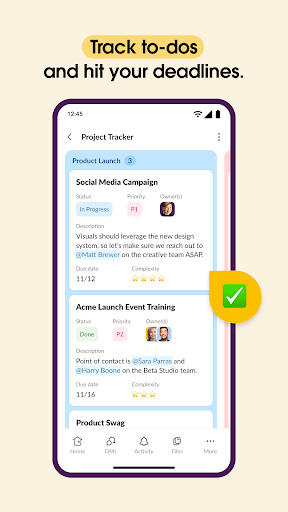
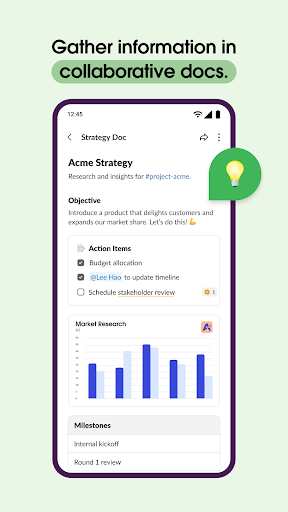
With Slack, managing projects becomes more straightforward. You can leverage pre-made and customizable templates to set up workflows and processes quickly. Shared documents enable collaborative editing of marketing plans, product specs, and other crucial files, all embedded within the relevant conversations. Additionally, built-in project management tools help track to-dos, assign tasks, and monitor milestones—facilitating a smooth path from planning to execution.
Seamless Integration with Apps and Services
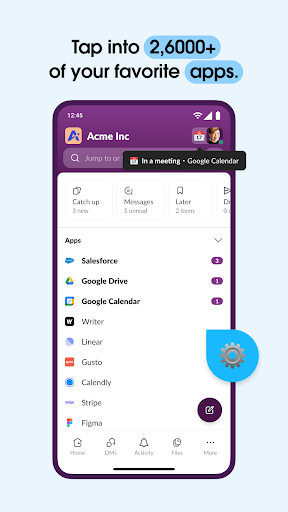
Slack’s ecosystem boasts over 2,600 apps, including popular services like Google Drive, Salesforce Data Cloud, Dropbox, Asana, Zapier, Figma, and Zendesk. These integrations allow users to approve requests, manage calendars, and modify file permissions without leaving Slack’s interface. Powerful AI capabilities make searching for messages, files, and information more efficient, saving valuable time.
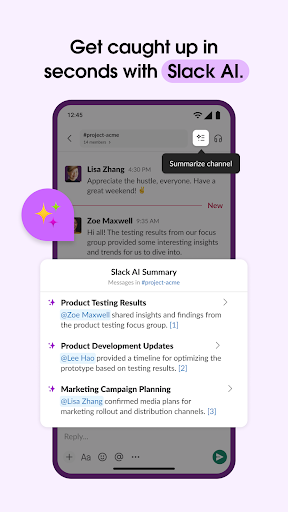
The platform also features Slack AI, which can generate meeting notes and assist with information retrieval. To unlock these advanced capabilities, users need the Slack AI add-on, available with premium plans.
Why Teams Love Slack
Teams around the world appreciate Slack for its ability to add a personal touch to professional interactions. The inclusion of emojis for reactions injects fun into everyday conversations, fostering a positive work atmosphere. Sharing files, engaging in voice and video calls, and the customizable notification system make Slack a personalized communication hub. The platform acts as an efficient filter, ensuring users stay updated on important discussions without getting overwhelmed.
Getting Started with Slack
Setting up Slack is quick and straightforward. Whether you’re on an Android or iOS device, installation is seamless. Creating a workspace involves entering basic team information, after which you're ready to start collaborating. The intuitive interface makes onboarding simple, enabling teams to jump right into productive conversations.
Final Thoughts
After exploring its features and experiencing firsthand how Slack facilitates better teamwork, it’s clear why this platform is a game-changer in workplace communication. It consolidates an array of tools and functionalities into a single, user-friendly space that enhances productivity and collaboration. If your team is still relying on email chains and scattered platforms, embracing Slack could dramatically improve your communication flow. With its ability to integrate numerous apps, support remote work, and foster engaging conversations, Slack is truly a comprehensive solution for modern teams looking to grow and succeed.
Pros
- User-friendly interface facilitating quick adaptation.
- Smooth integration with various applications.
- Real-time messaging enhances team productivity.
- Customizable notifications improve focus.
- Robust security features protect data privacy.
Cons
- Limited features in the free plan reduce usability.
- Mobile application can experience slowness at times.
- Search functionality may lack intuitiveness.
- Excessive notifications can be distracting.
- Expensive for small businesses or startups.











