







Introduction to Skype for Business for Android
Skype for Business, formerly known as Lync 2013, is a powerful mobile application designed to extend the capabilities of professional communication directly to your Android device. Whether you're working remotely, traveling, or simply need to stay connected with your team, this app offers a comprehensive suite of features including voice and video calls, instant messaging, rich presence indicators, and conferencing tools. With a user-friendly interface, Skype for Business for Android makes it easy to collaborate seamlessly without being tethered to your desktop.
Key Features of Skype for Business for Android
Real-Time Communication and Collaboration
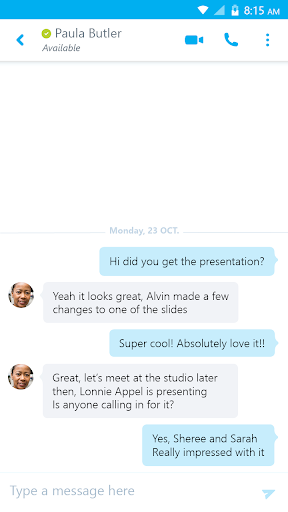
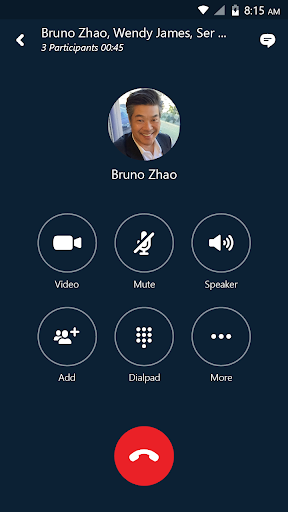
The app allows you to initiate group instant messaging or video conversations effortlessly. You can invite multiple participants to foster collaboration and share ideas efficiently. Joining, rejoining, or starting a Skype for Business Meeting is just a tap away, enabling smooth communication whether you're in an office meeting or on the go.
Video Conferencing and Screen Sharing
During conferences, you can share your video feed or view speakers' videos, creating a more engaging virtual meeting environment. The app also offers controls to manage meetings, such as muting or removing attendees, and provides detailed participant information to help manage discussions effectively.
Meeting Management and Access
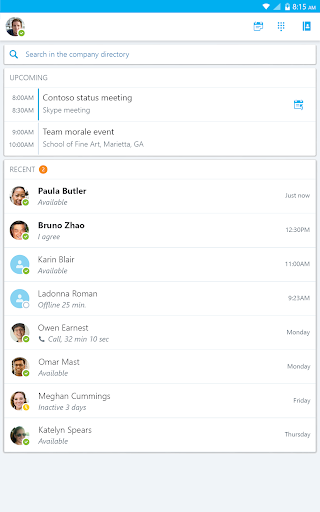
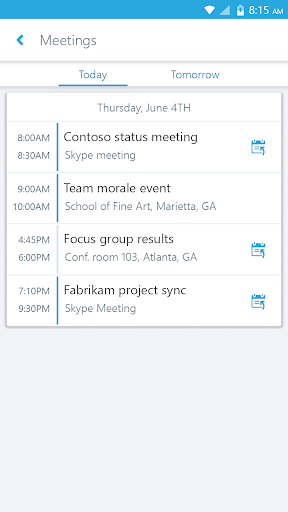
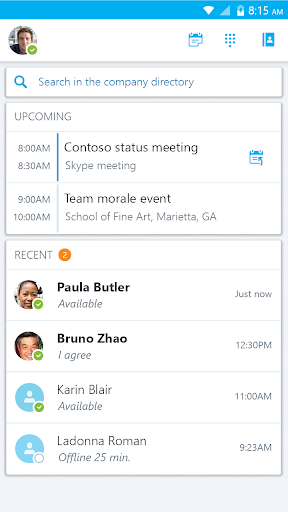
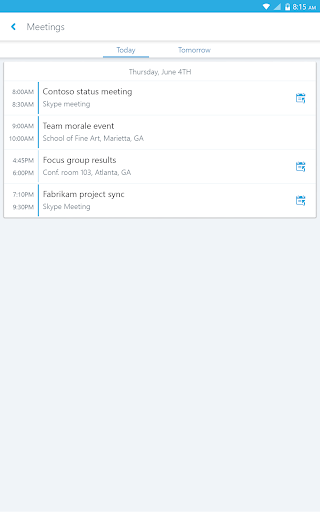
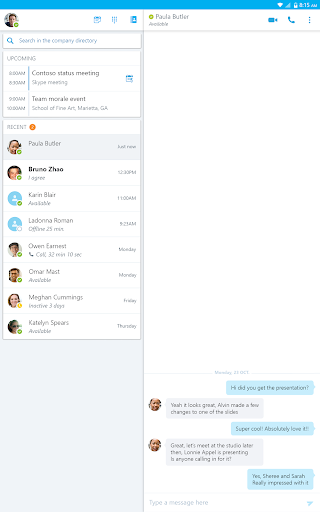
Stay organized with a calendar overview of upcoming meetings, with one-click options to join easily. Quickly access your recent conversations, or search contacts by name, email, or phone number to find contacts swiftly and stay connected seamlessly.
Enhanced Security and Compatibility
The app incorporates enhanced security features through Active Directory Authentication Library (ADAL), helping protect your communications within a secure environment. It is compatible with Microsoft Lync Server, Skype for Business Server, and cloud services like Office 365, ensuring robust enterprise-grade collaboration tools are at your fingertips.
Usability and Performance
Setting up Skype for Business for Android is straightforward, especially if you already have an account. The interface is designed to be intuitive, enabling users to access chats, calls, and meetings effortlessly. The app delivers impressive audio and video quality, capable of adjusting to network fluctuations to maintain a stable connection. Features like instant messaging and voice calls and the ability to share your screen during meetings make remote collaboration natural and effective.
Considerations for Users
While Skype for Business for Android is feature-rich, some users may experience minor issues such as occasional lag or increased battery consumption, especially during long meetings or multitasking. Connectivity with external clients outside the organization might require additional steps, such as downloading the app or ensuring they have compatible accounts. It’s important to verify that your organization’s licensing includes access to this app and that your device runs Android version 4.0 or higher.
Conclusion: Is It the Right Tool for You?
Overall, Skype for Business for Android is a reliable and versatile tool tailored for professionals needing constant connectivity and seamless communication while on the move. Its comprehensive features support efficient team collaboration, whether you're conducting meetings, sharing screens, or chatting with colleagues. Despite some minor performance quirks and the need for proper licensing, it remains a top choice for enterprise-level mobile communication. If staying connected and productive away from your desk is a priority, this app is definitely worth considering.
Pros
- Seamless integration with Office applications.
- High-quality audio and video calls.
- Effective collaboration tools.
- Simplified meeting scheduling.
- Secure communication features.
Cons
- Limited features in the free version.
- Occasional connectivity problems.
- Complex setup process for new users.
- High battery consumption.
- Needs a reliable internet connection.











