
Discover the Amazing Features of SketchPad - Doodle On The Go
Are you a creative soul looking for a simple yet powerful tool to capture your ideas on the fly? SketchPad - Doodle On The Go is the perfect app for artists, doodlers, and anyone eager to turn their ideas into art, wherever they are. Compact, intuitive, and packed with features, this lightweight drawing application transforms your mobile device into a portable art studio.
Unleash Your Creativity Anywhere
One of the standout qualities of SketchPad - Doodle On The Go is its incredible accessibility. Whether you're sitting in a park, commuting, or waiting in line, this app allows you to instantly start creating. With just a few taps, your screen becomes a canvas where you can draw, doodle, sketch, or scribble — whatever inspires you at the moment. The app’s minimalistic design ensures that you do not need any complicated setup or prior technical knowledge to dive into your art projects. Simply install, open, and begin creating in seconds.
Intuitive User Interface for Seamless Creativity
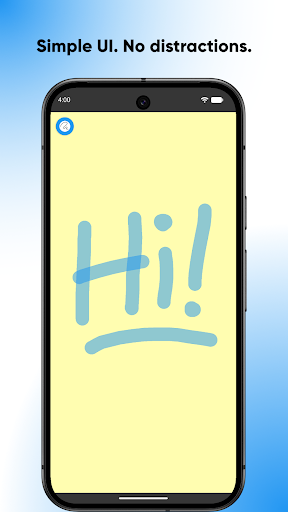
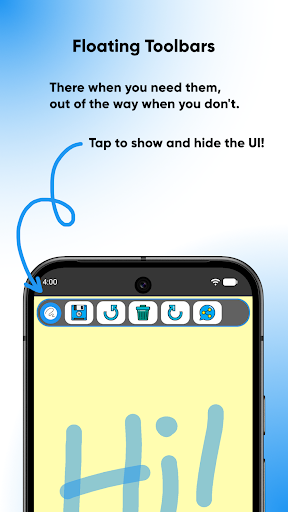
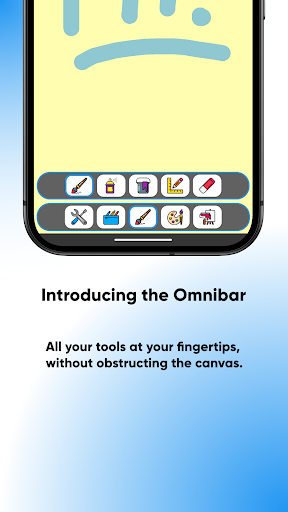
With a simple UI, SketchPad guarantees a smooth and enjoyable drawing experience. All tools are neatly organized and easy to access, making switching between brushes, colors, and other options effortless. The clean design keeps distractions to a minimum, enabling you to focus solely on your artwork. Whether you're a casual doodler or a serious digital artist, you'll appreciate how intuitively the app operates, ensuring that your creative flow is never interrupted by technical hurdles.
Versatile Tools and Effects for Artistic Freedom
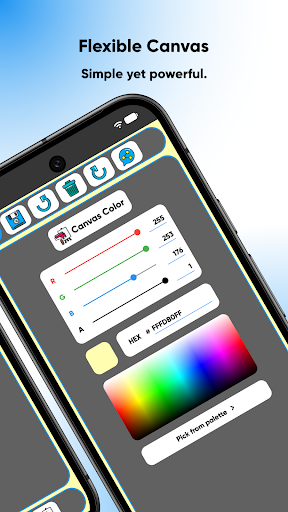
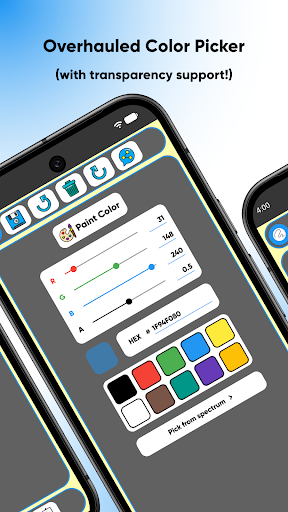
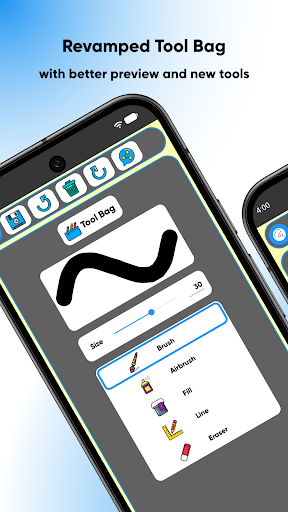
The app is loaded with an array of brushes, effects, and customization options. From traditional pencils and ink to textured digital brushes, you have multiple ways to bring your ideas to life. The customizable brush width with instant preview allows for precise lines, whether you prefer bold strokes or fine details. The extensive color palette offers several methods to choose colours—Palette, Spectrum, or RGB Sliders—so you can create vibrant, eye-catching artwork. For advanced users, the layer-based editing feature adds flexibility, making it easier to work on complex illustrations without altering previous work.
Effortless Saving and Sharing of Your Artwork
When your masterpiece is complete, SketchPad simplifies the process of sharing and saving your creations. Export images in popular formats like PNG or JPEG, or directly share your doodles to social media platforms, messaging apps, or email. The app saves your artwork automatically to a default directory, such as "/Pictures/SketchPad/", which can be customized in the settings. For users on Android 10 and above, the app complies with storage access policies and saves images to a specific directory to ensure compatibility. Additionally, sharing your art in the cloud is available through integrated options, providing a secure backup solution while enabling easy access across devices.
Additional Features for Enhanced Creativity
One of the unique features is the Shake to Clear option, which clears the drawing canvas when you shake your device—ideal for quick sketches and passing the time, though not recommended during serious work or while on the move on a busy bus. The app’s offline capability ensures you can sketch anywhere without needing an internet connection, although sharing features might require online access. The app requires storage permissions solely for saving your artwork, safeguarding your privacy and data security.
Why Choose SketchPad - Doodle On The Go?
This app is designed with the user experience at its core. Its lightweight size (just 5 MB) means it won't clog your device, yet it delivers powerful tools suitable for both casual doodling and more serious digital art projects. Whether you’re capturing spontaneous ideas or working on detailed illustrations, SketchPad ensures that your creative process remains smooth and enjoyable. So why wait? Download it today and start turning your inspiration into art — anywhere, anytime.
Pros
- User-friendly interface for quick doodling.
- Wide variety of colors and brush styles.
- Offline mode improves portability.
- Supports exporting in high resolution.
- Features real-time collaboration.
Cons
- Limited options for advanced drawing tools.
- May experience lag on older devices.
- In-app advertisements can be disruptive.
- Does not offer cloud storage integration.
- Lacks a text tool for adding annotations.











