

Introduction to ScanBizCards Premium
In today's fast-paced professional world, managing contacts efficiently is essential for networking and business growth. ScanBizCards Premium emerges as a powerful tool designed to revolutionize how you handle business cards. Whether you're attending conferences, trade shows, or just collecting contacts daily, this app simplifies the process by transforming your smartphone into an intelligent business card scanner. With its intuitive interface and advanced features, ScanBizCards Premium ensures you never miss an opportunity to connect again.
Key Features of ScanBizCards Premium
Versatile Business Card Scanning
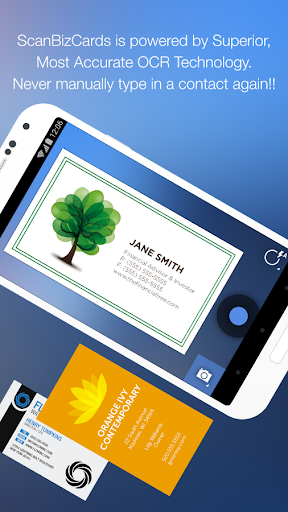
The core feature of ScanBizCards Premium is its ability to scan business cards quickly and accurately using your phone's camera. The app supports {{•Languages,•}}, allowing users from around the world to digitize cards in languages such as English, German, Spanish, Chinese, Russian, and many more. The inclusion of a new OCR (Optical Character Recognition) engine enhances scan results, making recognition 5 times faster and providing a high success rate even for complex card designs. Additionally, batch scanning allows the quick processing of multiple cards at once, saving considerable time during events or large networking sessions.
Seamless Contact Management
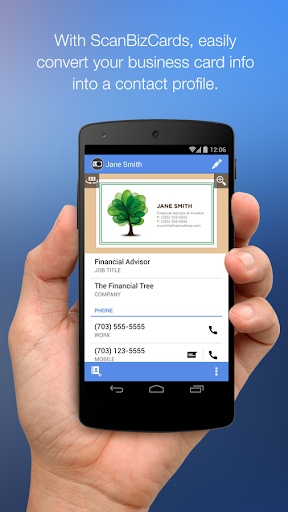
Beyond simple scanning, ScanBizCards Premium enables users to review and edit contact details side-by-side with the card image, ensuring accuracy before saving. You can create personalized notes for each contact, organize your cards with custom folder names, and even add reminders for follow-up actions. The app also supports double-sided card scanning and features a 3D gallery view mode for easy browsing. When dealing with email signatures, you can enable signature capture to automatically extract and save contact details, eliminating manual entry.
Integration with CRM and Email Platforms
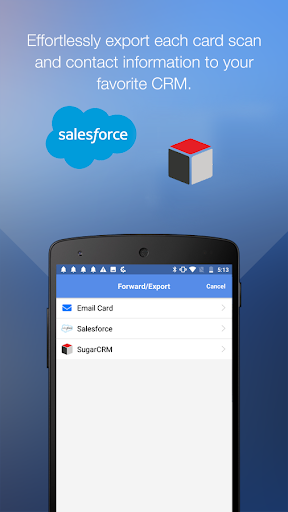
One of the standout capabilities of ScanBizCards Premium is its integration with popular Customer Relationship Management (CRM) platforms such as Salesforce and SugarCRM. Users can export multiple contacts directly into their CRM database, streamlining lead management. The latest update lifts previous limits, allowing unlimited card exports to Salesforce, making it suitable for busy sales professionals. Additionally, connecting your email account facilitates signature capture, enabling automatic contact updates and unlimited CRM exports, making networking more efficient than ever.
Conference and Event Networking
If you're attending trade shows or conferences, ScanBizCards Premium can function as a conference badge scanner. Instead of relying on traditional scanners or manual data entry, simply scan badges with your phone and instantly convert those contacts into leads. The app's batch processing capability ensures you can capture and export multiple contacts in under 30 seconds, accelerating follow-ups and lead management.
Additional Handy Features
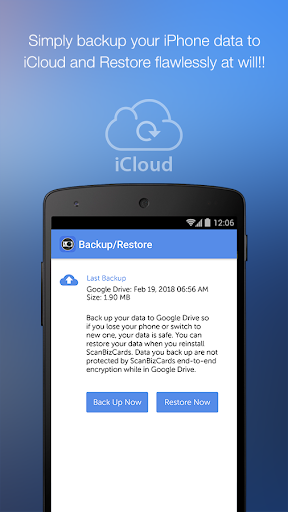
The app also offers features like sending quick introduction emails, creating new contacts or merging with existing ones, exporting cards to other CRMs, and backup/restore options via Google Drive. Its user-friendly design includes a search function, the ability to share cards via email, and the option to make personalized notes, making it a comprehensive solution for business contact management.
Why Choose ScanBizCards Premium?
With so many features tailored for professional networking, ScanBizCards Premium stands out as the ultimate business card management app. Its ease of use, powerful OCR technology, and seamless integration with CRM systems make it a must-have tool for entrepreneurs, sales teams, and anyone looking to streamline their contact organization. Plus, with a limited-time discount, this app offers exceptional value ($0.99 instead of the regular $2.99), making it accessible for everyone who prioritizes efficient networking.
Final Thoughts
In an age where effective networking can propel your career or business to new heights, having a reliable, feature-rich tool like ScanBizCards Premium can be a game changer. It transforms the often tedious task of managing physical business cards into a swift, organized, and digital experience. From rapid scans and CRM exports to conference badge captures, it covers all aspects of professional contact management. If you want to declutter your desk and enhance your networking capabilities, this app is definitely worth trying. Don't miss out on the limited period discount — upgrade your business card game today with ScanBizCards Premium.
Pros
- Integrates seamlessly with major CRMs
- Provides accurate card scanning
- Facilitates easy contact sharing
- Offers cloud backup options
- Includes batch scanning capability
Cons
- Premium version is expensive
- Occasional errors during scanning
- Limited options for customization
- Lacks offline mode functionality
- Has a steep learning curve











