

Introducing Samsung Accessory Service
Samsung Accessory Service is an essential app that creates a stable environment for connecting and managing a variety of accessories with your mobile device. Whether you own a Galaxy Watch, Galaxy Buds, or other compatible devices, this service ensures seamless communication and efficient management. The app supports various connectivity environments and enhances user convenience by working smoothly with manager applications such as Galaxy Wearable and Samsung Camera Manager Inst.
Compatibility with Samsung Accessories
Samsung Accessory Service is compatible with a broad range of accessories, making it a versatile tool for Samsung device users. These include popular gadgets like GALAXY Gear, Gear 2, Gear S Series, and the Galaxy Watch Series. Additionally, the service works with tools such as the Samsung Gear Fit 2 and the Samsung NX-1 camera. Connecting these accessories to your mobile device via Samsung Accessory Service enables a host of functionalities, ensuring your device experiences are both comprehensive and streamlined.
Key Features of Samsung Accessory Service
This app provides vital features that facilitate smooth operation between your mobile device and connected accessories. Among these features are:
- Connection management – Establish a stable connection between your device and accessories for effortless syncing.
- Data transfer – Send and receive data, including media files and more, with ease.
- File transfer – Transfer files quickly and reliably between your device and accessories.
Permissions Required for Optimal Functionality
To ensure Samsung Accessory Service functions properly, certain permissions are necessary. The key permission is:
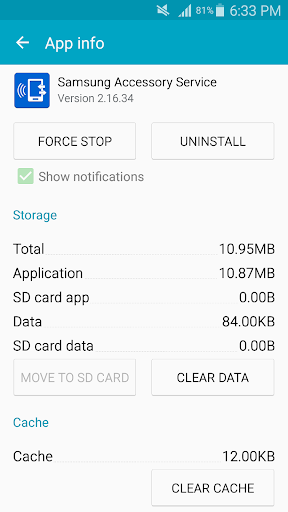
- Storage – Needed for transferring media files to accessories.
Enhancing Your Samsung Ecosystem Experience
Ever felt overwhelmed managing multiple Samsung devices? Samsung Accessory Service simplifies this process by allowing seamless connectivity across your gadgets. Whether you’re using a smartwatch, earbuds, or tablet, this app acts as a bridge, ensuring effortless communication. It’s like having a backstage pass to your Samsung ecosystem, all managed from a single, user-friendly interface.
Seamless Notifications and Device Management
A notable feature is its ability to streamline notifications. Picture yourself mid-run: a notification arrives on your smartwatch, and with Samsung Accessory Service, you can view it instantly without reaching for your phone. This helps you stay connected effortlessly. The app also supports monitoring accessory statuses, such as battery life, and allows you to perform firmware updates to keep your devices running smoothly and securely.
User-Friendly Interface
Samsung has designed the app’s interface to be clean and intuitive, making navigation straightforward even for less tech-savvy users. Setting up the connection is simple—just download the app, and it will automatically detect compatible devices nearby. The onboarding process is smooth, making it easy to integrate your accessories into your daily routine without hassle.
Final Thoughts
If you're deeply invested in the Samsung ecosystem, Samsung Accessory Service is an indispensable app that enriches your connected device experience. It acts as a personal assistant, keeping all your gadgets synchronized and functioning optimally. While not the most visually flashy app, its reliability and practicality are unmatched, providing significant value to everyday users. In a world increasingly reliant on interconnected devices, Samsung Accessory Service offers the convenience of effortless device management, making it a must-have for Samsung enthusiasts looking for a seamless and streamlined ecosystem.
Pros
- Seamless compatibility with Samsung devices
- Supports a wide variety of Samsung accessories
- User-friendly interface
- Enhances device connectivity
- Improves accessory functionality
Cons
- Limited to the Samsung ecosystem
- Occasional connectivity problems
- Battery consumption issues
- May need frequent updates
- Not compatible with non-Samsung devices











