

Introduction to Salesforce Authenticator
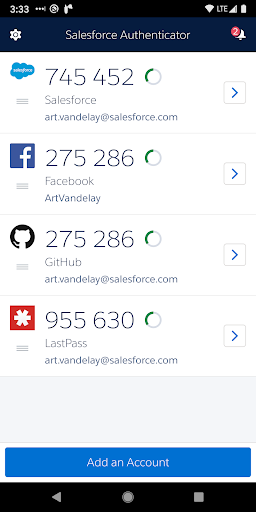
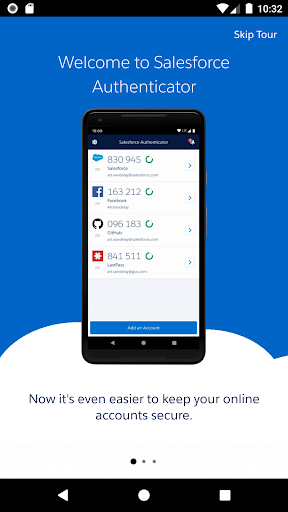
The Salesforce Authenticator is a powerful security tool designed to enhance the protection of your online accounts through robust multi-factor authentication. In today’s digital landscape, safeguarding sensitive data has become more critical than ever, and this app provides an intuitive way to secure your login processes. Whether you're a Salesforce user or managing other platforms supporting time-based one-time passwords (TOTP), Salesforce Authenticator can be an essential part of your security arsenal.
Features of Salesforce Authenticator
Effortless Setup and Compatibility
Getting started with Salesforce Authenticator is straightforward. Simply download the app, available for both Android and iOS, and follow the intuitive prompts to link it with your Salesforce account. The seamless integration ensures that adding an extra security layer takes no time at all, making it accessible for users of all technical levels.
Two-Factor Authentication Made Easy
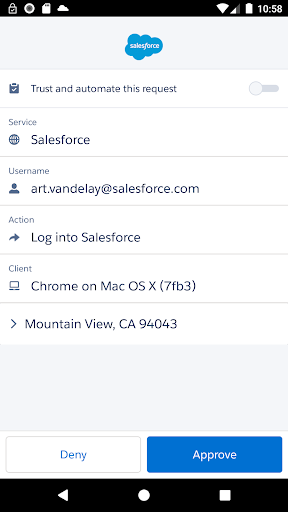
Once linked, the app provides a push notification each time you attempt to log in or perform critical actions. You simply tap "Approve" to verify your identity, eliminating the need to remember complex passwords or manual verification codes. This process not only accelerates login times but also significantly reduces the risk of unauthorized access, even if your password is compromised.
Offline and Location-Based Authentication
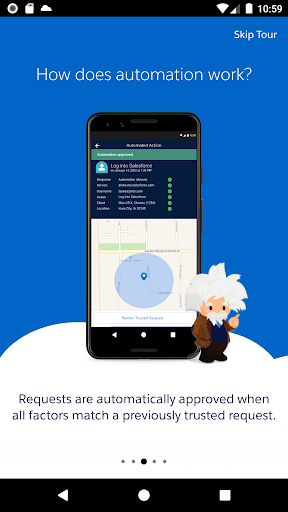
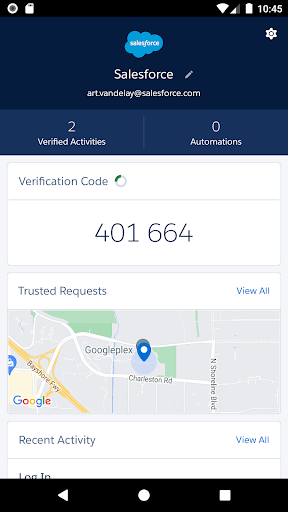
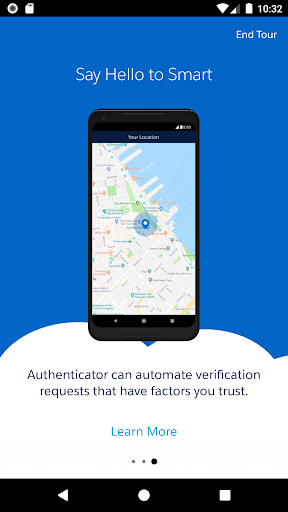
One of the standout features of Salesforce Authenticator is its ability to generate one-time verification codes for offline use, which is especially useful when connectivity is unreliable. Additionally, with optional location data features, the app can automatically approve activities from trusted locations, adding convenience while maintaining security. Rest assured, location data is stored securely on your device, and you can disable this feature or delete location history at any time.
Battery Efficiency and Privacy Controls
The app is optimized for minimal battery consumption by only updating location information when entering or leaving a designated geofence—avoiding constant GPS use. If desired, users can turn off location services altogether, further conserving battery life and increasing privacy. The app ensures that your personal data remains safe and controlled by you.
Why Choose Salesforce Authenticator?
In an era where cyber threats are increasingly sophisticated, adding an extra layer of security to your accounts is more necessary than ever. Salesforce Authenticator provides reliable multi-factor authentication that is both secure and user-friendly. Its push notification approval process simplifies login while maintaining a high level of security, making it ideal for both enterprise and personal use. Plus, its offline code generation support ensures that your ability to authenticate isn’t hampered by internet issues.
Final Thoughts
Whether you're aiming to protect sensitive Salesforce data or seeking comprehensive security for other online accounts that support authenticator apps, Salesforce Authenticator is a versatile and effective solution. Its ease of use, security features, and thoughtful privacy controls make it a standout choice for anyone serious about cybersecurity. Incorporating this app into your security practices can give you peace of mind, knowing that your valuable information is well-guarded against unauthorized access and data breaches. Give Salesforce Authenticator a try to experience the benefits of effortless yet robust multi-factor authentication.
Pros
- Secure two-factor authentication
- User-friendly interface
- Seamless integration with Salesforce
- Easy account recovery
- Customizable notifications
Cons
- Restricted to Salesforce users
- Lacks biometric login options
- Needs an internet connection to function
- Initial configuration may be complicated
- No offline access to codes











