
RoughAnimator - Animation App
Are you passionate about bringing your doodles or sketches to life? RoughAnimator is a fully featured hand-drawn animation application designed for Android devices, created by an animator for fellow animators and enthusiasts. Whether you're a professional animator or a beginner exploring the world of animation, this versatile tool offers everything you need to craft stunning traditional hand-drawn frame-by-frame animations on the go. Its blend of powerful features and intuitive design makes it a standout choice for anyone interested in animation creation.
Features and Capabilities
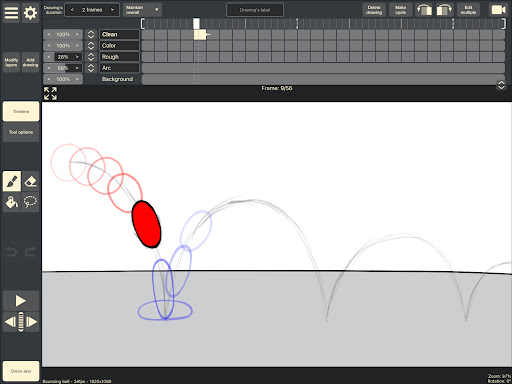
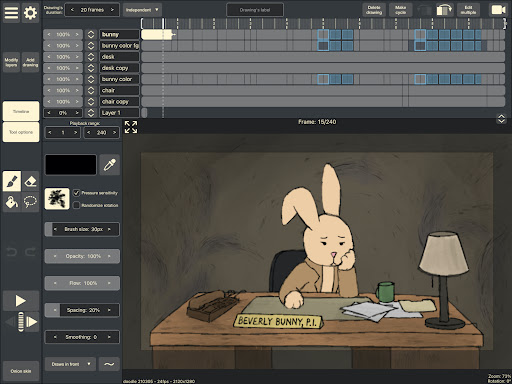
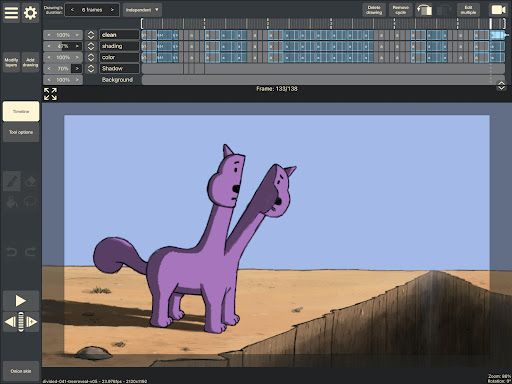
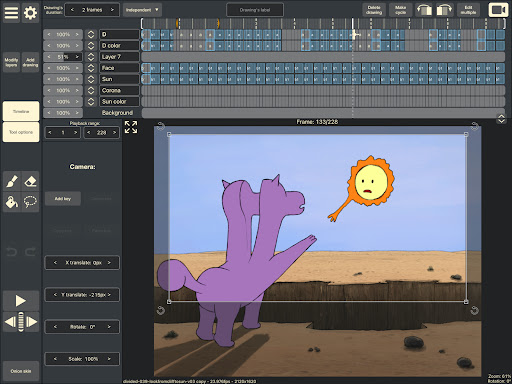
Key features of RoughAnimator include an adjustable timeline with unlimited layers, allowing for complex animations with ease. You can set the exposure length for each drawing, supporting both pose-to-pose and straight-ahead animation styles. The app offers onion skinning to help you see previous and next frames, ensuring smooth motion and seamless animation flow.
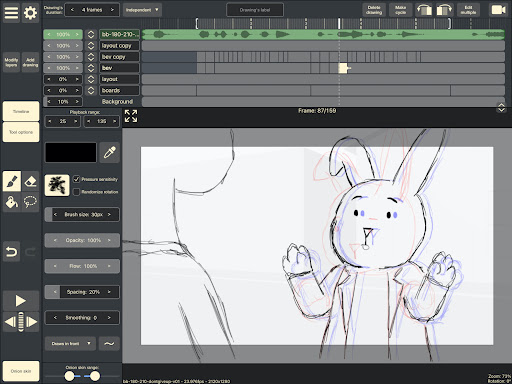
Previewing your work is simple with the built-in preview playback feature, and you can scrub along the timeline to fine-tune your frames. Audio import capabilities enable you to synchronize your animations with soundtracks or voice-overs, making lip-syncing effortless. For more advanced work, you can import videos for rotoscoping animation, tracing over footage to create realistic movement.
When it comes to drawing tools, RoughAnimator shines with custom brushes and support for pressure-sensitive devices like the Samsung S-Pen. You can control your frame rate and set the resolution optimal for your project. Once finished, your animations can be exported as QuickTime videos, GIFs, or image sequences. Furthermore, projects created in RoughAnimator can be exported directly into professional animation software like Adobe Flash/Animate, Adobe After Effects, or Toon Boom Harmony.
And for desktop users, the app's capabilities extend beyond Android, providing a comprehensive platform for animation production.
Experience and User-Friendliness
What truly sets RoughAnimator apart is its user-friendly interface. Even if you're new to animation, you'll find it easy to navigate and start creating within minutes. Imagine having a mini animation studio in your pocket—it’s an accessible and inspiring tool to experiment with your ideas.
The support for multiple layers adds depth to your creations, enabling you to work on backgrounds, characters, and effects separately. With adjustable animation speed, you can easily tweak the timing, making your animations look just right. The pressure-sensitive drawing tools provide a natural experience, closely mimicking traditional sketching and bringing your drawings to live motion with ease.
If you love syncing visuals with music, the ability to add audio tracks transforms your animations into complete multimedia projects. This makes RoughAnimator perfect for creating music videos, short films, or simple animated stories.
Who Can Use RoughAnimator?
Worried about your skill level? Don’t be! RoughAnimator is designed to be accessible to everyone, from complete beginners to seasoned artists. Its intuitive interface and wealth of online tutorials make learning easy and fun. The joy of watching your drawings come alive in motion is immensely satisfying, fueling your creativity and motivation to improve.
Whether you’re simply exploring animation as a hobby or aiming to produce professional-quality animations, RoughAnimator provides the tools and flexibility needed to develop your craft. Its compatibility with various devices and export options makes it a practical choice for a wide range of animation projects.
Conclusion
If you’ve ever dreamed of creating your own animations without the need for complex software or desktop setup, RoughAnimator is a fantastic starting point. Combining powerful features like unlimited layers, onion skinning, custom brushes, and excellent export options, it empowers artists and hobbyists alike to experiment, learn, and grow.
So why wait? Dive into the world of animation today with RoughAnimator and unleash your creativity wherever you are. It’s a simple yet powerful tool that transforms your ideas into vibrant, moving artworks — truly bringing your doodles and sketches to life!
Pros
- User-friendly interface suitable for beginners
- Extensive selection of animation tools
- Supports multiple layers for complex projects
- Ability to export files in various formats
- Regular updates and improvements
Cons
- Advanced features may be overwhelming for some users
- No free version available
- Limited support for audio functionalities
- Occasional performance issues or lags
- Requires substantial device storage space











