
Remover bg - Photo Editor: The Ultimate Solution for Background Removal and Photo Enhancement
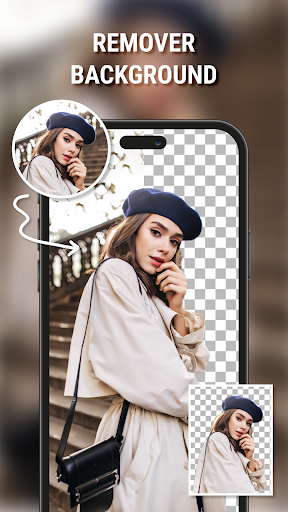
Remover bg - Photo Editor is a powerful and beautifully designed photo editing application that allows users to effortlessly create transparent backgrounds for their images and save them as high-quality PNG files. Whether you're a professional photographer, a social media enthusiast, or someone who simply loves editing photos, this app offers a range of features that make background removal and creative editing both simple and fun.
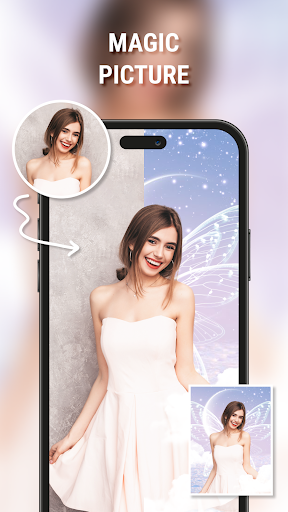
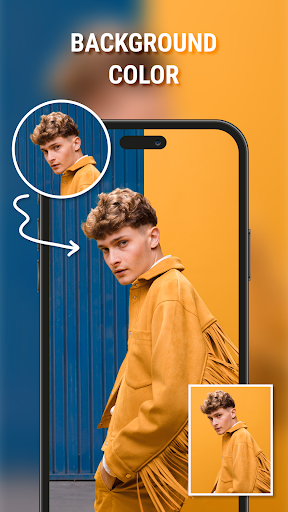
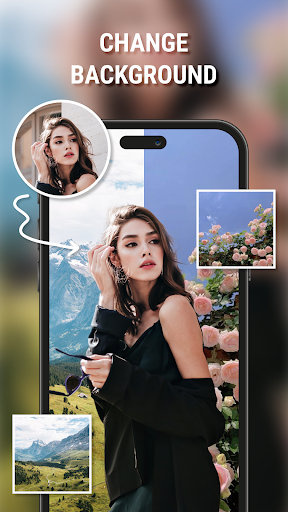
One of the standout functions of Remover bg - Photo Editor is its ability to automatically change the background of any image. The app leverages the latest AI technology to accurately split the background from the main subject, ensuring clean and precise cutouts. Users can choose from a stunning collection of over 1000 beautiful wallpapers that automatically fit the image size and match various themes and moods. This feature is perfect for anyone looking to swiftly replace dull backgrounds with vibrant scenery, artistic designs, or personalized images.
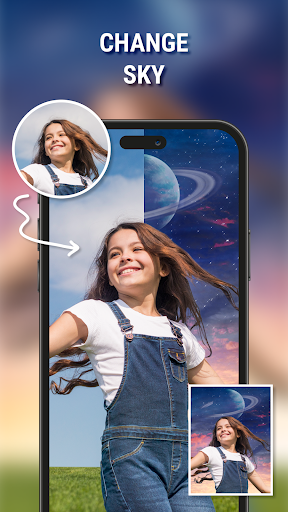
Beyond simple background removal, the app offers extensive customization options. You can change the sky in your photos to reflect different weather conditions such as sunny morning, rainy afternoon, or foggy noon. This sky change feature is especially popular among travelers or photography enthusiasts who want to enhance their images and evoke specific moods. The app's AI ensures seamless integration, making your photos look natural and captivating.
Additionally, Remover bg - Photo Editor provides creative tools to modify other aspects of your photos. You can change hair color and styles, allowing you to see different looks before making a commitment at the salon. The application includes a diverse collection of men’s hairstyles, women’s hairstyles, and various length options, making it easy to experiment with new appearances virtually.
The editing suite also encompasses essential photo enhancement features. Brightness and contrast adjustments help you fine-tune your images, while the app's intuitive interface allows you to craft unique color correction formulas tailored to your taste. Writing text on photos is made easy with numerous fonts and color options, enabling you to add meaningful captions or stylish quotes that elevate your photos' storytelling potential.
For artistic flair, the application offers a variety of photo color filters and the ability to transform photos into sketches with a single tap. These creative effects enable users to produce professional-looking images suitable for social media, personal projects, or digital art.
Remover bg - Photo Editor also excels in simplifying complex editing tasks. Its user-friendly design means you can start editing immediately without tutorials. The app’s AI-driven background removal is remarkably accurate, even with intricate details like hair strands or clothing edges, providing you with polished results every time.
In summary, Remover bg - Photo Editor is not just a background remover but a comprehensive photo editing tool that combines automatic AI technology with creative features. It’s ideal for anyone who wants to effortlessly enhance photos, create transparent backgrounds, and experiment with backgrounds, colors, and styles. Whether for personal use, social media content, or professional projects, this app promises high-quality edits with ease and fun. Download it today and discover how simple and enjoyable photo editing can be!
Pros
- Intuitive interface for quick editing
- High-quality background removal results
- Supports batch processing of images
- Provides a variety of editing tools
- Integrates seamlessly with social media platforms
Cons
- Limited features in the free version
- Occasional glitches when processing complex images
- Requires a stable internet connection
- Advertisements can be distracting
- In-app purchases can accumulate costs











