


Remove Objects - Photo Editor: Your Ultimate AI-Powered Photo Retouching App
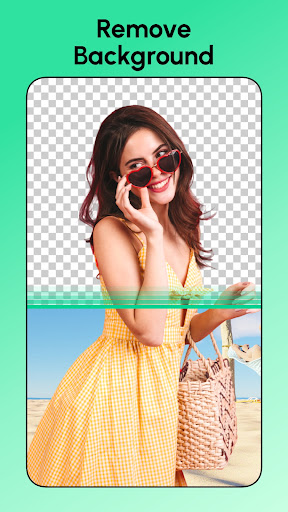
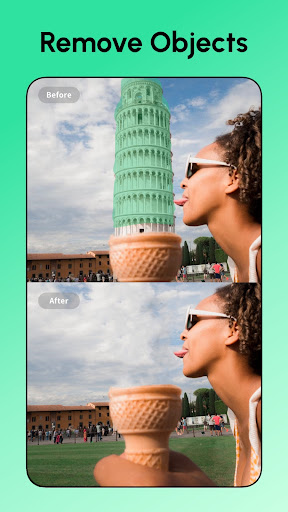
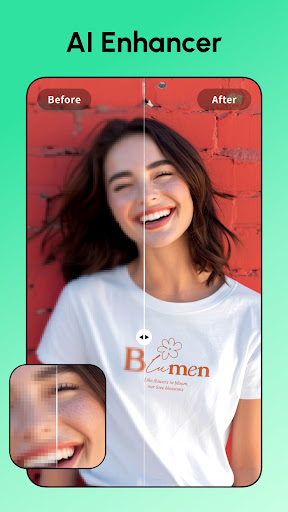
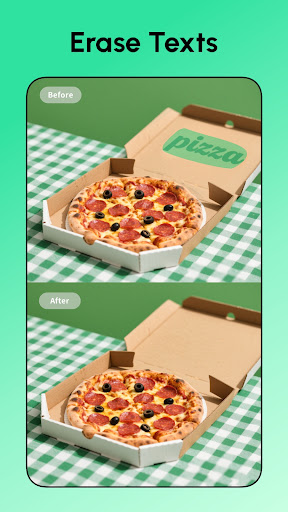
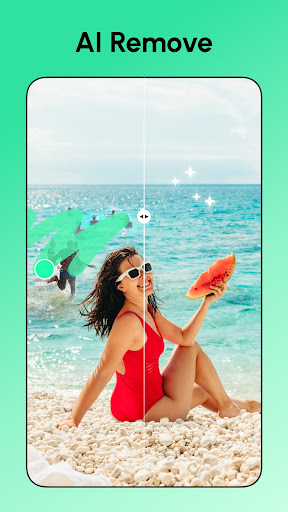
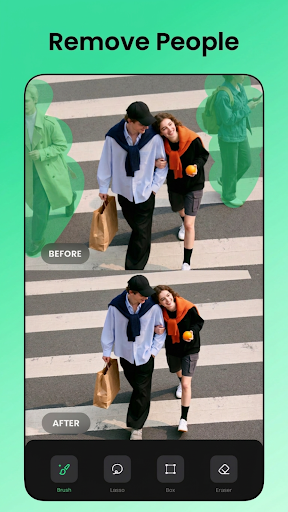
Are you tired of unwanted objects ruining your photos? Whether it's an intrusive passerby, distracting watermark, or blemish, the Remove Objects - Photo Editor app offers a seamless solution to achieve flawless images with minimal effort. Powered by advanced AI technology, this versatile mobile application simplifies the process of eliminating unwanted elements from your photos, making it perfect for both beginners and professional photographers alike.With just a tap, you can effortlessly remove objects like logos, text, stickers, powerlines, or even background people, ensuring your images look clean and professional. The app's innovative pixel-level cut feature guarantees precise edges and seamless blends, so corrections appear natural. This means whether you're editing a casual snapshot or a professional shot, Remove Objects - Photo Editor helps you achieve polished results fast.One of the standout features is the app's user-friendly interface that makes photo retouching accessible to everyone. You don’t need prior editing experience to navigate its tools. Simply highlight the unwanted object and tap to remove — it’s that easy. The app also includes a range of AI-powered tools, such as background eraser for changing scenes instantly, face swap for fun transformations, and AI filters to enhance images creatively.Beyond object removal, the app offers a HD Photo Enhancer for sharpening selfies, group shots, and text, providing stunning clarity with minimal effort. The AI Remove mode automatically detects and erases unwanted elements, saving you time and hassle. For those seeking a more creative touch, AI filters allow you to explore different looks for yourself, friends, or pets, while the background eraser turns ordinary photos into captivating scenes without damaging your subject.Sharing your polished photos is made simple with one-tap options to publish directly to social media platforms like Instagram and Facebook. This feature turns the app into a comprehensive mobile photo editing suite, eliminating the need for multiple tools or complicated workflows.The app's performance is smooth, responsive, and designed for quick editing sessions, making it ideal for on-the-go adjustments. While occasional minor imperfections may appear, especially in complex backgrounds, overall, the app’s balance of power and ease of use makes it a valuable tool for everyday photography needs.Whether you want to clean up your images or explore creative edits, Remove Objects - Photo Editor delivers impressive results. It’s perfect for removing photobombers, deleting trash cans, or adjusting backgrounds swiftly. The app constantly strives to improve, ensuring users have access to cutting-edge AI features at their fingertips.In conclusion, if you’re seeking a reliable, easy-to-use photo editor with advanced object removal capabilities, Remove Objects - Photo Editor is worth downloading. It empowers you to perfect your photos anytime, anywhere, with minimal effort. Take control of your images, eliminate distractions, and showcase the best version of your photos to the world.Happy editing!
Pros
- Intuitive interface for effortless editing
- Fast object removal powered by AI technology
- Produces high-quality results without visible artifacts
- Compatible with various photo formats
- No disruptive advertisements during editing
Cons
- Limited features in the free version
- Can experience occasional lag when processing high-resolution images
- Does not support batch processing of multiple photos
- Outputs include watermarks in the free version
- Requires internet connection to utilize AI features











