Introducing the PrinterShare Premium Key: Unlocking Premium Mobile Printing Features
The PrinterShare Premium Key serves as the essential activation tool that unlocks premium features of the PrinterShare Mobile Print application. Once installed, this key enhances your printing experience by enabling unlimited access to various advanced features. However, it’s important to note that the Premium Key cannot operate independently; you must first install the free PrinterShare Mobile Print app to begin printing. This seamless setup allows users to print effortlessly from their smartphones or tablets without fuss.
The
PrinterShare Mobile Print application boasts impressive compatibility with a wide array of printers. Support spans across major brands such as
HP (including Officejet, LaserJet, Photosmart, Deskjet, and mobile series like HP Officejet 100/150/200/250),
Epson (Artisan, WorkForce, Stylus),
Canon (PIXMA series), as well as
Brother,
Kodak,
Samsung,
Dell,
Ricoh,
Lexmark,
Kyocera, and
OKI. Support for legacy and networkable printers is also available. A comprehensive list of supported printers can be found at
printershare.com. Additionally, you can actively print to unsupported or legacy printers via our free software for
Mac and
Windows computers, which is accessible through the same website.
Before making a purchase, users are encouraged to print a test page to confirm compatibility with their printer model. The PrinterShare Premium Key enhances your ability to instantly print various document types—such as Word documents, Excel, PowerPoint, PDFs, and other text files—from internal memory, SD cards, or cloud services like Google Drive or Google Docs. Whether you're near your printer or miles away, this app transforms your mobile device into a powerful printing tool.
Premium Features of PrinterShare Premium Key
The
PrinterShare Premium Key unlocks several premium capabilities that elevate your printing experience:
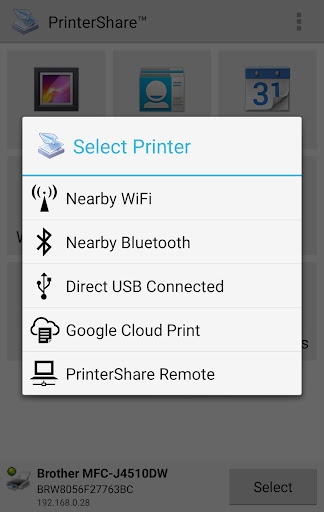
- Unlimited nearby direct printing via Wi-Fi, Bluetooth, and USB—no need for a PC or other devices.
These features ensure that users can enjoy hassle-free printing of office documents, bills, invoices, and personal photos with just a few taps, whether printing locally or remotely.
Why Choose PrinterShare Premium Key? A Feature-Rich Mobile Printing Solution
If you've ever found yourself in an urgent need to print a document but lacked a straightforward solution,
PrinterShare Premium Key is your reliable companion. This app offers seamless compatibility with both
Android and
iOS devices, making it accessible to a vast range of users.
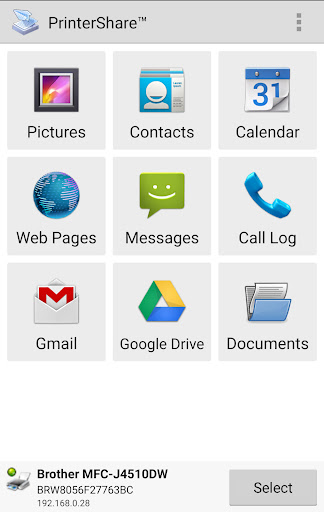
Its support for thousands of printer models from leading brands makes it feel like a universal remote control for printers. Setting up the app is straightforward—connect it to your Wi-Fi-enabled printer, and you're ready to go. The intuitive user interface simplifies navigation, allowing you to print documents, photos, web pages, and more with just a few taps.
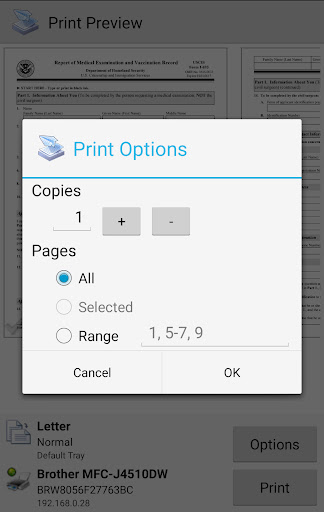
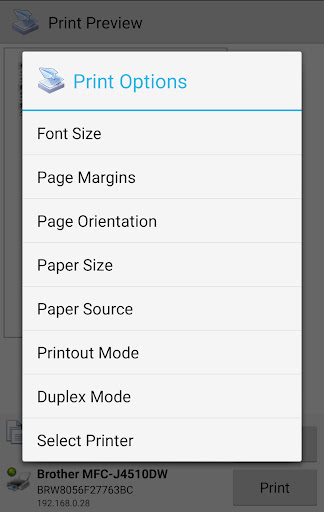
The app's versatility extends further with features such as printing in both color and black & white, selecting paper sizes, and printing in various formats. Integration with cloud storage services like Google Drive and Dropbox grants quick access to stored documents, making remote printing smooth and convenient.
Connectivity is a standout aspect, supporting both local and remote printing. Whether your printer is in the same room or located remotely at your office, printing remains fast and secure. The app ensures that your sensitive information is transferred over secure channels, providing peace of mind during your printing tasks.
Overall, if you seek a reliable, versatile, and easy-to-use mobile printing solution, the PrinterShare Premium Key is a top choice. It’s designed to streamline your printing process, making it possible to handle everyday and professional printing needs anywhere, anytime. Once you experience its convenience and extensive functionality, you'll wonder how you managed before.
Pros
- Enables wireless printing directly from your mobile device.
- Compatible with a variety of printer models.
- Provides cloud printing capabilities.
- Intuitive user interface with straightforward setup.
- No advertisements available in the premium version.
Cons
- Requires an additional application for complete functionality.
- Features are limited without purchasing a premium key.
- May encounter occasional connectivity problems.
- Some printers need manual configuration.
- Not all printer models are supported.