
Discover the Convenience of PrinterShare Mobile Print
Are you often in need of printing documents, photos, or web pages while on the go? PrinterShare Mobile Print is an innovative app designed to transform your mobile device into a powerful printing tool. Whether you're using an Android phone or tablet, this app allows you to print seamlessly to nearly any printer — be it at home, in the office, or remotely. With support for various file types and printer models, PrinterShare Mobile Print combines ease of use with extensive functionality, making it an essential app for anyone who needs quick and reliable printing solutions.
Effortless Setup and Wide Compatibility
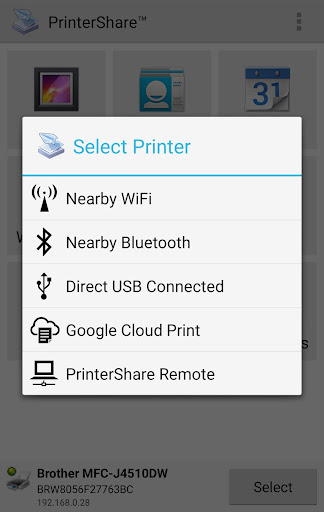
Getting started with PrinterShare Mobile Print is quick and straightforward. Compatible with both Android and iOS devices, it can be easily downloaded from the Google Play Store or Apple App Store. Once installed, the app automatically detects available printers nearby, thanks to built-in network scanning capabilities. Whether your printer is connected via Wi-Fi, Bluetooth, or USB, compatibility isn't a concern, as the app supports a broad spectrum of popular brands such as HP, Canon, Brother, Samsung, Lexmark, and many others.
Versatile Printing Options for All Needs
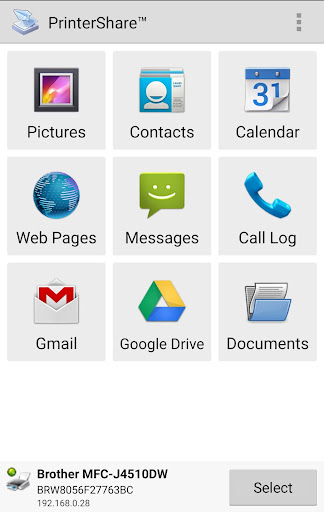
One of the standout features of PrinterShare Mobile Print is its ability to print practically anything from your mobile device. This includes photos (JPG, PNG, GIF), emails and attachments (PDF, DOC, XLS, PPT, TXT), contacts, web pages, and documents stored in cloud services like Google Drive, OneDrive, Dropbox, or Box. The app enables printing directly from your device memory or cloud accounts via share actions — a big time-saver for busy professionals or students.
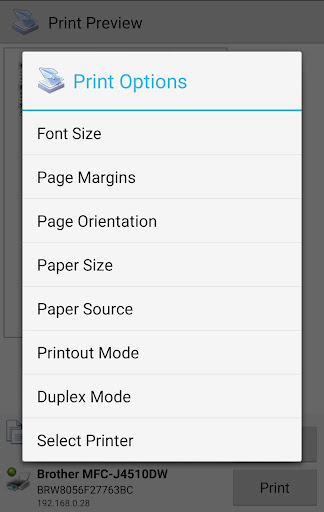
You can also print web pages or upload files directly from apps, making remote printing effortless. For special use cases like generating shipping labels or printing legal messages, PrinterShare Mobile Print offers tailored options, including configuring paper size, orientation, print quality, color or monochrome output, duplex printing, and media tray selection. These comprehensive settings help customize the output exactly as needed.
Printing Without Limits and Additional Premium Features
The free version of PrinterShare Mobile Print provides an impressive set of features, enabling you to print wirelessly or via USB with some restrictions. For instance, free users can print on nearby wireless and direct USB-connected printers, and share printers over Windows or Mac networks. To unlock •Premium Features like unlimited nearby printing or remote printing with a quota of 100 pages for free, a simple purchase is required.
Additionally, PrinterShare Mobile Print supports a wide variety of printers, including legacy and network-enabled models, and offers dedicated software for Mac and Windows to extend printing capabilities to unsupported printers. This comprehensive approach guarantees compatibility and flexibility for most users.
User-Friendly Interface and Reliable Performance
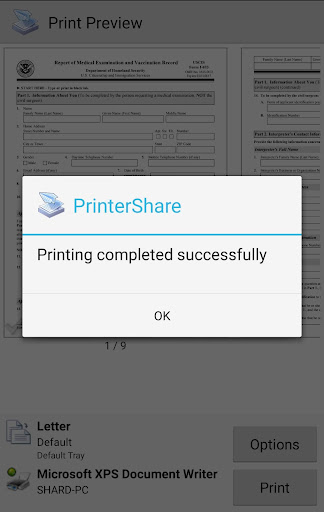
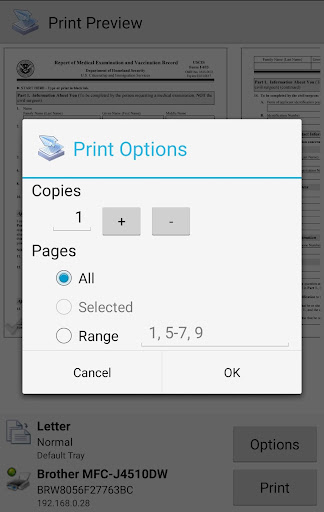
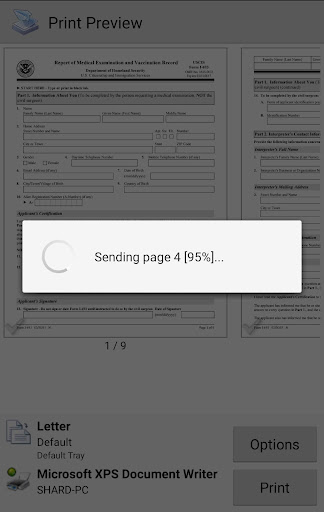
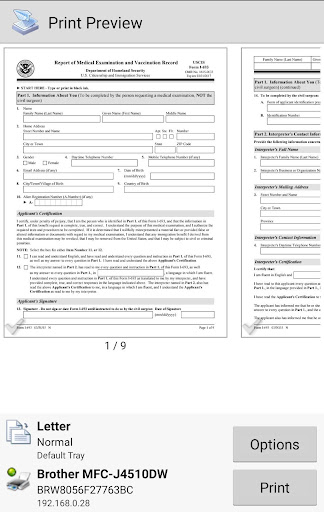
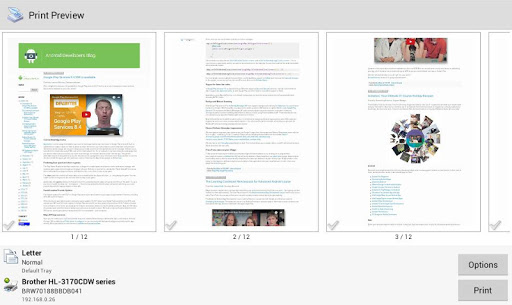
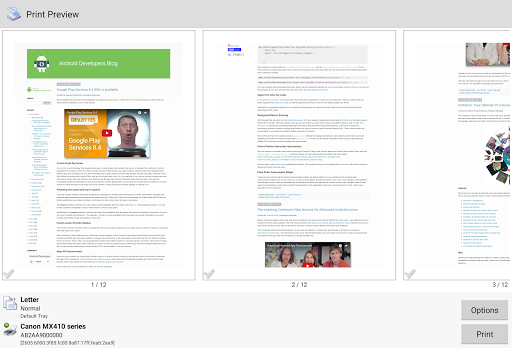
Designed with simplicity in mind, the user interface of PrinterShare Mobile Print is clean and intuitive. Selecting a document, choosing a printer, and tapping print is all it takes—no complex setup procedures or technical knowledge needed. The app's performance stays smooth and responsive, whether you're printing high-resolution images or text-heavy documents. Print settings such as copies, page range, and media type are easy to adjust, giving you full control over your output.
Moreover, the app does not bombard users with ads, making for a pleasant, distraction-free printing experience. It also ensures your privacy: requested permissions are solely for content access and printing functionalities, not for data collection. If anything does not work as expected, dedicated support via email is available to help troubleshoot issues.
Why Choose PrinterShare Mobile Print?
In today’s fast-paced, mobile-driven world, PrinterShare Mobile Print provides an efficient solution to printing on the go. Whether you need to print crucial documents, holiday photos, or web pages, this app handles various file types and device connections effortlessly. Its ability to support multiple printer brands and configurations makes it a versatile choice for home, office, or remote working environments.
In addition, the app's compatibility with cloud storage and sharing options increases productivity — enabling you to access and print your files anytime, anywhere. For those needing flexible printing options—such as duplex or color printing, or printing directly from online sources—PrinterShare Mobile Print delivers comprehensive features wrapped in a user-friendly interface. It’s an indispensable tool for students, professionals, and anyone who values convenience, speed, and quality in mobile printing.
Pros
- Wide compatibility with various printers.
- Supports direct printing via Wi-Fi.
- Includes Bluetooth functionality.
- Compatible with multiple file formats.
- User-friendly interface for easy operation.
- Integrates with cloud services.
Cons
- Limited features in the free version.
- May experience occasional connectivity problems.
- Contains advertisements in the free version.
- Certain printers need additional setup steps.
- Requires subscription for access to premium features.











