

Pixilart - Make Pixel Art: The Ultimate Mobile Pixel Art Creator
Are you ready to bring your pixel art ideas to life effortlessly and on the go? Pixilart is a dynamic community-driven platform that empowers both novice and experienced artists to create stunning pixel art directly from their mobile devices. Designed with an intuitive interface and a broad selection of features, this app serves as the perfect tool for anyone passionate about Pixel Art and eager to share their creativity with a vibrant online community.
Discover the Power of Pixel Art Creation
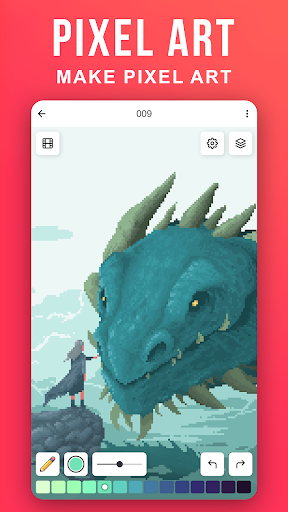
With Pixilart, you can create beautiful pixel artwork anywhere, whether you're commuting, relaxing at home, or taking a break. The app simplifies the art creation process with its user-friendly interface, allowing you to move your cursor across the screen and click to lay pixels with ease. You can start from scratch with our •blank canvases or choose from a variety of •bases made by other users, sparking inspiration and speeding up your creative process.
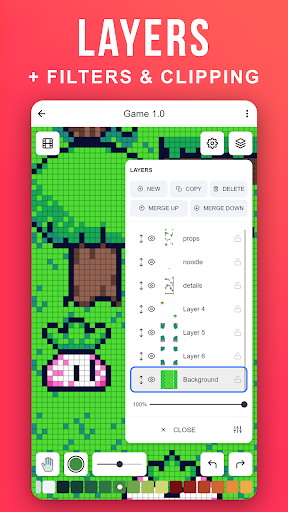
Customization is key in Pixel Art, and Pixilart offers options to set your preferred canvas size, select from a wide palette of colors, and use multiple layers to build complex images. These tools give you the flexibility to develop intricate designs or quick sketches, making pixel art more accessible and fun than ever before.
Connect with a Passionate Pixel Art Community
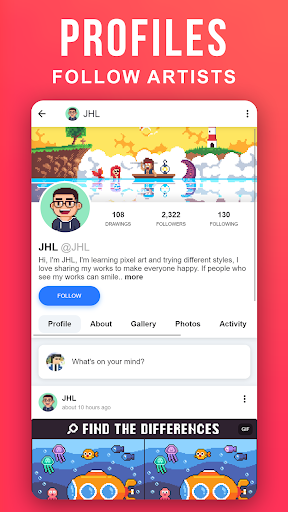
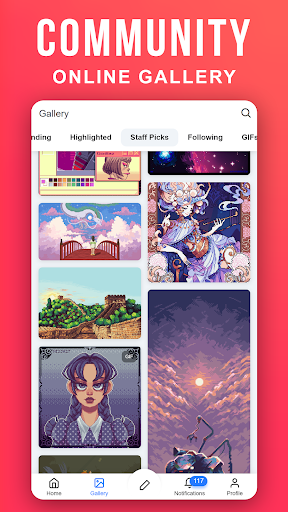
One of the standout features of Pixilart is its thriving social community. Users can upload their pixel drawings either in •privacy or publicly, sharing their work with others for feedback, encouragement, or recognition. The app's integrated social feed allows you to follow your favorite artists, explore new styles, and stay inspired by the creations of others.
Earn •notifications for likes, comments, mentions, and new followers, keeping you engaged with your fellow artists. Additionally, you can participate in community challenges or showcase your art in themed events, making pixel art creating an interactive and rewarding experience.
Seamless Cloud Storage and Cross-Device Access
Manage your artwork more efficiently with Pixilart’s profile features. Users can create •profiles to upload their artwork to the cloud, enabling easy access from multiple devices. Whether you're on your tablet at home or your phone on the go, your pixel art library remains at your fingertips. Share your work privately with friends or openly with the entire community and receive valuable feedback to improve your skills.
Safety and Moderation for a Safe Creative Space
Pixilart prioritizes a safe environment for users of all ages. The platform implements •swearing filters and •spam filters by default, helping to maintain a respectful and welcoming community. Since all conversations on the platform are •public, users can block or unfollow others easily. Makers and viewers can focus purely on the art, knowing that every drawing is monitored for safety and adherence to community standards.
Why Choose Pixilart for Pixel Art?
If you’re passionate about pixel art or eager to learn, Pixilart offers a comprehensive suite of tools and a friendly community that makes creating and sharing pixel masterpieces enjoyable and straightforward. Its performance is optimized for smooth drawing, ensuring that your artistic flow is uninterrupted by lag or crashes. Whether you’re working on small icons, game sprites, or detailed scenes, this app has everything you need to develop your skills and showcase your work.
Join the ever-growing world of pixel artists today with Pixilart - Make Pixel Art. Download the app, unleash your creativity, and become part of a community that celebrates pixel-perfect art!
Pros
- User-friendly interface for easy pixel art development
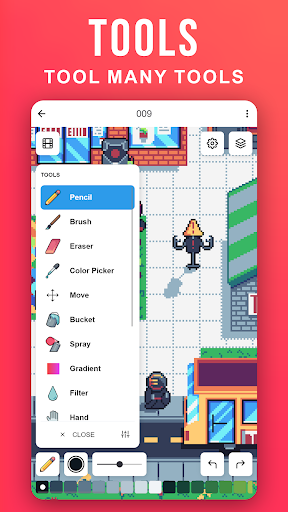
- Extensive collection of colors and tools
- Features for community sharing and collaboration
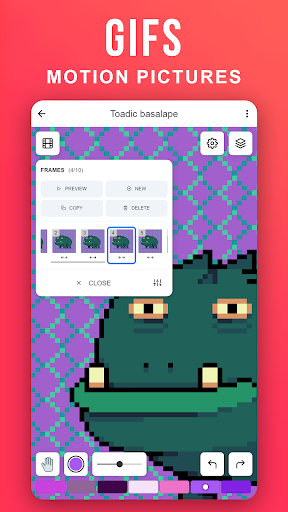
- Enables creation of animated GIFs
- Free from intrusive advertisements
Cons
- Lacks advanced features needed by professionals
- Prone to occasional crashes
- Requires internet connection for certain functions
- No offline working mode available
- Limited options for exporting files











