




Overview of Pixelcut AI Photo Editor
Imagine a mobile photo editing and graphic design tool that simplifies the creative process, enabling users to produce stunning visuals effortlessly. Pixelcut AI Photo Editor is an innovative application trusted by over 15 million creators worldwide, offering an all-in-one platform powered by advanced AI technology. Whether you’re an aspiring influencer, a professional seller, or just someone looking to enhance your photos, Pixelcut provides a suite of features designed to make your editing experience seamless, fun, and highly effective.
Main Features of Pixelcut AI Photo Editor
Background Remover
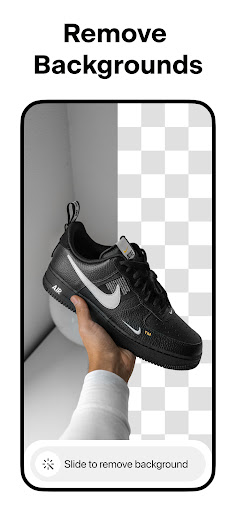
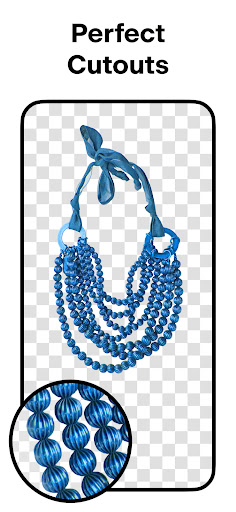
The background remover is a standout feature that allows you to instantly eliminate backgrounds from any photo directly from your camera roll. It creates perfect cutouts in seconds, making it ideal for product images, profile pictures, or creative compositions. This tool saves you time and effort, providing crisp, professional-quality results that elevate your visual content.
Magic Eraser
With the magic eraser, removing unwanted objects or blemishes from your photos is straightforward. This feature helps you clean up images effortlessly, ensuring your final photo looks polished without the need for complex editing skills. It’s perfect for fine-tuning shots or removing distractions for a focused visual presentation.
AI Photoshoot
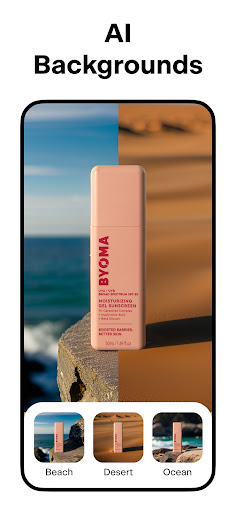
The AI photoshoot feature generates *infinity* product images using AI, streamlining the creation of product photography for e-commerce stores. This tool makes it possible to produce consistent, high-quality images of your products without the hassle of traditional photoshoots, helping you showcase items beautifully and attract more customers.
Magic Writer
Powered by the same technology used in ChatGPT, magic writer serves as your personal AI copywriter. Generate compelling product descriptions, engaging Instagram hashtags and captions, and much more. This feature helps you craft eye-catching content quickly, ensuring your marketing messages resonate with your audience.
Reels Maker
The Reels maker simplifies video creation for social media, enabling you to produce engaging videos for your business or personal brand with ease. Whether for Instagram, TikTok, or other platforms, this tool helps you create dynamic content that captures attention.
Collages
Create beautiful and creative collages from your photos by choosing from dozens of layouts. This feature is perfect for storytelling, event memories, or showcasing multiple products in a single frame.
Background and Color Options
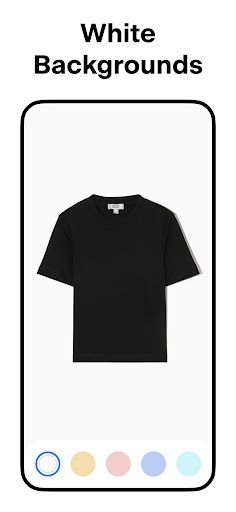
You can place your product on white backgrounds for a clean look or select from a palette of vibrant colors and backdrops. These options help your images stand out, especially in online stores, social media posts, and advertisements.
Templates and Shadows
Browse through thousands of templates tailored for shopping, branding, or social media content. Additionally, you can easily control the shadows on your products to add depth and realism, making your images more appealing.
Text Styles and Artistic Overlays
Add text overlays with a variety of font styles and artistic effects. Turn quotes or promotional messages into eye-catching graphics that complement your photos.
Grow Your Online Presence
With features designed to help you stand out—such as stunning product posts and stories—Pixelcut assists in growing your social media presence and boosting sales across platforms like Instagram, Poshmark, and Shopify.
Discover Community Resources
Access a vast library of templates created by the Pixelcut community, perfect for YouTube channels, podcasts, storefronts, and more. Find inspiration and customized designs to elevate your content easily.
The Pixelcut Pro Membership
The Pixelcut Pro membership offers a monthly or annual subscription plan that unlocks unlimited background removals, access to hundreds of templates, fonts, overlays, and backdrops—all updated monthly. This premium service helps businesses and content creators sell more, grow faster, and produce high-quality visuals effortlessly.
Why Choose Pixelcut AI Photo Editor?
If you’ve ever wished editing photos could be as simple as taking them, Pixelcut AI Photo Editor makes that dream a reality. Its intuitive interface and powerful AI features enable users of all skill levels to enhance their images quickly and professionally. The app’s real-time editing capabilities ensure immediate feedback, creating an enjoyable experience that transforms your mobile photography game.
From quick touch-ups to sophisticated edits, Pixelcut stands out as a versatile, user-friendly editing tool that combines automation with creative control. Whether you’re aiming to tidy up images, generate new content, or craft eye-catching posts, Pixelcut provides a comprehensive solution optimized for social media, e-commerce, and personal projects.
Download Pixelcut today and discover how effortless creating stunning visuals can be. Elevate your photos, increase engagement, and make your content truly shine with this feature-rich AI-driven photo editor.
Pros
- User-friendly interface
- High-quality editing tools
- Supports various file formats
- Fast processing speed
- Regular updates
Cons
- Limited free features
- Occasional app crashes
- Requires internet connection
- High battery consumption
- Subscription-based model











