

Pixel Studio PRO: Editor
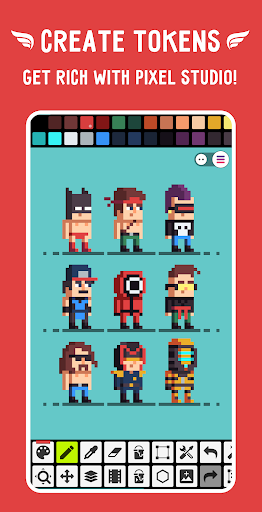
Pixel Studio PRO: editor is a specialized pixel art application designed for artists and game developers seeking a powerful yet user-friendly tool. This edition offers an ad-free experience with all PRO features unlocked, making it an exceptional choice for both beginners and professionals. With Pixel Studio PRO, you can create stunning pixel art projects anywhere, anytime—be it on your mobile device, tablet, or PC.
Key Features and Strengths
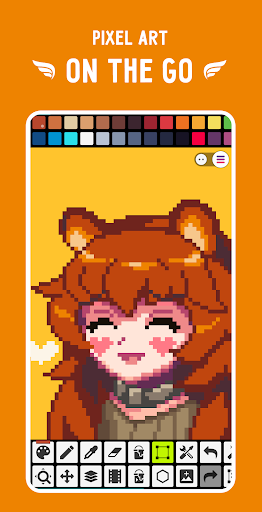
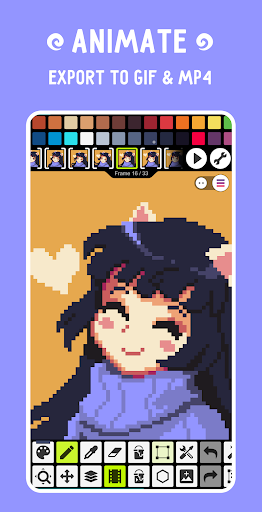
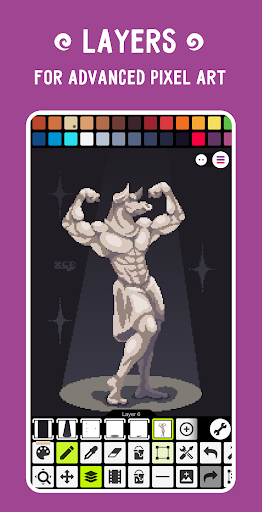
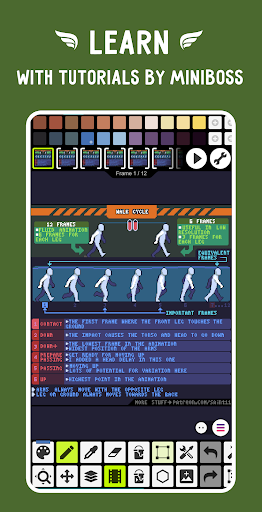
The app boasts a comprehensive set of features crafted to streamline your pixel art and animation workflows. Its interface is intuitive, making it accessible for newcomers while offering advanced tools for seasoned artists. Layers enable you to build complex compositions with ease, while the animation tools support frame-by-frame creation, allowing your artwork to come alive with movement.
One of its standout capabilities is adding music to animations and exporting videos to MP4 format, perfect for sharing your animated creations on social media or presenting in a portfolio. The app also supports various formats, including PNG, GIF, TIFF, and even Adobe Photoshop’s PSD files, ensuring compatibility across different workflows.
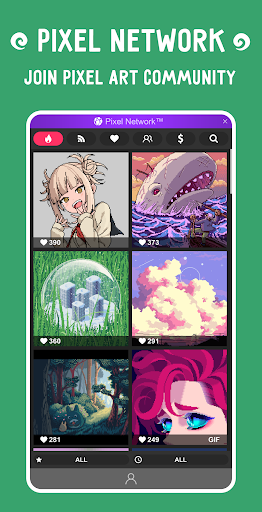
For seamless project management, Pixel Studio PRO integrates with Google Drive for synchronization across multiple devices and platforms. This cloud-sync feature guarantees your work is safe and always accessible. Joining Pixel Network™, the vibrant community for pixel artists, fosters inspiration and collaboration, enhancing your creative journey.
Creative Tools and Customization
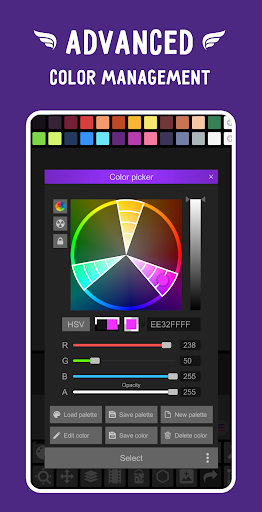
Designed with artists in mind, Pixel Studio PRO offers a range of tools to elevate your pixel art creations. Create custom palettes using built-in options or download palettes from sources like Lospec. The advanced color picker supports RGBA and HSV modes, giving you precise control over your color selections.
The app simplifies drawing and editing with features like zoom and gesture controls for mobile devices and tablets. You can switch between Portrait mode for phones and Landscape mode for tablets and PCs to optimize your workspace.
Additional tools include a Shape Tool for primitives, a Gradient Tool, customizable brushes, a Sprite Library, Tile Mode, symmetry drawing options, and a Dot Pen for precision. The Text Tool supports various fonts, and a Dithering Pen creates realistic shadows and effects. For animation, Onion Skinning allows you to see previous frames, ensuring smooth transitions.
Advanced Features for Professional Workflows
Pixel Studio PRO's power extends further with features like rotation and scaling using the Fast RotSprite algorithm, support for unlimited canvas sizes, and tools for project resizing and rotation. It offers palette application and extraction from images, a Mini-map for navigation, and a Pixel Perfect preview mode for pixel precision.
For efficiency, the app supports multithreaded image processing to handle large projects seamlessly. Other notable features include support for JASC Palette (PAL) formats, import of Aseprite files, and a Tile Mode for creating seamless textures. The Extended PRO version allows for unlimited color adjustments (hue, saturation, lightness) and exports to formats like SVG, HEIC, PDF, and WEBP, along with cloud read/write PSD support.
System Requirements and Compatibility
To get the most out of Pixel Studio PRO, ensure your device has at least 2GB of RAM for handling large projects and animations. A powerful CPU with an AnTuTu score of 100,000+ is recommended for smooth performance. The app supports popular styluses such as Samsung S-Pen, HUAWEI M-pencil, and Xiaomi Smart Pen for precise drawing.
Usability and Community
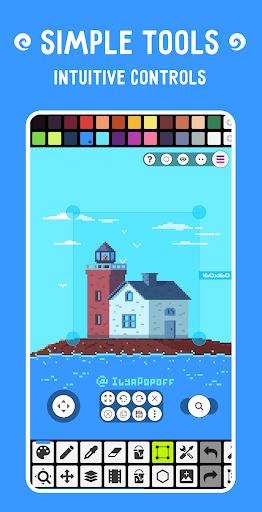
This pixel art editor is designed for ease of use, with a super simple and user-friendly interface that minimizes the learning curve. The range of useful tools and customizable options empowers artists to craft detailed pixel masterpieces effortlessly. Whether you're creating static pixel art or dynamic animations, the app is equipped to handle your creative needs.
Moreover, Pixel Studio PRO fosters an active community where users can share their artwork, gain feedback, and collaborate on projects through Pixel Network™. This social aspect ignites inspiration and helps you grow as an artist with the support of fellow pixel enthusiasts.
Conclusion
If you're searching for the best pixel art tool that combines powerful features with a lightweight, intuitive interface, Pixel Studio PRO is an excellent choice. It caters to both hobbyists and professional developers, making it possible to craft pixel art and animations anywhere—from your mobile phone to your desktop. With its extensive feature set, including advanced color controls, animation tools, and community integration, Pixel Studio PRO stands out as a top-tier pixel art editor in today's digital art landscape. Give it a try and elevate your pixel art projects to new heights!
Pros
- Supports detailed editing with robust layer management.
- Intuitive interface suitable for beginners.
- Wide variety of brushes and tools available.
- Options to export high-resolution images.
- Receives regular updates introducing new features.
Cons
- The premium version is relatively costly.
- Steep learning curve for advanced functionalities.
- Reports of occasional app crashes.
- Limited features in the free version.
- Does not support vector graphic formats.











