

Discover the Creative Possibilities with PicFrame
Are you looking for an intuitive app to elevate your photo collection and create stunning collages? PicFrame is your perfect companion, offering a comprehensive suite of features designed to transform ordinary photos into eye-catching framed compositions. Whether you want to craft memorable birthday collages, share beautiful moments with friends and family, or add a creative touch to your social media posts, PicFrame provides everything you need for exceptional photo framing and editing.
Why Choose PicFrame? Versatility and User-Friendly Design
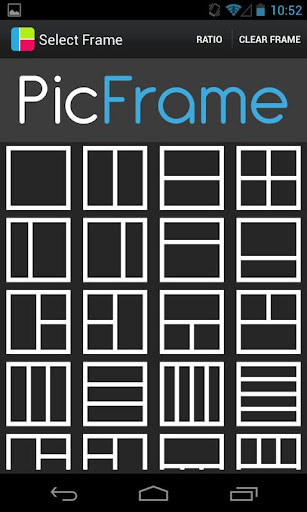
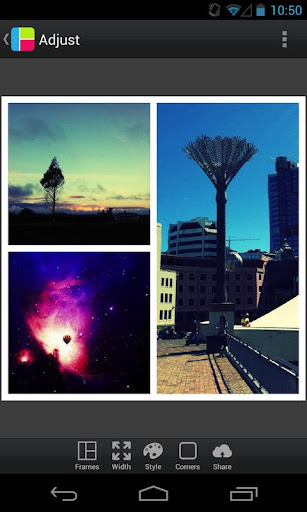
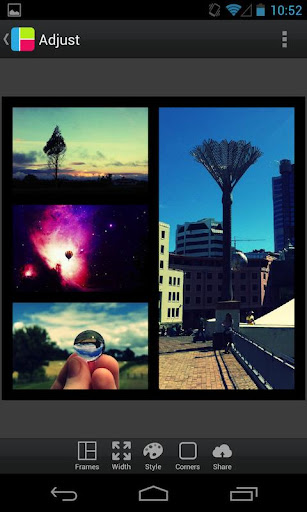
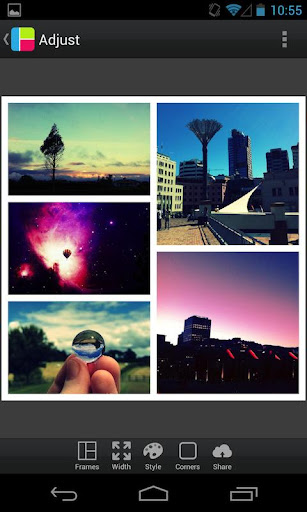
One of the primary advantages of PicFrame is its user-friendly interface that makes sophisticated photo editing accessible to everyone — from beginners to seasoned shutterbugs. The app boasts 36 fully adjustable frames with up to 5 photos embedded within each, allowing endless customization options. With features like **drag and drop**, it’s easy to organize your images, repositioning them precisely within your chosen frame. Whether you prefer a classic square layout or a more dynamic shape, PicFrame has got you covered.
Extensive Customization for Unique Results
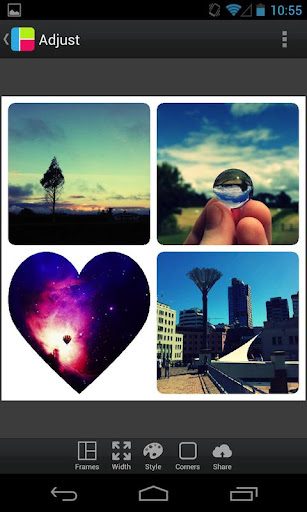
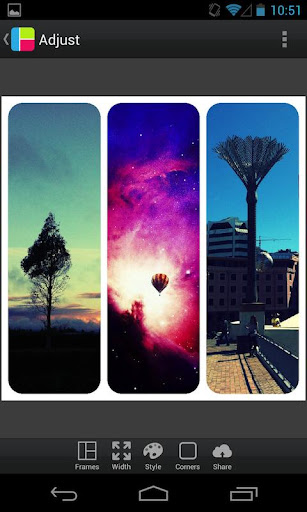
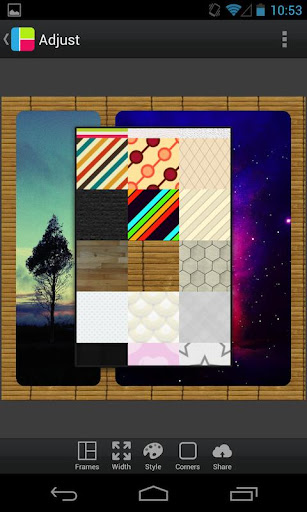
Customization is at the heart of PicFrame. You can modify the border width and choose from a variety of background patterns—with 52 options to suit your mood or theme. Want rounded corners? You got it. To add personal flair, easily change the border color through an intuitive color picker. Want to make your photos stand out? You can adjust **brightness**, **contrast**, and **saturation** to perfect each image.
Shape and Layout Flexibility
Transform your photos into creative shapes such as circles, hearts, or hexagons. The app supports multiple aspect ratios, including popular formats like 1:1 (square), 3:2, 4:3, 16:9, and even vertical orientations like 9:16. You can pinch to zoom and drag images to get the perfect fit, creating professional-looking collages effortlessly.
Advanced Editing and Export Options
Besides framing, PicFrame allows you to **rotate photos** and fine-tune each image's appearance. When your collage is ready, save it directly to your gallery or share it seamlessly with friends and followers. The app supports multiple **output resolutions**, ensuring your images look crisp whether viewed on a phone screen or printed as wall art.
Share Your Masterpieces with Ease
Sharing is simple with PicFrame. The app enables quick export to popular social media platforms like Twitter, Facebook, and others. Whether you’re showcasing a new collage or just sharing a special memory, PicFrame helps you do it in high quality, making your photos truly shine.
Create with Confidence — Perfect for Any Occasion
From birthday celebrations to travel adventures, PicFrame offers versatile templates and framing options tailored to various events and themes. Its intuitive tools enable you to blend multiple images into a cohesive visual story or create stunning single-image compositions. The addition of customizable effects and clear border controls ensures that each collage you produce will be uniquely yours.
In Summary
If you're searching for a **photo collage app** that combines ease of use with powerful customization features, PicFrame stands out as an excellent choice. Its extensive frame options, shape transformations, and editing tools empower you to craft beautiful, professional-looking photo collages in minutes. Whether you're a casual photo enthusiast or someone who loves sharing creative visual stories, PicFrame offers the perfect tools to turn your snapshots into memorable works of art.
Pros
- User-friendly interface with intuitive controls.
- Wide variety of frame templates available.
- Supports high-resolution photo exports.
- Seamless integration with social media platforms.
- Regular updates with new features.
Cons
- Limited free features; many require in-app purchases.
- Occasional ads can disrupt user experience.
- Some users report app crashes on older devices.
- Limited customization options for frames.
- No option for video frame creation.











