
PhotoDirector: AI Photo Editor - Unleash Your Creativity with Cutting-Edge Features
Are you searching for a powerful yet intuitive photo editing app that transforms your images into stunning works of art? Look no further than PhotoDirector: AI Photo Editor. This innovative application is designed for both amateur enthusiasts and professional photographers alike, offering a comprehensive suite of AI-driven tools that make beautifying, editing, and creating visual content straightforward and fun.
Transform Your Photos with AI-Powered Features
At the heart of PhotoDirector lies its groundbreaking AI capabilities. These features intelligently analyze your photos to provide seamless edits that elevate your images. Whether you want to add artistic flair or make subtle enhancements, PhotoDirector makes it effortless:
Content Creation Made Easy
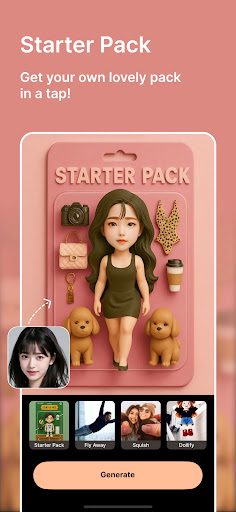
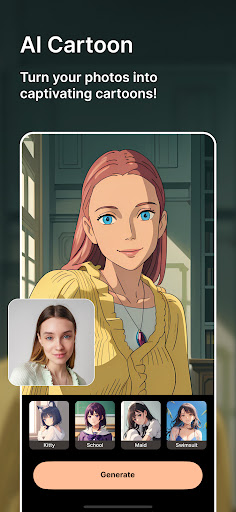
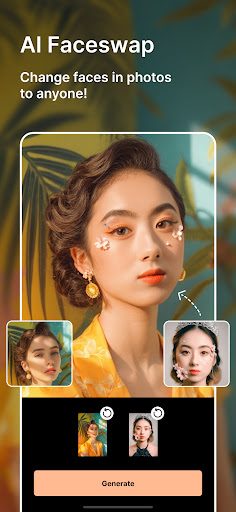
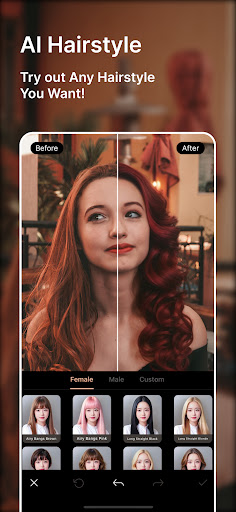
• Image to Video: Bring your portraits to life by turning static images into dynamic videos. Create animated starter packs or lively scenes to capture attention on social media. • AI Anime: Convert your photos into Japanese animated styles with stunning templates inspired by anime classics, making your images look like scenes from a manga. • AI Cartoon: Add a playful or artistic touch to your photos and videos with various cartoon and animation styles that resonate with creative enthusiasts. • AI Face Swap: Effortlessly switch faces or blend different styles to create fun, surprising results. • AI Hairstyle: Experiment with countless virtual hairstyles, inspired by latest trends, to find your perfect look without stepping into a salon. • AI Outfit: Style your avatar or yourself with AI-generated clothing options, from casual wear to bold fashion statements.
Powerful Editing Tools Backed by AI
Looking to refine your images? PhotoDirector offers an array of AI-driven editing features such as:
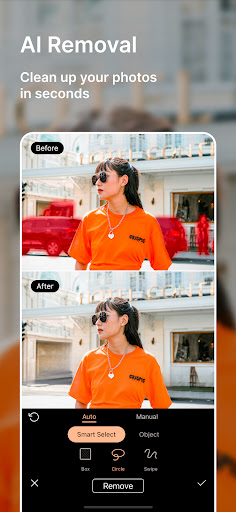
- AI Removal: Instantly erase unwanted objects or wires with smart detection.
- AI Replace: Swap out elements or backgrounds in your photos effortlessly.
- AI Expand: Convert close-up shots into long shots or change aspect ratios with a single tap.
- AI Background: Replace plain backgrounds with scenic skies or textured fabrics using intelligent cutout tools.
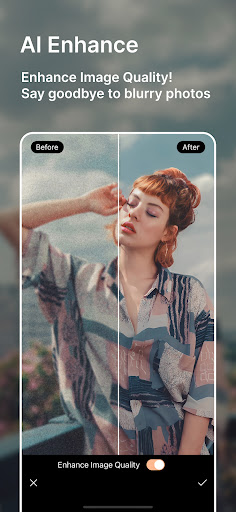
- AI Enhance: Repair low-resolution and blurry images automatically, giving your photos a professional finish.
Streamline Your Editing Workflow
PhotoDirector introduces features designed for quick and efficient editing, saving you time while ensuring high-quality output:
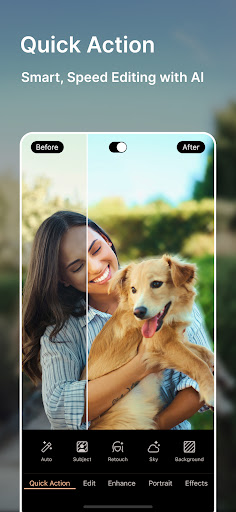
- Quick Action: Detect and enhance photos instantly, perfect for busy lifestyles.
- Collage: Create stunning collages for holidays, events, or social media posts with ease.
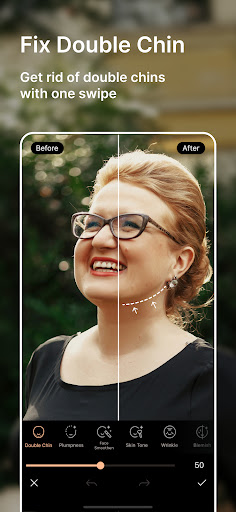
- Body Reshape, Makeup, Camera AR Effects: Fine-tune your selfies with virtual makeup, body adjustments, and augmented reality effects.
- Custom Filters: Design your own filters or choose from over a hundred styles, including HDR, film, and vignette tones.
- Stickers, Text Styles, Frames & Effects: Add a creative touch with thousands of embellishments to personalize your images.
Premium Content and Unlimited Creativity
Upgrade to PhotoDirector PREMIUM to unlock unlimited features:
- Access to all stickers, filters, backgrounds, and effects without limitations.
- Export and save your images in ultra HD 4K resolution, ensuring crisp quality for printing or professional use.
- Enjoy an ad-free, distraction-free editing environment that maximizes your creative flow.
Get Inspired and Join the Creative Community
Follow @photodirector_app on Instagram for the latest inspiration, tutorials, and community showcases. Whether you're looking to craft eye-catching edits or explore new creative techniques, PhotoDirector is your all-in-one photo companion.
Conclusion
In today's fast-paced digital world, everyone wants to produce stunning visuals with minimal effort. PhotoDirector: AI Photo Editor makes this possible by combining sophisticated AI technology with user-friendly tools, enabling anyone to create professional-looking images and videos effortlessly. Whether you’re enhancing family photos, creating social media content, or exploring artistic projects, this app offers the perfect blend of simplicity, power, and creative freedom. Download PhotoDirector today and discover how easy and fun editing your photos can be!
Pros
- Extensive editing tools available.
- User-friendly interface.
- AI features enhance photos.
- Regular updates with new features.
- Supports high-resolution images.
Cons
- Contains in-app purchases.
- Some features require premium.
- Occasional ads interrupt workflow.
- Large app size.
- Limited free version features.











