
Discover the Amazing Features of Photo Studio: Pictures Editor!
Are you looking for a versatile photo editing app that can elevate your images and boost your social media presence? Photo Studio is an innovative AI-powered photo editor designed to help users transform their photos into stunning works of art with ease. Whether you want to apply beautiful filters, add creative effects, create collages, or design eye-catching invitations, this app has everything you need for professional-quality edits right at your fingertips.
Intuitive and User-Friendly Interface
Upon launching Photo Studio, users are greeted with a clean, intuitive interface that makes navigation effortless. Its design caters to both beginners and experienced editors, providing quick access to a plethora of tools and features. The app’s uncluttered layout ensures that you can find the necessary editing options without any hassle, making the creative process seamless and enjoyable. Whether you're editing travel photos or crafting social media stories, this app simplifies the process so everyone can achieve great results.
Extensive Collection of Filters and Effects
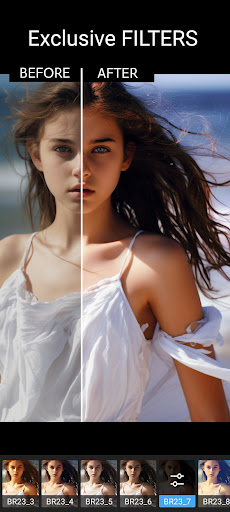
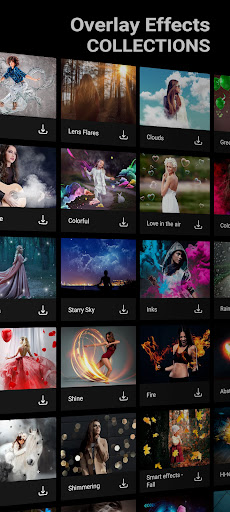
One of the standout features of Photo Studio is its vast library of professional filters and effects. From nostalgic vintage looks to dramatic black-and-white styles, the app offers numerous options to give your photos a unique touch. The real-time preview feature allows you to see how each filter or effect will look before applying it, helping you make precise edits. Explore special effects such as blur, color splash, artistic filters, and more—perfect for enhancing portraits, landscapes, or any kind of photo. The diverse effects empower you to experiment creatively and produce visually captivating images effortlessly.
Create Stunning Collages and Invitations
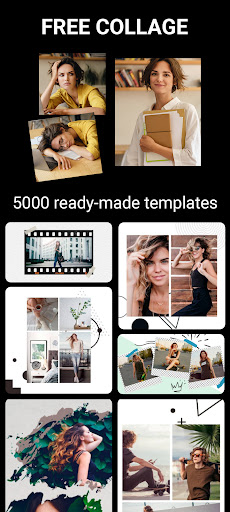
Looking to tell a story through your photos? Photo Studio makes creating beautiful collages simple and fun. With a wide selection of customizable templates, you can merge multiple images into a cohesive layout. Perfect for preserving memories or designing event invitations, these collages can be personalized with text, stickers, and overlays. Additionally, the app offers specialized templates for social occasions like birthday parties, baby showers, and festive gatherings—ideal for crafting memorabilia or professional invitations. The layer tools let you arrange photos creatively, making complex and eye-catching compositions in just a few taps.
Advanced Editing Tools for Perfect Photos
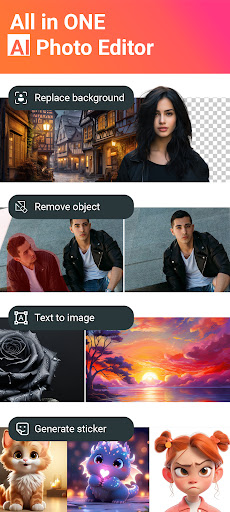
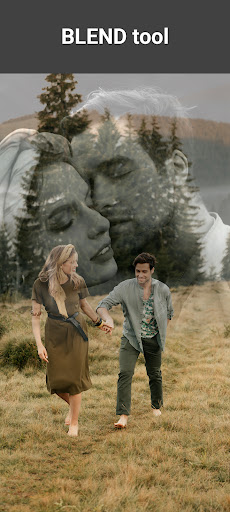
Beyond filters and collages, Photo Studio boasts powerful editing capabilities to refine your images. Adjust brightness, contrast, saturation, and light levels, or crop and rotate photos to perfect proportions. The background eraser enables easy removal or replacement of backgrounds, giving you more control over your compositions. The app also offers features like face retouching, color correction, and even special effects such as picture-in-picture (PiP) animations—transforming static photos into dynamic visual stories. Plus, GIF stickers add fun, animated elements to your edits, making content more engaging for social media.
Enhance Your Social Media Content
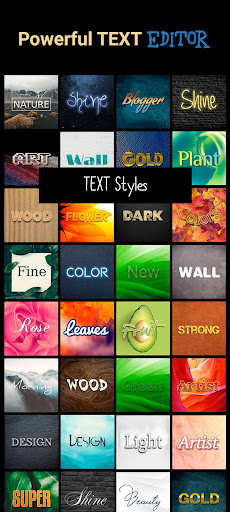
In the age of social media marketing, standing out with visually appealing content is essential. Photo Studio includes a dedicated archive of Instagram story templates and an array of editing tools optimized for social media posts. Add stylish text, overlays, and effects to grab attention and increase interaction. Designed with influencers and creators in mind, this app supports a variety of formats suitable for platforms like Instagram, Facebook, TikTok, and more. The integration of filters and effects helps you craft professional-looking stories, reels, and posts that resonate with your audience.
Versatile Photo and Video Editing Capabilities
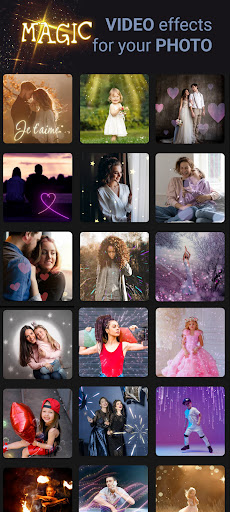
Whether you're editing still images or dynamic videos, Photo Studio has you covered. The app supports live photo editing, allowing you to add effects and filters directly before sharing. Additionally, it features a selection of frame templates and decorative overlays to enhance your photos or videos further. You can also use the background eraser to isolate subjects or create elaborate compositions. Pair these tools with text overlays and GIF stickers to produce creative content that makes your social media profiles shine.
Quick Presets and Creative Templates
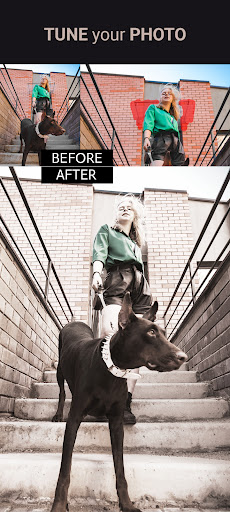
For those who prefer quick edits, Photo Studio offers a variety of presets—ready-to-use editing templates designed for different moods and styles. These presets enable you to achieve stunning results in seconds, perfect for busy creators or casual users who want impressive images without extensive manual adjustments. The before-and-after feature helps you compare changes easily and select the best look for your photos.
Final Touches and Enhancements
Take your images to the next level with advanced tools like the color adjustment sliders, layer management, text addition, and decorative effects. The app's AI-powered features assist in auto-enhancing photo quality, making your images sharper and more vibrant with minimal effort. Want to add a personal touch? Use the picture-in-picture feature or explore various frame and border options to make your photos stand out even more.
Try Photo Studio Today!
Whether you're a professional photographer, social media influencer, or casual user wanting to elevate your photos, Photo Studio is the perfect app for all your editing needs. Its rich feature set, user-friendly interface, and powerful AI tools help you create impressive images and videos effortlessly. Download now and start transforming your photos into extraordinary visual stories!
Pros
- Intuitive user interface
- Wide range of editing tools
- High-quality filter options
- Supports multiple file formats
- Easy sharing options
Cons
- Contains ads
- Limited free features
- Occasional crashes
- Some tools require in-app purchases
- High battery consumption











