










Introduction to Photo Scan App by Photomyne
Are you nostalgic about old photographs, slides, or negatives and looking for an easy way to bring those cherished memories into the digital age? Photo Scan App by Photomyne is your perfect solution. This innovative application simplifies the process of transforming physical family keepsakes such as photographs, slides, negatives, and even handwritten notes into high-quality digital images. Built with cutting-edge AI technology, the app offers a seamless experience that enables users to create a comprehensive digital library spanning generations. Whether you're an amateur photographer or a seasoned memory keeper, this app helps you preserve and share your stories effortlessly.
Key Features of the Photo Scan App by Photomyne
Simplified Scanning Experience
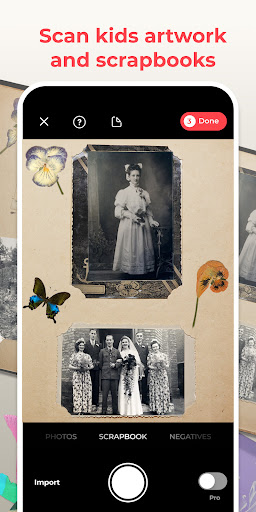
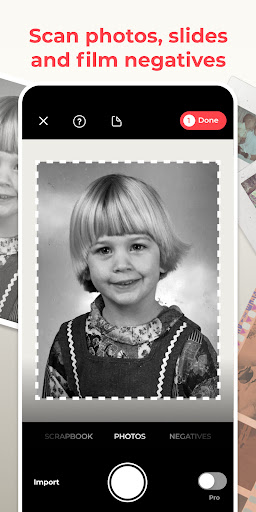
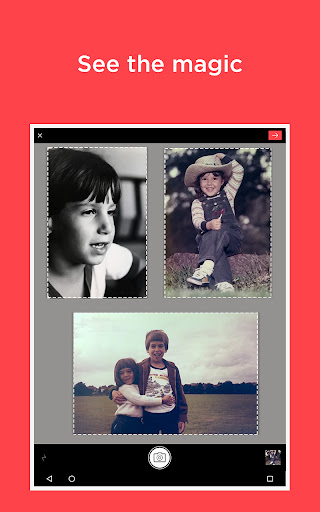
One of the standout advantages of this app is its ability to scan multiple photographs at once. Simply hold your device over a stack of old family photos, and the scanner will automatically detect boundaries, crop individual images, and even adjust for sideways or tilted pictures. This feature saves countless hours compared to traditional scanning methods. The app isn’t limited to photos alone—it also allows you to digitize • film negatives, • slides, • documents, • kids' art projects, • recipes, and even • scrapbook pages. Restoring your memories becomes remarkably efficient—scan an entire album in just minutes, with the app managing the rest.
Advanced Editing and Personalization
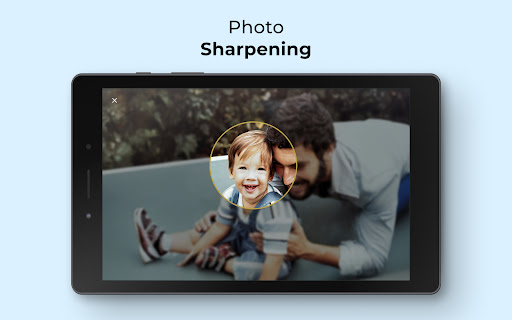
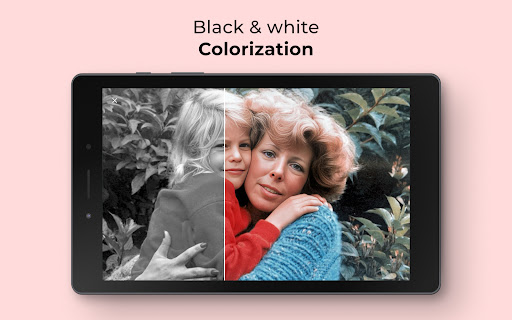
Once your images are digitized, Photomyne offers a suite of editing tools to refine your photographs. You can add descriptive details such as locations, dates, and names to each photo or album. The app also allows adding a nostalgic touch with features like color filters and colorizing B&W photos. For further enhancement, there's the option to sharpen blurry faces and restore faded hues, making your memories appear vibrant and fresh. Additionally, users can attach audio recordings to personal stories or captions, enriching the storytelling aspect of your digital collection.
Creating Memorable Keepsakes for Special Events
Photo Scan App by Photomyne isn’t just about archive management—it also facilitates the creation of memorable displays for • reunions, • memorials, • anniversaries, or • birthdays. By integrating old images and added personal details, you can craft meaningful visual stories that celebrate life’s milestones. These digital memories serve as heartfelt gifts or tributes, adding a layer of emotion and nostalgia to any occasion.
Premium In-App Upgrades for Unlimited Access
While the app is available for free with essential features, it offers optional paid plans for users who want unlimited access. These plans, available via monthly, yearly, or one-time payments, unlock premium functionalities, including unlimited scanning, sharing, and saving in high quality. Subscribers enjoy unlimited enhancements such as advanced photo effects, colorization, and cloud backup options, ensuring your entire collection remains accessible across all your devices. The subscription model makes it easy to scale your digital archive as needed.
Why Choose Photo Scan App by Photomyne?
If you're searching for a reliable, user-friendly solution to digitize stacks of physical photos and memorabilia, Photo Scan App by Photomyne stands out among other photo scanning applications. Its intuitive interface, matched with powerful features like auto-detection, batch scanning, and photo restoration, makes it perfect for users of all levels. Whether you're preserving memories from decades past or digitizing recent photos, this app ensures professional-grade results with minimal effort. Plus, with the option to backup your collection to the cloud, your memories are protected against loss. Overall, it offers a seamless blend of speed, quality, and flexibility—making it an essential tool for anyone eager to bridge the gap between physical and digital memories.
Pros
- User-friendly interface facilitating quick scanning
- High-quality digitization of photos
- Supports scanning multiple photos at once
- Features automatic photo enhancement
- Provides quick processing times
Cons
- Limited editing capabilities
- Full features require a subscription
- Application may occasionally crash
- Displays advertisements in the free version
- Restricted cloud storage options











