

Photo Lab Picture Editor & Art
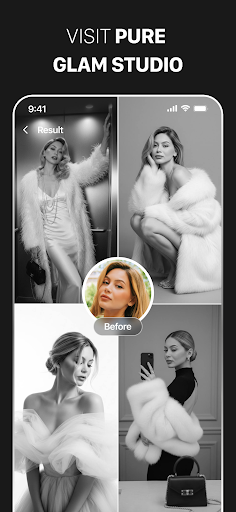
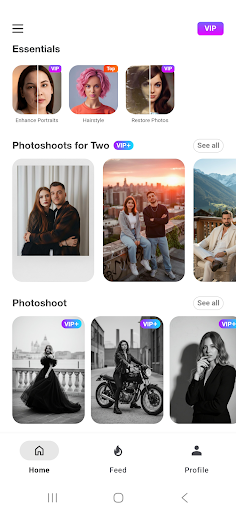
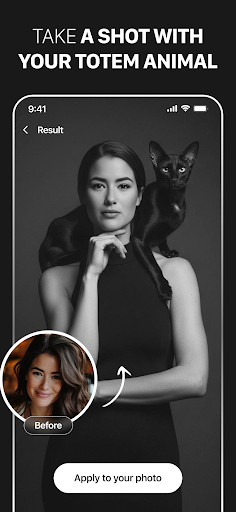
Are you looking to elevate your photo editing experience with powerful features and creative tools? Photo Lab Picture Editor & Art is a versatile and user-friendly app designed to help users transform their ordinary photos into stunning works of art. Whether you're into applying trendy face filters, exploring artistic styles, or creating eye-catching collages, this app has everything you need to unleash your creativity.
Key Features of Photo Lab
Neural Photo Art Styles
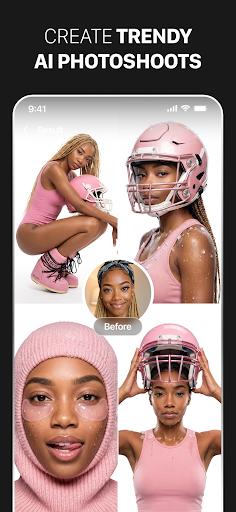
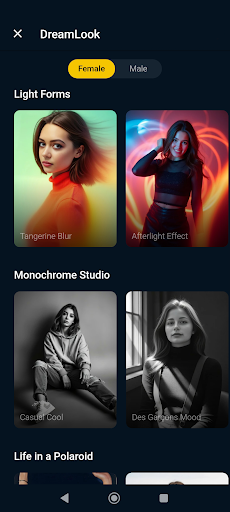
Embrace the future of photo editing with Neural Photo Art Styles. This innovative feature provides a quick and smart way to turn any photo into a piece of artwork. Choose from over 50 pre-set styles that leverage AI to apply the most advanced artistic effects, giving your photos an authentic, personalized touch. With these AI-driven photo styles, you can easily create beautiful paintings, sketches, or modern art pieces from your everyday snaps.
Photo Frames
Enhance your precious memories with a wide selection of photo frames. Whether you're commemorating a special moment or simply want to add a sophisticated finish to your photos, the app offers an exquisite assortment of frames. Selecting the right frame is effortless—just pick your favorite one and make your picture stand out with a polished, professional look.
Realistic Photo Effects
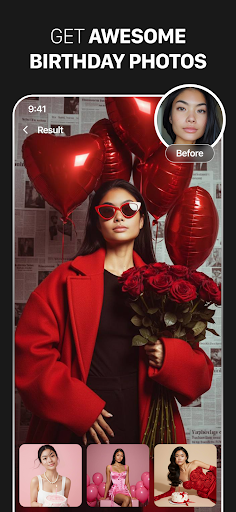
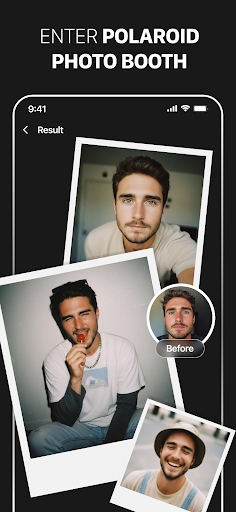
Transform your images with a variety of realistic photo effects. These effects add depth, character, and a touch of artistry, helping you turn simple selfies or landscape photos into captivating visual masterpieces. From vintage filters to futuristic enhancements, the effects help express different moods and atmospheres, making each photo uniquely yours.
Face Photo Montages
Have fun swapping faces and creating entertaining montages with ease. Face photo montages automatically detect faces using advanced algorithms, allowing you to quickly turn yourself or friends into cartoons, dolls, or other imaginative characters. This feature is perfect for playful selfies or themed photo projects, making it easy even for beginners to produce impressive results without complicated editing skills.
Photo Background Editor
Customize your images by effortlessly removing or changing backgrounds. The photo background editor lets you erase existing backgrounds and replace them with creative templates or scenic backdrops. This feature is ideal for creating professional-looking profile images, collages, or themed pictures for social media.
Photo Filters
Apply a wide array of photo filters to add style and mood to your images—no professional expertise needed. Choose from effects like vintage, cartoon, oil painting, anime, black & white, 3D, and more. Instantly alter the atmosphere of your photos to match your personal style or the message you want to convey.
Photo Collages
Create engaging photo collages by seamlessly combining multiple images into captivating layouts. Use themed templates to highlight special occasions or tell visual stories. These collages can be easily shared on social media, made into virtual postcards, or used as profile pictures, adding a creative flair to your sharing experience.
Additional Benefits
User-Friendly Interface
Designed with simplicity in mind, Photo Lab offers an intuitive intuitive interface that makes editing straightforward—perfect for both beginners and seasoned photographers. Applying effects, adding text, or creating collages can all be done with just a few taps, streamlining the creative process.
Community and Sharing
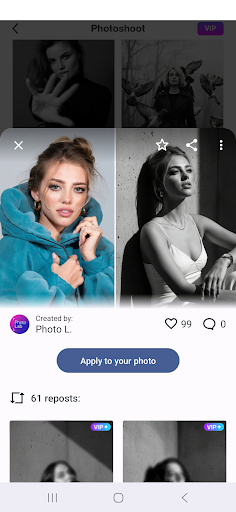
Connect with a vibrant community of photo enthusiasts. Share your creations, explore what others have made, and draw inspiration from diverse artistic styles. The app makes sharing your masterpieces to social media platforms quick and easy, helping you showcase your creativity and gather positive feedback.
Why Choose Photo Lab?
If you’re seeking a comprehensive and easy-to-use photo editing app packed with a multitude of features—from AI art styles to face filters—Photo Lab Picture Editor & Art is an excellent choice. It empowers users to bring their vision to life, add originality to selfies, and craft visually compelling content without requiring advanced editing skills. The app's reliance on internet-based processing keeps your device free from heavy resource demands, ensuring smooth performance while delivering high-quality results.
Pros
- Offers a diverse selection of artistic effects.
- User-friendly interface suitable for beginners.
- Processes images rapidly.
- Provides regular updates with new functionalities.
- Delivers high-quality photo results.
Cons
- Includes in-app advertisements.
- Free version has limited features.
- Requires internet connection for complete functionality.
- Some effects are behind a paywall.
- May consume device battery quickly.











