



Introducing Photo Collage Maker - FunPic
Discover the ultimate tool for unleashing your creativity with Photo Collage Maker - FunPic. This versatile app is designed to help you craft stunning photo collages and engaging videos effortlessly. Whether you’re looking to showcase your memorable moments, design artistic compositions, or create captivating stories, FunPic offers a comprehensive suite of features tailored to both beginners and professional users. Its user-friendly interface combined with powerful editing tools makes it a top choice for photo enthusiasts worldwide.
Key Features of FunPic
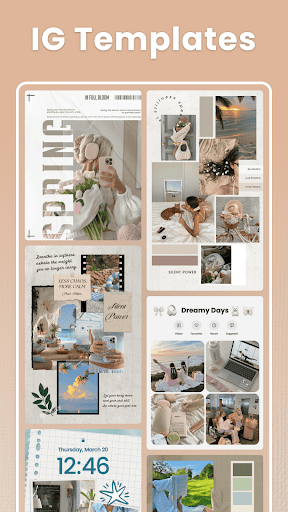
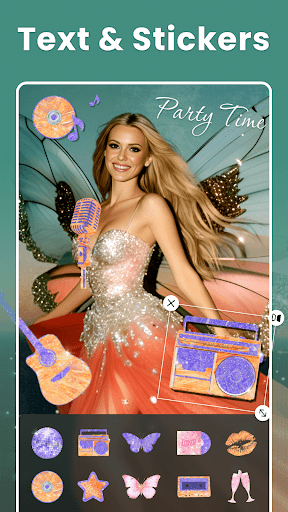
Combine Photos with Over 300 Layouts Effortlessly arrange your images using an extensive library of layouts. Choose from regular grids, unique shapes, or customized templates to perfectly suit your style. Whether for Instagram or WhatsApp, you can adjust aspect ratios to 1:1, 4:5, or other preferred formats.Rich Materials for Every Occasion Enhance your collages with a diverse selection of over 1000 stickers and backgrounds. Explore themed templates for occasions like Love, Birthdays, Festivals, and more. Add meaningful text with various fonts that help convey your message clearly and creatively. Artistic filters can dramatically change the mood of your photos, making each collage unique.Personal Touches & Artistic Creations Doodle freely to add personal drawings or artistic details. Use the built-in tools to adjust borders, spacing, and layout for a customized look. You can even combine videos and photos to craft vivid stories that bring your memories to life—adding music, voice recordings, and decorative elements to create immersive multimedia content.
AI-Powered Photo Editing Tools
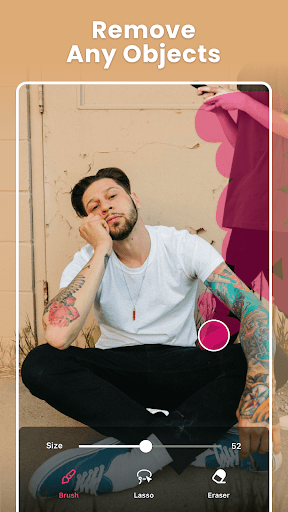
FunPic leverages advanced AI technology to provide a seamless editing experience. Easily remove unwanted objects or backgrounds with a simple swipe—no more clutter or distractions in your photos. The intelligent AI eraser refines edges automatically, and you can replace backgrounds with elegant or custom images to match your theme.
Photo Slideshow Maker
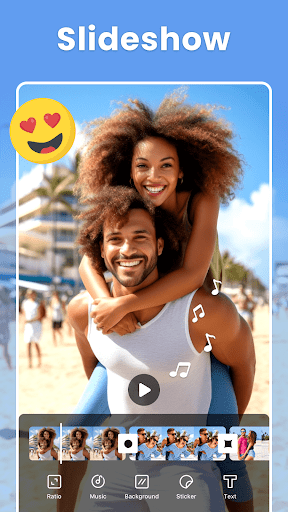
Transform your favorite moments into captivating slideshows with popular music tracks and smooth transitions. Add animation stickers, text, and background options to craft personalized videos for birthdays, travels, or special events. Available trendy music and vibrant backgrounds make your stories engaging and professional-looking.
Auto Background Removal & Editing
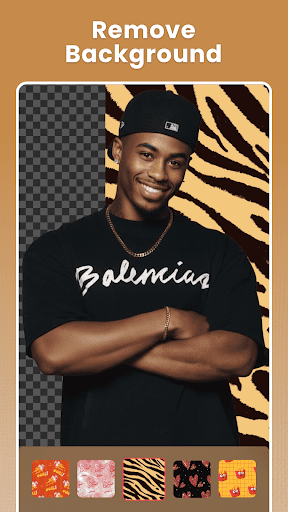
Remove backgrounds effortlessly with AI background eraser and photo editor. Precise edge refinement and a variety of background options—including blurred or custom images—ensure your photos look flawless. Crop, rotate, and apply artistic filters to enhance your images easily.
Video & Photo Collages
Combine photos and videos into dynamic collages that tell your story vividly. Drag-and-drop functionality provides complete creative freedom, allowing you to resize, rotate, and customize each element. The app supports merging multiple images and clips into seamless, eye-catching content suitable for sharing on social media platforms.
User Experience & Ease of Use
From the moment you open FunPic, you'll find its intuitive interface inviting. The app organizes templates into clear categories, making it simple to find the perfect style for any project. The extensive sticker library, text options, and editing tools are easily accessible, allowing you to craft professional-looking collages without prior design experience.
Sharing & Exporting Your Creations
Once your masterpiece is complete, sharing it with friends or on social media is straightforward. Direct integration with platforms like Instagram, Facebook, and others allows quick posting. The high-resolution export option ensures your collages look pristine when printed or uploaded online, making FunPic perfect for both casual sharing and professional presentation.
Final Thoughts
Overall, Photo Collage Maker - FunPic is a fun, versatile, and powerful app designed to inspire creativity. Whether you’re into creating simple, elegant collages or elaborate multimedia stories, this app provides all the tools you need. Its combination of trendy templates, advanced AI editing, rich materials, and user-friendly interface makes it a top choice for hobbyists and social media enthusiasts alike. Give it a try today and start transforming your photos into beautiful works of art that tell your unique story.
Pros
- User-friendly interface for straightforward navigation.
- Wide selection of collage templates available.
- Includes entertaining stickers and text options.
- Enables quick sharing on social media platforms.
- Produces high-quality outputs suitable for printing.
Cons
- Contains advertisements that may interrupt usage.
- Limited functionality in the free version.
- Premium subscriptions can be expensive.
- Occasional app crashes have been reported.
- Some templates require additional in-app purchases.











