



Introduction to PerfectPic-Photo Edit・Collage
Are you ready to elevate your photo editing and collage-making experience? PerfectPic-Photo Edit・Collage is a versatile and comprehensive app available on the Play Store that transforms your ordinary photos into vibrant works of art. Designed for enthusiasts and casual users alike, this all-in-one photo editor offers a rich suite of features to unleash your creativity and bring your visual stories to life.
Key Features of PerfectPic-Photo Edit・Collage
Unleash Your Inner Artist with Advanced Editing Tools
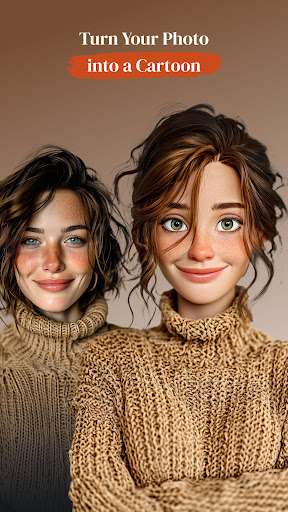
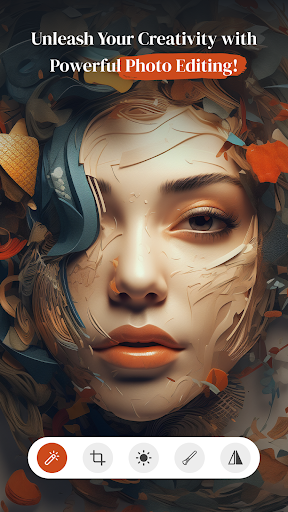
With PerfectPic, editing photos becomes a delightful adventure. The app provides a wide array of editing options—from basic adjustments such as brightness, contrast, and saturation to more advanced features like curves and overlays. Explore dozens of high-quality filters designed to enhance your images without making them look overly processed. Whether you're refining a portrait or enhancing landscape shots, the intuitive interface ensures that both beginners and seasoned photographers can craft stunning visuals effortlessly.
Powerful Object Removal and Background Editing
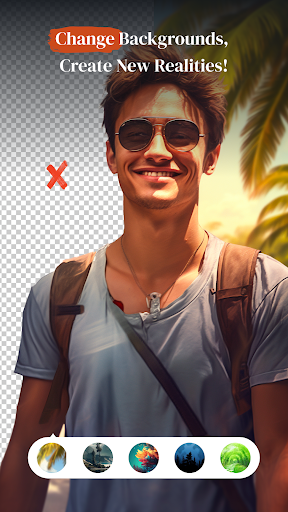
One standout feature is the Object Remover, an AI-powered tool that allows you to easily erase unwanted elements from your photos—be it distracting objects, people, or other clutter—within seconds. For a more dramatic transformation, the BG Changer facilitates quick background removal, enabling you to replace or completely remove backgrounds with just a few taps. Whether you want to create fantasy scenes or simply tidy up your images, these tools open new horizons of creative possibilities.
Redefine Your Look with Hair and Beauty Features
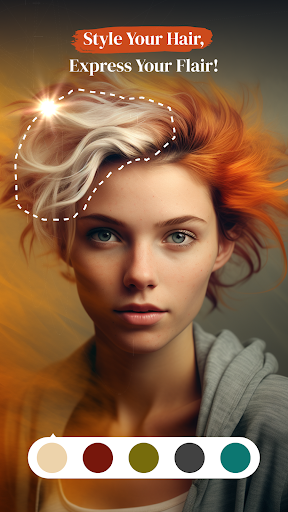
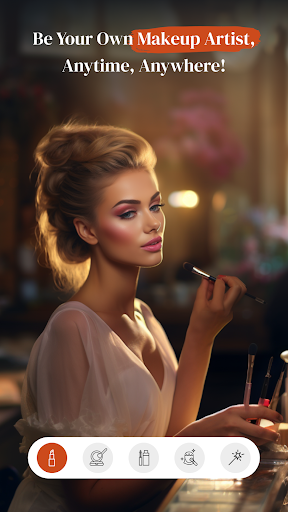
Experiment with your appearance through fun features like Hair Style & Hair&Beard Changer. Swap hair styles, change hair colors, or try out various beard styles to see what suits you best—all without stepping outside your home. Enhance your selfies further with the Make Up & Beauty Cam, which offers a host of makeup tools and accessories, helping you add radiance and glamour to every shot. These features empower you to craft perfect photos that highlight your best self.
Creative Effects with Make Me Old and Collage Maker
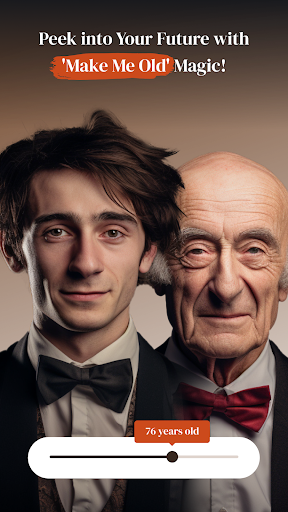
Longing for a bit of fun and fantasy? The Make Me Old feature allows you to see how you'll look in the future, turning the process into a playful journey through time. Meanwhile, the Collage Maker helps you assemble your favorite moments into eye-catching mosaics. With multiple layout options and customizable backgrounds, you can turn your collection of photos into stories and keepsakes that truly resonate.
Why Choose PerfectPic-Photo Edit・Collage?
What sets PerfectPic apart is its combination of user-friendly design, wide range of features, and powerful editing tools—all available for free. The app is thoughtfully designed to be accessible for beginners yet sophisticated enough for expert users. A smooth experience without intrusive ads makes editing enjoyable and hassle-free. Whether you want to quickly enhance a selfie or craft a detailed collage, PerfectPic provides the tools to bring your creative visions to life.
Moreover, the app's versatility and high customization potential make it a go-to choice for creating stunning social media content, professional photos, or fun images to share with friends. From removing backgrounds to adding artistic effects, every feature in PerfectPic is a gateway to endless creative possibilities.
Start Your Creative Journey Today
Ready to transform your photos into captivating stories and visual masterpieces? Download PerfectPic-Photo Edit・Collage now and dive into a world where every shot is a canvas. Whether you're crafting memorable collages, refining selfies, or experimenting with advanced editing features, this app is your perfect companion for digital creativity. With each use, you're not just editing photos—you’re creating legacies, sharing your imagination, and celebrating your unique style.
Pros
- Intuitive user interface for easy navigation.
- Variety of editing tools available.
- Supports high-resolution photo exports.
- Frequent updates enhance functionality.
- Includes templates for quick collages.
Cons
- Contains ads that can be intrusive.
- Some features require in-app purchases.
- Occasional crashes during editing.
- Limited free version capabilities.
- Not available offline.











