

Introducing Peachy - AI Face & Body Editor: The Ultimate Photo Enhancement App
Are you looking for a powerful yet user-friendly photo editor that can help you achieve flawless selfies and portraits? Look no further than Peachy - AI Face & Body Editor. This innovative app is designed to help users effortlessly enhance their photos, offering a suite of advanced features including photo retouch, face tuning, and body reshaping. Whether you're a social media enthusiast or someone who simply wishes to improve their photo quality, Peachy provides a comprehensive toolkit to meet your needs. The best part? It’s free and comes without any watermarks, making professional-level editing accessible to everyone.
Key Features of Peachy - AI Face & Body Editor
Advanced Portrait and Selfie Editing
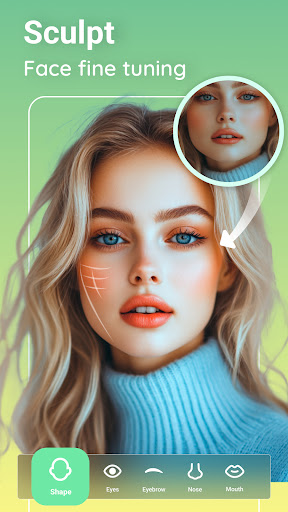
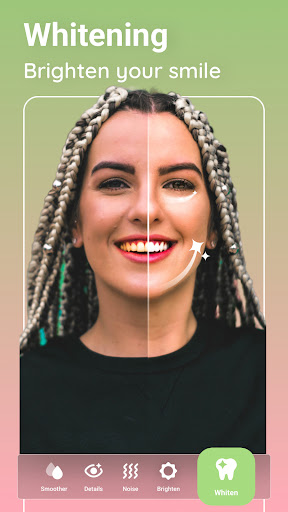
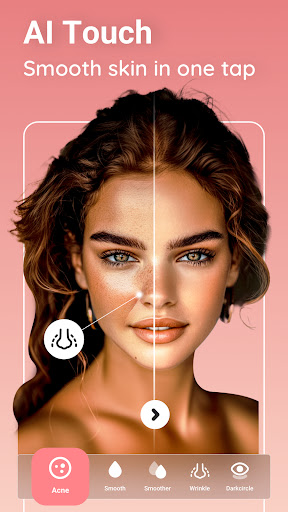
Peachy offers an extensive range of portrait and selfie editing features that enable users to refine their appearance naturally. The app's photo retouch capabilities allow you to smooth skin, remove wrinkles and acne, brighten eyes naturally, and whiten teeth effortlessly. Want to add volume or reshape your eyebrows? The app's tools make it simple to enhance facial features with precision. For those aiming for a more dramatic transformation, you can even get rid of oily skin using the matte retouch tool or adjust your smile for a more perfect look.
Face Tune & Body Reshape
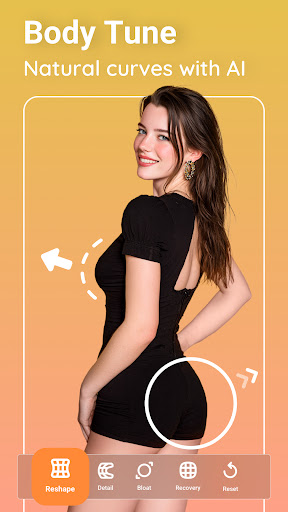
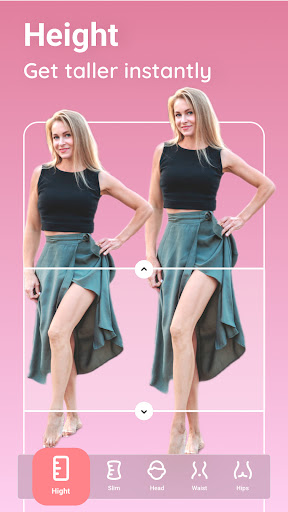
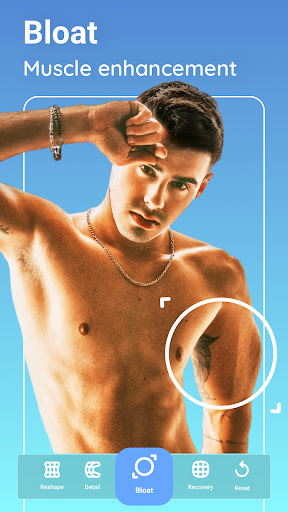
If body modification is what you seek, Peachy has got you covered. The app enables users to fine-tune the face shape, adjust facial proportions, and reshape specific areas like arms or facial features. Looking to highlight your curves? You can enlarge muscles, bloat your bust, or slim your waist. Want to appear taller or with a more shapely figure? The body editing tools make those adjustments quick and easy. The creativity doesn’t stop there—use the tools to exaggerate features for fun or artistic effects, all while maintaining a natural appearance.
Precise Face Editing
The app supports multi-face editing—perfect for group photos with up to 20 faces. You can independently adjust the left or right side of each face to ensure everything looks symmetrical. Plump your lips, auto-reshape your nose, or refine your eyebrows and eyes in detail. Peachy makes face editing intuitive and versatile, ensuring that every person's features are perfectly tuned.
Hair and Color Customization
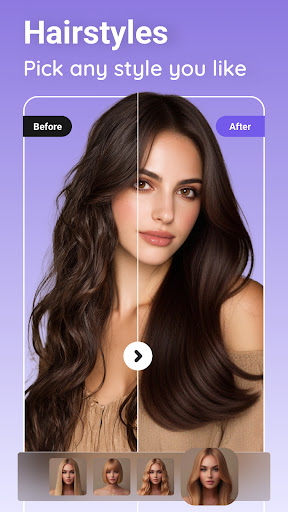
Experiment with hair color changes using the built-in hair color changer. Whether you want a bold new look with vibrant ombré styles or a subtle color tweak, Peachy offers various options to transform your hairstyle in seconds. This feature provides a fun way to try different hair colors without any commitment.
Basic Photo Editing Tools & Trendy Effects
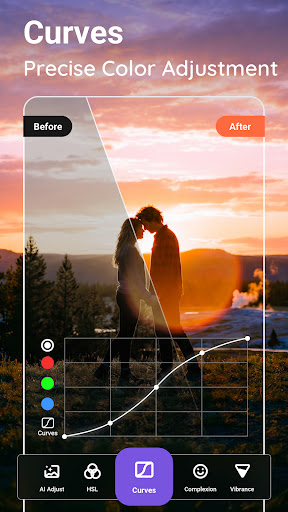
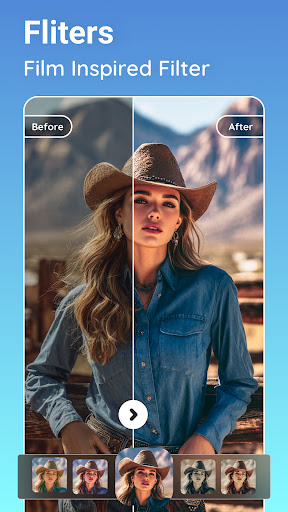
Beyond face and body enhancer functionalities, Peachy includes essential editing tools such as crop, rotate, brightness, contrast, warmth, shadows, and sharpness adjustments. Apply high-fashion filters, vintage effects, or trendy lighting enhancements to give your photos a professional finish. You can also explore numerous stylish stickers and effects to create eye-catching selfies and portraits ready for sharing on Instagram, Snapchat, Facebook, and WhatsApp—all without watermarks.
Easy to Use, Fast, and Shareable
Designed with user experience in mind, Peachy offers an intuitive interface that is perfect for beginners and pros alike. Simple sliders control the intensity of edits, and an undo button allows for quick adjustments, making the editing process straightforward. Once your masterpiece is ready, you can directly share it to your favorite social media platforms seamlessly, saving you time and effort.
Why Choose Peachy?
With AI-powered technology, Peachy automatically detects facial features and allows detailed, natural-looking edits. It combines professional-grade editing tools with simplicity, making it possible for anyone to look like a photo editing expert. Free to use and with no watermarks, Peachy ensures that everyone can create stunning images effortlessly. Perfect for quick touch-ups before posting or for more artistic transformations, Peachy helps you meet the best version of yourself with just a few taps.
Final Thoughts
If you're on the hunt for a reliable, versatile, and easy-to-use photo editor that specializes in face and body enhancements, Peachy - AI Face & Body Editor is definitely worth trying. Its rich features—ranging from perfecting selfies to reshaping entire bodies—empower you to create flawless images in minutes. Give Peachy a shot, and you might find yourself falling in love with your photos all over again!
Pros
- Intuitive interface simplifies the editing process.
- Provides an extensive selection of editing tools.
- Allows real-time preview of changes.
- Delivers high-quality output images.
- Enables quick processing and saving of images.
Cons
- Includes in-app purchases for advanced functionalities.
- May require frequent app updates.
- Some features depend on an internet connection.
- Advertisements may interrupt the user experience.
- Free version has limited feature access.











