
Introducing the PDF Reader: Your Ultimate PDF Viewing and Management Tool
Are you searching for a robust and user-friendly PDF reader? Look no further! Our PDF Reader application is designed to provide a comprehensive solution for effortlessly viewing, managing, and sharing all your PDF files on the go. Whether you're a student, professional, or casual user, this app delivers the convenience and flexibility needed to keep your documents organized and accessible wherever you are.
Seamless Navigation with an Intuitive Interface
Our PDF Reader boasts a sleek, intuitive interface that makes navigation a breeze. Finding your PDFs and managing your documents is simple and efficient. The app’s design ensures that even users with minimal technical experience can easily access and operate its features, making document management smooth and hassle-free.
Key Features of the PDF Reader
One-Click PDF Reading
Getting started with your PDF files is quick and straightforward. With just a single click, you can open your PDFs directly from the app or your device, saving you time and effort.
Access All PDF Files on Your Device
Our app provides comprehensive access to all PDF files stored on your device. Whether in internal storage or external SD cards, you can locate and open your documents without navigating through complicated directories.
Integrated Support for Various Document Types
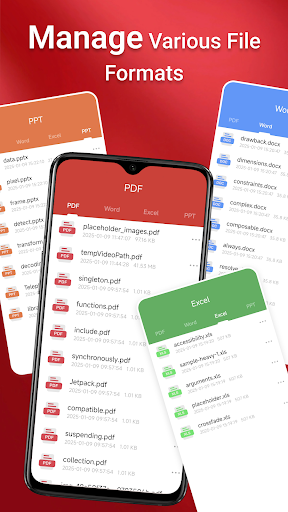
Not only PDFs, but our PDF Reader also offers support for a variety of document formats, including Doc, PPT, and Excel. This flexibility makes it a versatile tool for handling diverse work and study files seamlessly within one application.
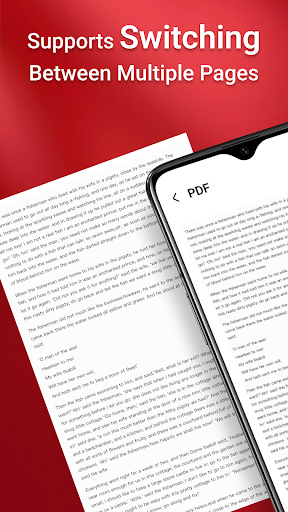
Quick Page Navigation for Easy Reading
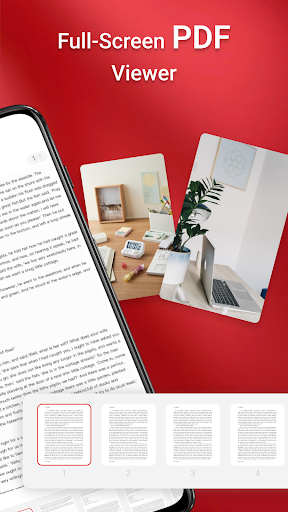
Efficient navigation features allow you to jump between pages swiftly, enhancing your reading experience. Whether you're reviewing lengthy documents or multiple files, the quick navigation tools ensure you spend less time scrolling and more time absorbing content.
Enhanced Sharing and File Management
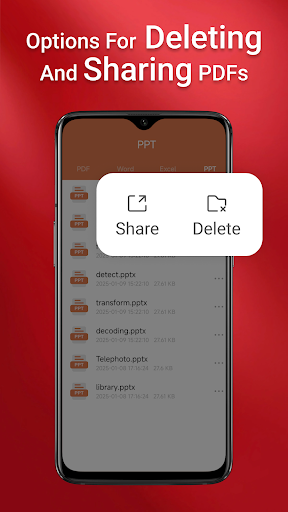
Beyond just viewing, our PDF Reader enables you to effortlessly share your documents with colleagues, friends, or classmates. The app supports various sharing options to make collaboration simple and effective. You can also perform tasks like multi-file merging, previews, and annotations, making your document handling more productive.
Important Notes for Android Users
Permission Requirements for Android 11 and Later
To ensure full functionality, our PDF Reader requires the MANAGE_EXTERNAL_STORAGE permission on Android 11 and newer versions. This permission is essential for accessing and managing files across multiple folders, including those on SD cards or non-standard locations. It enables features such as background document management, offline access, and multi-file operations. Without this permission, some key features like file preview, multi-file merging, and persistent document access may not perform optimally.
Experience the Freedom of Portable Document Management
Download the PDF Reader today to unlock the full potential of your device’s storage. With this app, you get a powerful, versatile, and easy-to-use tool that keeps your PDFs at your fingertips—accessible whenever and wherever you need them. Say goodbye to cluttered folders and disorganized files, and embrace the simplicity of seamless PDF viewing and management.
Pros
- Offers a seamless user experience with intuitive navigation.
- Provides a wide range of features to meet diverse needs.
- Ensures reliable performance and stability.
- Includes helpful support resources and customer assistance.
- Regular updates enhance functionality and security.
Cons
- Some features may have a learning curve for new users.
- Occasional bugs or glitches can disrupt experience.
- Requires significant storage space on devices.
- Certain advanced features may necessitate additional costs.
- Limited customization options for personal preferences.











