
Introduction to PayPal POS (ex Zettle)
Are you searching for a reliable and versatile payment system that you can carry with you everywhere? The PayPal POS (ex Zettle) app is designed to meet the needs of small businesses seeking a seamless in-person payment solution. Whether you're managing a coffee shop, retail store, or service provider, this app acts like a Swiss Army knife—offering various tools to handle transactions effortlessly.
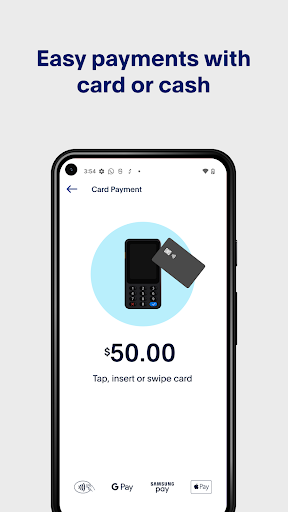
The app simplifies accepting card payments, contactless payments, e-wallet transactions, and more. It provides an intuitive interface and robust features for managing sales, inventory, and customer data all within a single platform. Best of all, it comes with no monthly fees, no set-up costs, and no lock-in contracts, making it an attractive option for growing businesses.
Key Features of PayPal POS
Ease of Setup and Use
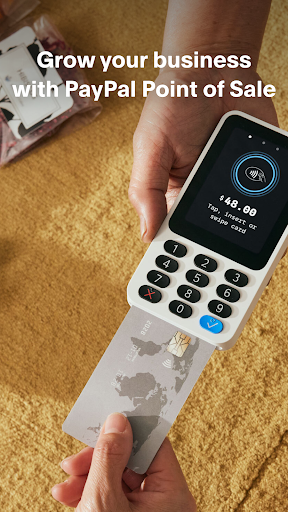
Getting started with PayPal POS (ex Zettle) is straightforward. Simply download the app on your iPhone or Android device, sign up, and link your PayPal account. Whether you prefer to accept payments directly via Tap to Pay or use the PayPal Reader, setup is quick and hassle-free. The app supports rapid delivery of physical hardware like the PayPal Reader and Dock, enabling you to accept all major credit cards and contactless payments including Google Pay.
Versatile Payment Acceptance
PayPal POS supports a wide variety of payment types. You can accept card payments, contactless payments, and e-wallet transactions with ease—making it future-proof for your business. The Card Reader or Terminal ensures quick and secure transactions, while the Tap to Pay feature allows you to capture payments swiftly with just your phone, perfect for on-the-go sales.
Inventory and Sales Management
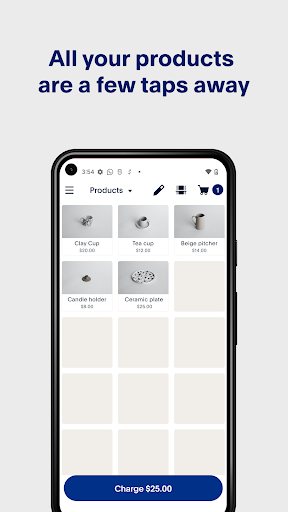
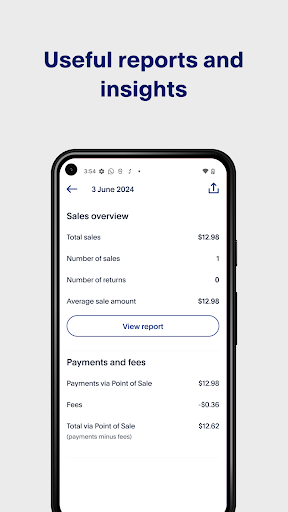
The app includes an intuitive product library to streamline inventory management. Generate simple reports and gain insights into your sales data to support business growth. With the ability to create multiple staff accounts, you can track individual performance and sales metrics, providing clarity and accountability for your team.
Customizable Receipts & Integration
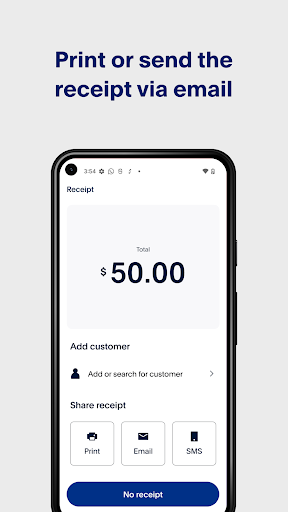
Customize receipts and send them via print, text, or email to your customers, enhancing your brand image. Additionally, PayPal POS seamlessly integrates with various platforms including accounting and e-commerce solutions, as well as specific integrations designed for restaurants, retail, and health & beauty businesses.
How to Get Started with PayPal POS
Starting with PayPal POS is easy. First, download the app and create your account. Then, link it to your existing PayPal account for smooth transactions. You can begin accepting card payments immediately using the Tap to Pay feature or order your PayPal Reader for rapid delivery—typically within 2-3 working days. Whether you’re at a pop-up shop or a permanent storefront, this app offers the flexibility to adapt to your business model.
With the PayPal POS, you eliminate barriers often found with traditional payment systems. It offers no fixed costs or complicated contracts, presenting a cost-effective solution for small business owners looking for simplicity and reliability.
Benefits of Using PayPal POS (ex Zettle)
This app truly acts as a business partner, providing everything you need to manage transactions, track sales, and handle inventory on the go. Its user-friendly interface ensures that even those new to digital payments can navigate and operate it effortlessly. Plus, with its seamless integrations with accounting and e-commerce platforms, it helps you maintain a consolidated view of your business activity across multiple channels.
Whether you operate a retail store, a restaurant, or a health & beauty clinic, PayPal POS (ex Zettle) is a comprehensive tool designed to grow with your business. Its affordability, flexibility, and feature-rich platform make it an essential addition to any small business seeking efficiency and simplicity in payment processing and sales management.
In summary, if you're looking for an all-in-one solution for accepting in-person payments, managing inventories, and tracking sales—all from your mobile device—then PayPal POS (ex Zettle) is definitely worth exploring. Start transforming your business operations today with this powerful, easy-to-use application designed for the modern entrepreneurial spirit.
Pros
- Seamless integration with PayPal account
- User-friendly interface
- Supports multiple payment methods
- Offers inventory management
- Provides real-time sales analytics
Cons
- Limited customization options
- Requires an internet connection
- Monthly fee for advanced features
- Limited customer support
- Possible transaction limits











