
Overview of Nomad Sculpt
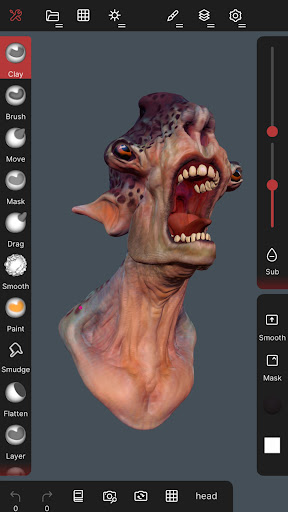
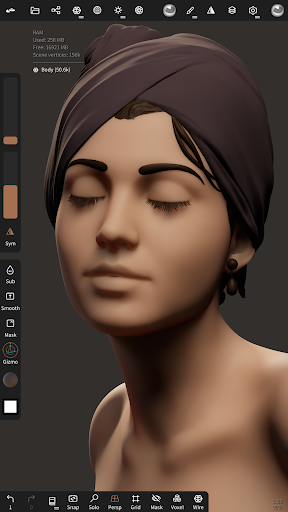
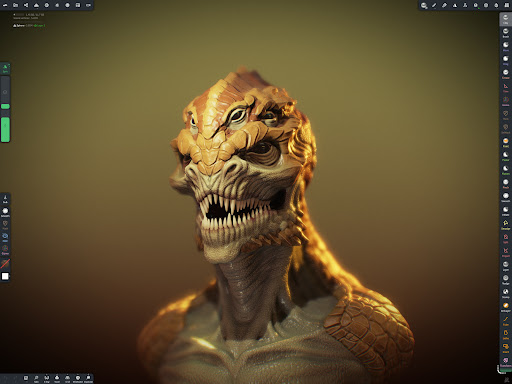
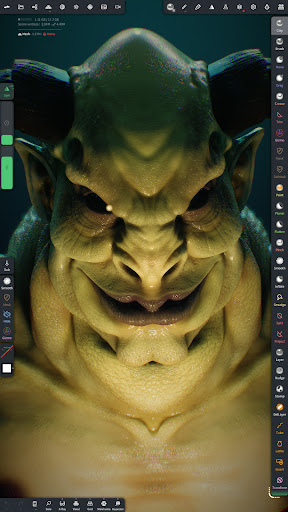
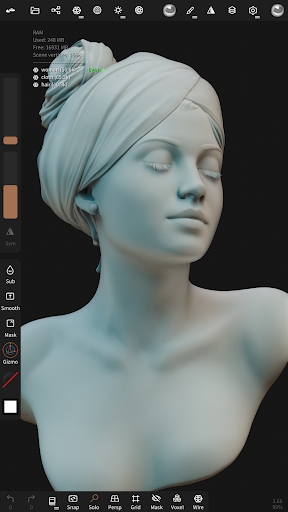
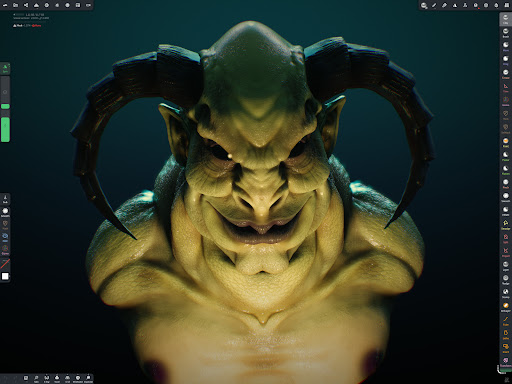
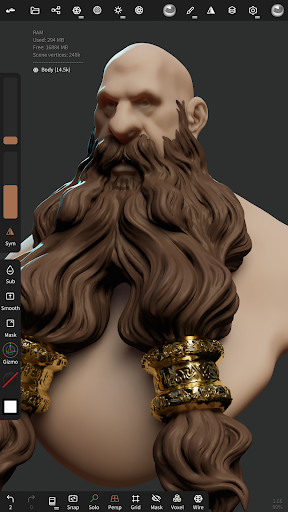
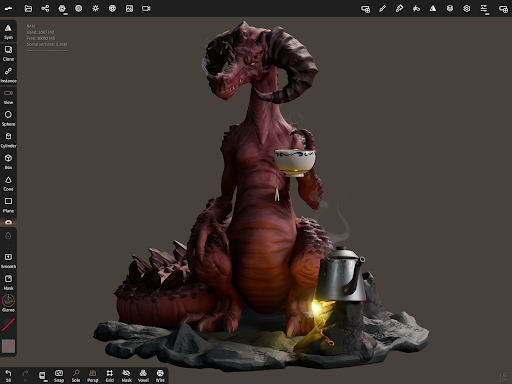
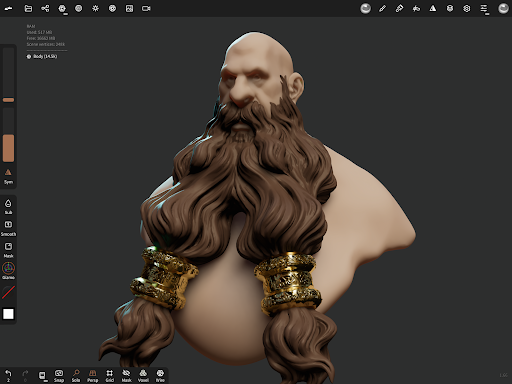
Nomad Sculpt is an intuitive and powerful digital 3D sculpting application designed for artists and enthusiasts to create detailed models directly on their mobile devices. Transforming your smartphone or tablet into a portable sculpting studio, Nomad Sculpt offers an extensive suite of tools that cater to both beginners and professional 3D artists alike. Whether you aim to craft intricate characters, hard surface models, or simple sketches, this app provides a versatile platform that combines advanced features with user-friendly controls.
Main Features of Nomad Sculpt
Sculpting Tools
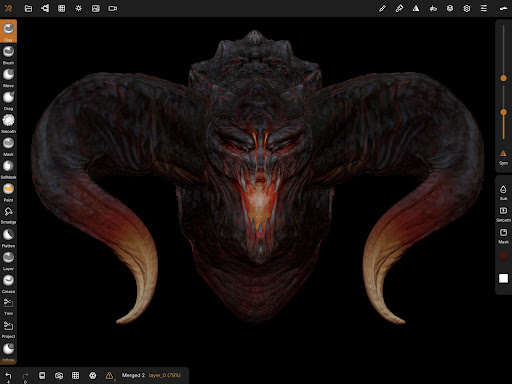
Nomad Sculpt boasts a comprehensive set of sculpting tools including brushes for clay, flatten, smooth, mask, and many others. Artists can shape and refine their models with precision and ease. The trim boolean cutting tool, coupled with various shapes like lasso and rectangle, facilitates hardsurface modeling with clean cuts and defined edges. These tools allow for detailed craftsmanship, from organic forms to mechanical designs.
Stroke Customization
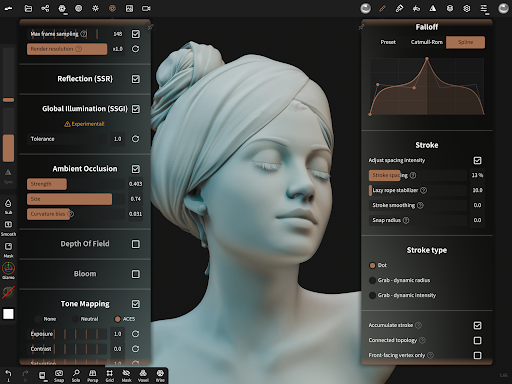
Personalize your sculpting experience with adjustable stroke parameters such as falloff, alphas, tilings, and pencil pressure sensitivity. You can even save and load your custom tool presets, making it easy to switch between different styles and workflows.
Painting Capabilities
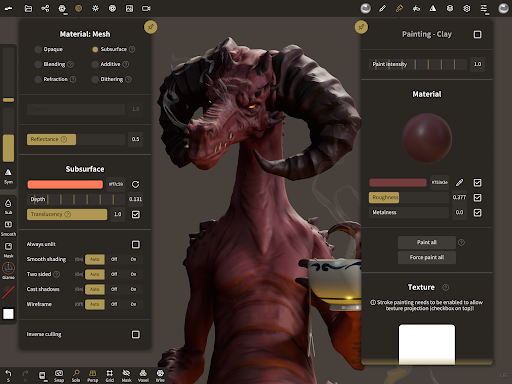
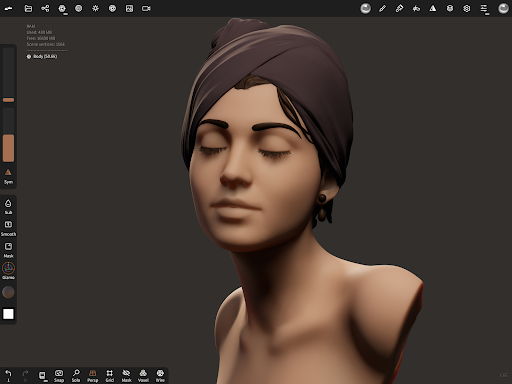
Beyond sculpting, Nomad Sculpt supports vertex painting for colors, roughness, and metalness. Managing multiple material presets becomes straightforward, enabling artists to add realistic textures and surface details directly on their models.
Layer Management
To facilitate complex projects, the app includes a layer system that records sculpting and painting operations separately. This layered approach simplifies adjustments, iterations, and non-destructive editing, empowering artists to experiment freely.
Advanced Meshing Techniques
Nomad Sculpt offers multiresolution sculpting for seamlessly working across various mesh details, and voxel remeshing to quickly establish a uniform level of detail at any stage. The dynamic topology feature dynamically refines the model under your brush for highly detailed local modifications, automatically updating layers in the process.
Optimization and Export
Performance is optimized with polygon reduction via decimate tools, preserving as much detail as possible. Additionally, models can be segmented into face groups for better organization and automatic UV unwrapping to prepare textures efficiently. Nomad Sculpt supports popular formats like glTF, OBJ, STL, and PLY for easy export and import, facilitating workflow continuity.
Rendering and Post Processing
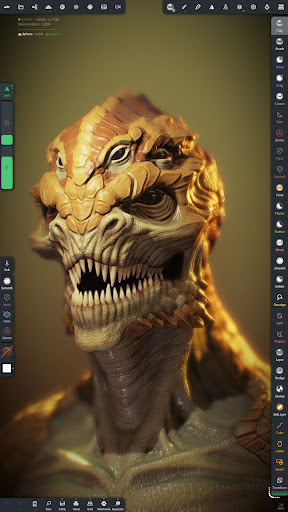
Enjoy PBR rendering with realistic lighting and shadows, or switch to a matcap shader for more traditional shading during sculpting. Post-processing effects such as Screen Space Reflection, Depth of Field, Ambient Occlusion, and Tone Mapping enhance the visual quality of your renders.
Additional Utilities
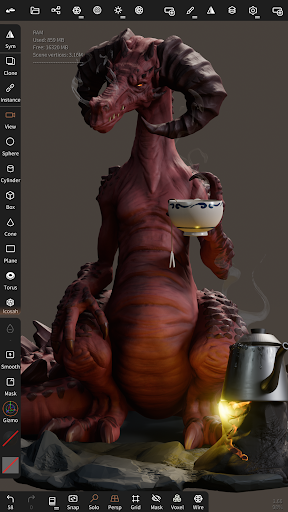
Use primitives like cylinder, torus, tube, lathe, and other base shapes to kickstart your models. The optional Quad Remesher (available via in-app purchase) automatically remeshes models into quad-dominant meshes that follow the surface curvature, supporting guides, face groups, and density painting for detailed refinement.
User Experience and Workflow
Designed specifically for a mobile experience, Nomad Sculpt features an easy-to-use interface that allows artists to focus on creativity without getting bogged down by complex menus. The interface is customizable, enabling workflows tailored to individual preferences. The app’s responsiveness and support for high-resolution models mean that intricate details can be achieved without lag or crashes, making it suitable for both quick sketches and elaborate projects.
Whether you're a beginner starting your 3D sculpting journey or a professional refining a complex model, Nomad Sculpt adapts to your needs. The ability to create on the go means you can sculpt during your commute, at the park, or at your desk, ensuring inspiration is always within reach.
Conclusion
In essence, Nomad Sculpt is much more than a simple app; it’s a powerful digital sculpting tool that unlocks your creative potential no matter where you are. With its rich feature set, user-centric design, and support for high-quality rendering and exporting, it stands out as a top choice for digital artists seeking versatility and portability. Download Nomad Sculpt today and discover a world of artistic possibilities at your fingertips—with virtually unlimited potential for creating stunning digital sculptures anytime, anywhere.
Pros
- Intuitive user interface design.
- Supports multi-resolution sculpting.
- Exports in various file formats.
- Responsive customer support.
- Regular updates and bug fixes.
Cons
- Limited free version features.
- Requires a powerful device.
- Occasional lag with large files.
- No direct 3D printing option.
- Learning curve for beginners.











