
TOTAL WIRELESS FEATURES
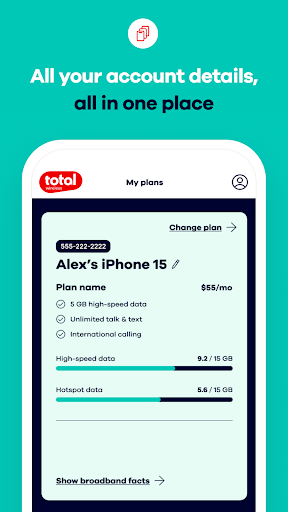
Notable features include easy account access, device management, and real-time data usage awareness. The app aims to keep you in control of your plan and rewards while staying connected on the Verizon 5G network.
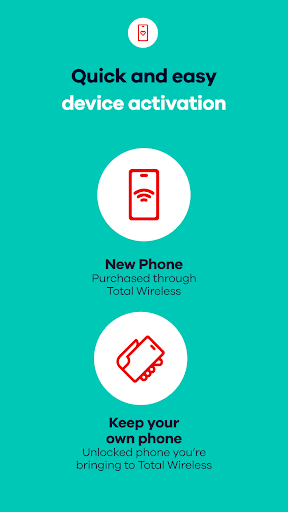
Switching to Total Wireless is straightforward for new users who want a streamlined experience. The app supports quick activation and ongoing plan management so you can stay on top of payments and rewards with minimal effort.
CELL PHONE PLAN MANAGEMENT
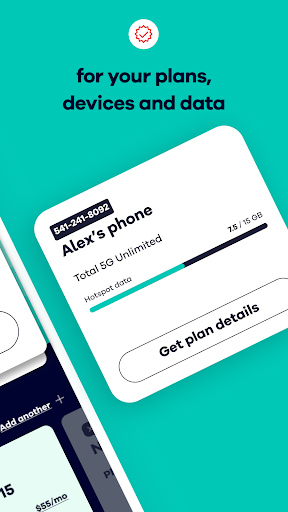
- Easily organize and manage your devices and data usage.
- Even with unlimited data, you can track and optimize your data usage.
- Simplify staying on top of your current plan for seamless connectivity.
5G NETWORK PLANS & UNLIMITED DATA
- Total Wireless gives you the most reliable mobile network. Your Mobile Account allows you to make updates to your mobile network plan.
- Switch to a Total 5G or Total 5G+ Unlimited plan to get a free phone (Limited Time Offer).
- Covered by the Verizon 5G Network*
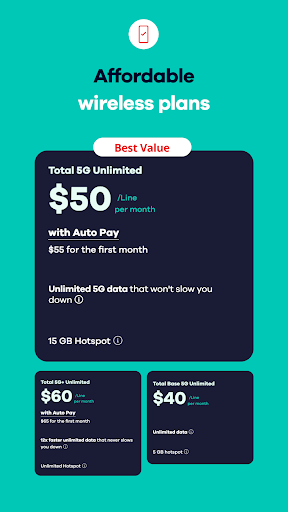
- 5G Network Unlimited Base Plans starting at just $40
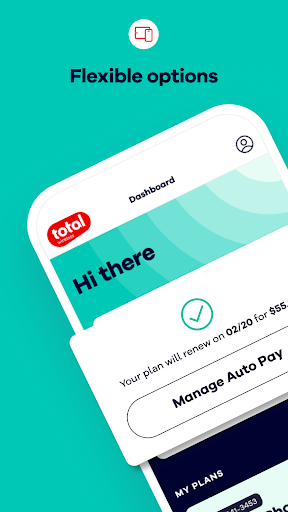
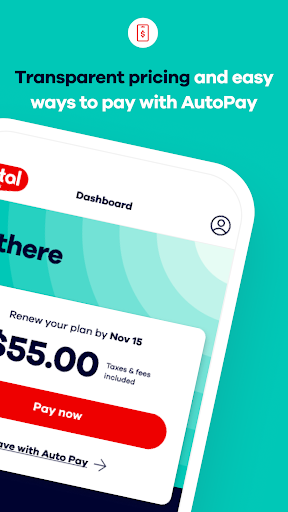
- Auto Pay can renew your mobile network plan for your cell phone
*5G network requires a 5G-capable device in a 5G service area.
CELL PHONE SERVICE THAT REWARDS
- Get rewarded for staying connected with Total Wireless.
- Get a $200 credit after 12 monthly plan payments*
- Easily keep track of your rewards all in one place with Total Wireless*
*Terms and conditions apply to rewards and credits. See terms for details.
TOTAL WIRELESS WALLET
- Add funds to your account with Total Wireless Wallet, so you can purchase service plans, devices, and accessories.
Upgrade Bonuses (where applicable) require a new line of activation, uninterrupted service on a $40/$55/$65 Total Wireless plan, and enrollment in Total Rewards. After six consecutive service plan purchases while enrolled in Total Rewards, you may receive a $100 Upgrade Bonus toward a new 5G Smartphone. After twelve consecutive service plan purchases, you may receive an additional $100 Upgrade Bonus toward a new 5G Smartphone, or a one-month service plan matching your current service plan. Upgrade Bonuses are earned per line and may not be combined, transferred, or applied toward any other Total Rewards benefit. Upgrade Bonuses have no cash value and must be used in full at redemption, either in Total Wireless stores or totalwireless.com. Taxes and fees may apply.
Note: Upgrade Bonuses are earned per eligible line and redeemed as described. Terms apply to all rewards and wallet features.
My Total Wireless: Account App
Have you ever found yourself juggling multiple phone plans, data, minutes, and texts across different accounts? If so, you’re not alone. My Total Wireless is the kind of app that feels like a personal assistant for your wireless life—a streamlined tool designed to simplify how you manage Total Wireless service. No more digging through cluttered websites or waiting on hold for customer service. This app puts everything you need right at your fingertips, so you can focus on what matters most—staying connected.
Real-time usage at a glance is a standout feature. You can monitor data, minutes, and texts as they happen, helping you avoid overages and guesswork at bill time. The clarity of usage insights means you can optimize plans and stay within budget, whether you’re single, sharing data with a family, or managing multiple lines for a small business. It’s the kind of transparency that makes budgeting simpler and planning predictable.
Replenishing your account is also easy. The app enables quick refills without navigating to a separate site or making a phone call, saving time and hassle. For households or teams with several lines, the ability to manage multiple lines from one view is a game-changer—you can see who’s using what and adjust plans as needed. It’s like having a bird’s-eye view of your entire wireless world, all in one place.
The user experience is designed for smooth sailing. The interface is clean, intuitive, and fast—navigation feels effortless, and performance is reliable whether you’re checking usage, adding funds, or updating plans. You don’t need to be a tech expert to get where you want to go, which makes the My Total Wireless app accessible to everyone, from first-time users to power users managing several devices.
In brief, My Total Wireless is more than a convenience tool; it’s a source of control and peace of mind for your mobile life. It consolidates essential tasks—usage tracking, account top-ups, and multi-line management—into a single, trustworthy experience. If you’re looking to simplify how you handle your Total Wireless plan and rewards while staying on top of data and charges, this app is worth trying. It’s the kind of practical, reliable companion that makes your mobile life easier, faster, and more predictable.
As you explore the app, you’ll notice the emphasis on clarity, speed, and accessibility—three hallmarks of a well-crafted mobile experience. Whether you’re upgrading to a 5G plan, refilling your wallet, or reviewing rewards, My Total Wireless aims to keep you in control and connected with less friction and more confidence.
Pros
- Affordable plans with no contracts
- Nationwide coverage on major networks
- Easy plan management via app
- No credit checks required
- Flexible data options
Cons
- Limited customer support options
- Data speed may be throttled
- International calling not included
- No physical stores for assistance
- Limited phone compatibility











