


Introduction to SafeLink Wireless and My SafeLink Apps
The My SafeLink app is a powerful tool designed to enhance your wireless experience by offering seamless access to your account features and secure data sharing options. Whether you're a SafeLink Wireless customer or new to the service, these apps are built to keep you connected and protected effortlessly. Both applications prioritize user convenience, security, and straightforward navigation, making managing your account and sharing sensitive information easier than ever before.
Features of the SafeLink Wireless App
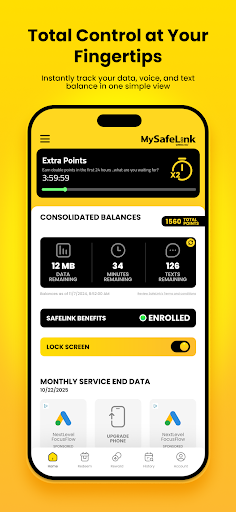
The SafeLink Wireless app provides a user-friendly interface that places essential account management tools right at your fingertips. Once downloaded, users can quickly log in by entering their SafeLink number and verifying their identity through a text message verification code. This process ensures secure access while enabling you to manage your wireless service efficiently. The main features include:
Account Management and Benefits
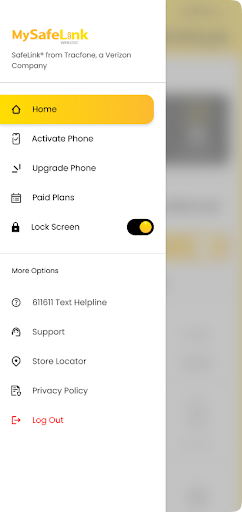
- Upgrade and Activate your Device: Easily upgrade or activate new devices without visiting a store.
- Purchase Paid Plans: Select and buy new plans tailored to your needs directly through the app.
- Recertify your Service: Keep your service up to date effortlessly.
- Check your Balance: Stay informed about your remaining minutes, data, and texts.
- Find a Retail Location: Locate nearby stores for in-person support.
Lock Screen Convenience
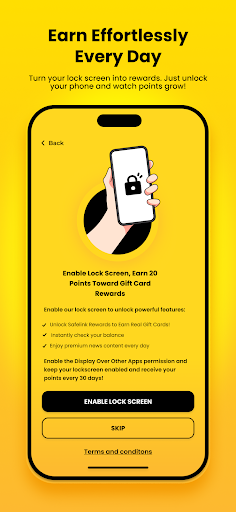
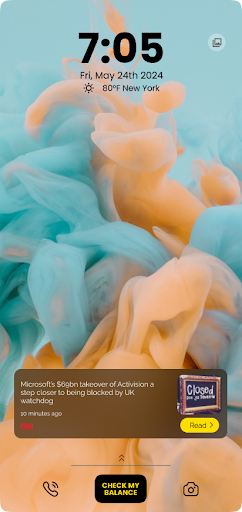
Designed to enhance user experience, the SafeLink app offers lock screen functionalities, allowing you to check balances and access key features without unlocking your phone. This seamless access helps you stay in control of your wireless service even during busy moments.
Introducing My SafeLink: Secure Data Sharing Made Simple
In today’s digital environment, sharing sensitive information securely is essential. My SafeLink is an innovative app that prioritizes your data privacy by facilitating encrypted sharing, providing peace of mind whether you're sending confidential messages or files.
Getting Started with My SafeLink
The setup process is straightforward. After installing the app, you'll be prompted to create an account, a simple step that ensures your data remains protected. The clean and intuitive user interface makes navigation smooth, even for users who aren’t tech experts. Once logged in, creating encrypted links is quick and hassle-free, giving you reliable control over your shared information.
Key Features of My SafeLink
The app stands out with its strong security innovations, including:
- Encryption Technology: Each link you generate is encrypted, guaranteeing that only the designated recipient can access the content.
- Expiration Settings: Set expiry dates on your links so that they become inaccessible after a specified time, enhancing security.
- Access Monitoring: Keep track of when your links are accessed, allowing you to monitor your data’s journey and reinforce your privacy control.
User Experience and Benefits
Using My SafeLink feels like having a personal security assistant for your data. The app runs smoothly, with minimal glitches, and offers a comprehensive help section for troubleshooting. However, a stable internet connection is recommended for optimal performance, especially when creating or managing encrypted links.
Final Thoughts
In a digital age where data privacy and security are more important than ever, both the SafeLink Wireless app and My SafeLink stand as reliable tools to help you stay connected securely. Whether managing your wireless service plans or sharing sensitive information, these apps deliver simplicity, security, and convenience in one package. Embracing these apps means taking control of your digital life with confidence, making them essential for anyone conscious about privacy and ease of use.
Pros
- Easy to set up and navigate.
- Maintains secure connections with robust encryption.
- Compatible with various file formats.
- Facilitates quick sharing of links and files.
- Works across multiple platforms.
Cons
- Features are limited in the free version.
- Occasional issues with connectivity.
- Files cannot be accessed offline.
- Contains advertisements in the free version.
- Requires subscription for access to premium features.











