

Microsoft Authenticator: Secure and User-Friendly App for Simplified Account Management
In today’s digital age, managing multiple online accounts while maintaining robust security can be a daunting task. The Microsoft Authenticator app steps in as a powerful tool designed to simplify your login processes while enhancing security. Whether you're seeking multi-factor authentication, passwordless login options, or seamless account management, this app provides a comprehensive solution that caters to both personal and professional needs.
What is Microsoft Authenticator?
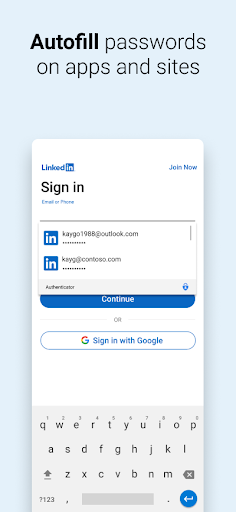
Microsoft Authenticator is more than just a two-factor authentication tool—it’s your personal digital security assistant that helps protect your online identity. It enables users to verify their identity during login processes through simple yet highly secure methods. Whether you’re accessing your Microsoft account or other third-party services like Facebook, Google, Amazon, Dropbox, LinkedIn, or GitHub, this app makes the authentication process quick, secure, and convenient.
Getting Started with Microsoft Authenticator
Easy & Hassle-Free Setup
One of the standout features of the Microsoft Authenticator app is its straightforward setup process. Download the app on your iOS or Android device, sign in with your Microsoft account, and follow the step-by-step prompts. You can start managing your accounts in minutes without needing technical expertise.
Intuitive User Interface
The application boasts a modern, clean, and user-friendly interface. Navigating through your accounts, adding new services, or verifying your login credentials is effortless, thanks to its streamlined design. The app is completely ad-free, ensuring an unintrusive experience as you enhance your digital security.
Core Features of Microsoft Authenticator
Multi-Factor Authentication (MFA) & Security
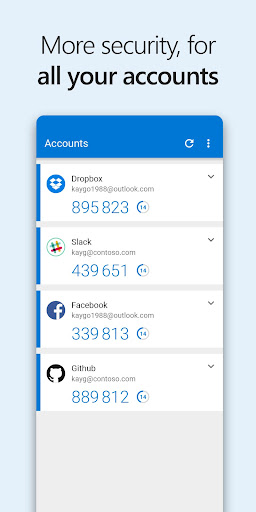
The primary function of Microsoft Authenticator is to provide multi-factor authentication (MFA), also known as two-factor authentication (2FA). This security layer requires two forms of verification: a password and a second method, such as a push notification or OTP (One-Time Password). When you attempt to sign in, you’ll first enter your password, then approve the login via a prompt sent to the app or enter a time-sensitive OTP code. These OTPs are generated within the app and expire after 30 seconds, eliminating the need to remember complex passwords or rely on an internet connection, all while conserving your device’s battery life.
Passwordless Sign-In
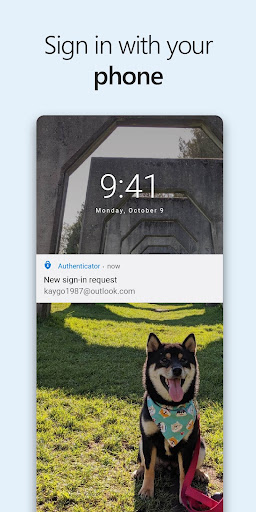
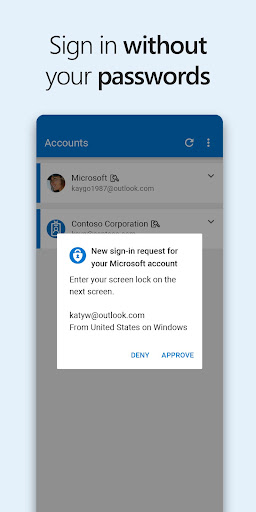
Switching to passwordless login is seamless with the Microsoft Authenticator. Instead of typing passwords, you simply enter your username, then approve the login request on your phone. Biometric options like fingerprint or facial recognition add an extra layer of security while keeping the process quick and simple.
Account Management and Organization Access
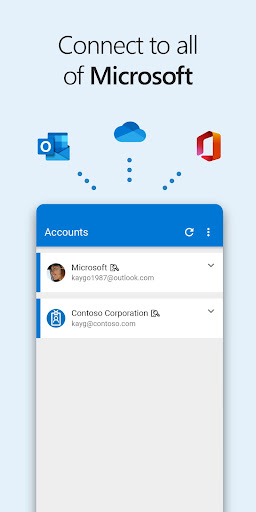
If your workplace or educational institution mandates the use of Microsoft Authenticator, you can easily register your device with your organization's system. The app supports cert-based authentication, issuing certificates that verify your device’s trustworthiness. Once registered, organizations can implement single sign-on (SSO), meaning you’ll only need to prove your identity once to access multiple Microsoft apps and services like Outlook, OneDrive, and Office, without repeatedly logging in.
Optional Access Permissions
The app requests various permissions—such as access to your location, camera for scanning QR codes, storage reading, and accessibility services. All permissions are granted with your consent and are only used to enhance functionality or adhere to organizational policies. For instance, the camera permission facilitates quick account setup, while location access may be required by your organization for security compliance.
Why Choose Microsoft Authenticator?
Beyond basic two-factor authentication, Microsoft Authenticator offers features that significantly bolster your online security. Its ability to facilitate passwordless login reduces reliance on memorized passwords, which are often weak or reused across sites, increasing vulnerability. The app’s compatibility across multiple platforms ensures that your security is not limited by your device type. Additionally, biometric verification options provide quick yet safe access, making security both effortless and reliable.
Final Thoughts
In an era where cyber threats continuously evolve, having a dependable authentication app like Microsoft Authenticator is essential. It streamlines your login processes while offering top-tier security features, such as OTPs, biometric verification, and certificate-based authentication. Whether you’re managing personal accounts or integrating with organizational systems, this app is designed to make your digital life more secure, more with less hassle. Say goodbye to password headaches and hello to a safer, more seamless online experience with Microsoft Authenticator.
Pros
- Seamless integration with Microsoft services
- Easy setup with QR code scanning
- Supports multi-factor authentication
- Works offline for added security
- Regular updates enhance features
Cons
- Limited support for non-Microsoft accounts
- Can drain battery with frequent use
- No desktop application available
- Lacks customization in notifications
- May require frequent reauthentication











