


Introducing the Meta Ads Manager: Your Ultimate Social Media Advertising Tool
Managing advertising campaigns across multiple social media platforms can be overwhelming. Whether you're a small business owner, a freelancer, or an agency managing multiple client accounts, a robust and user-friendly tool is essential. The Meta Ads Manager is designed to simplify the entire process, providing a comprehensive platform to create, manage, and analyze your ads efficiently. With its seamless integration across Facebook, Instagram, Messenger, WhatsApp, and other Meta technologies, this application offers unparalleled control and insights to elevate your digital marketing strategy.
Key Features of Meta Ads Manager
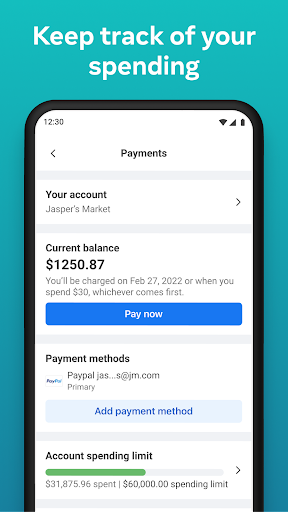
One of the standout aspects of the Meta Ads Manager is its ability to keep you connected with your campaigns from anywhere. Its mobile-friendly design ensures that you can stay updated whether you are in the office or on the go. Here are some of its notable features:
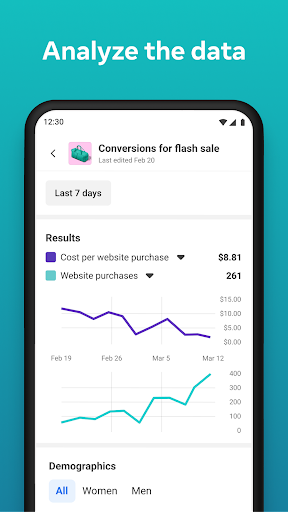
- Real-time insights: View detailed and up-to-the-minute analytics on your ads’ performance, including reach, engagement, and conversions.
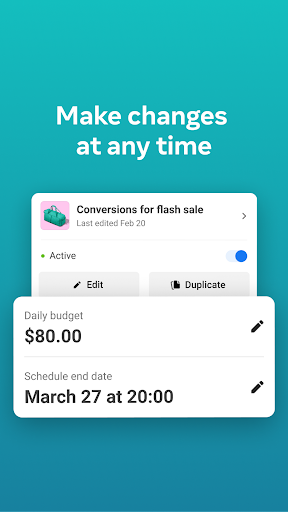
- Campaign control: Easily turn campaigns on and off to optimize your ad spend and strategy.
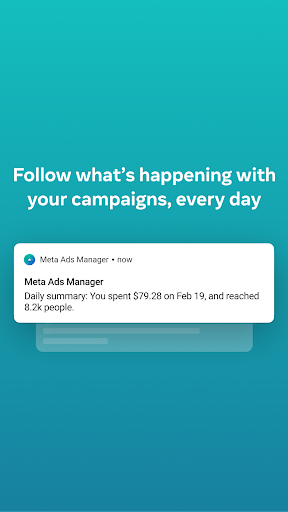
- Notifications and alerts: Get quick updates on critical campaign events or issues that need your attention.
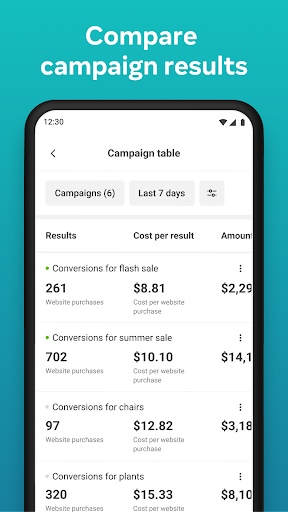
- Comparison tools: Use side-by-side views to compare multiple campaigns and ad sets for better decision-making.
- Account management: Switch effortlessly between different Pages and ad accounts to oversee multiple projects simultaneously.
Getting Started with Meta Ads Manager
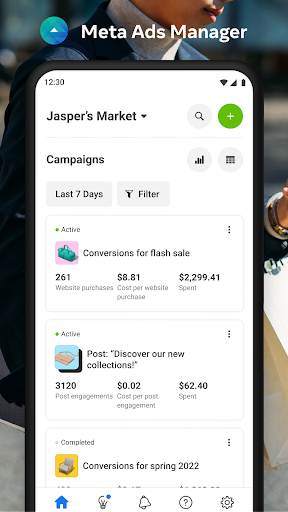
Starting with Meta Ads Manager is straightforward. After downloading the app, signing in with your Facebook account grants you instant access. Its intuitive layout ensures even newcomers can navigate with ease. The dashboard provides a comprehensive overview of all your active campaigns, allowing quick access to detailed metrics and insights. Whether you’re managing a single campaign or juggling several, this tool simplifies the entire process, making it accessible for both beginners and experienced advertisers.
Create Campaigns with Ease
Creating effective ads is made simple with step-by-step guidance. Whether you aim to boost existing posts or launch complex marketing campaigns, the Meta Ads Manager assists you through each stage. You can select your target audience, set specific budgets, and choose placements across various platforms all within the app. Additionally, creative tools and customizable templates help make your ads visually appealing and engaging, saving you time and effort.
Analyze and Optimize Your Ads
Once your advertisements are live, monitoring their performance becomes crucial. The analytics section provides real-time data, enabling you to track key metrics such as reach, engagement, and conversions. The detailed breakdowns assist you in understanding what strategies work best. You can also customize reports to focus on specific insights, helping you refine your campaigns for better results. This continuous feedback loop ensures your advertising efforts stay effective and efficient.
Why Choose Meta Ads Manager?
What sets the Meta Ads Manager apart is its ability to manage multiple ad accounts from a single, unified platform. This feature is especially valuable for agencies or freelancers handling various clients, as it consolidates all campaigns in one place. The seamless integration across Meta platforms enhances efficiency, allowing you to switch contexts without losing track of your objectives. Furthermore, a responsive support team is available to address technical questions and help optimize campaigns, making the user experience even smoother.
Final Thoughts
For anyone serious about social media advertising, the Meta Ads Manager is a powerful, user-friendly tool that combines ease of use with advanced features. Its comprehensive insights, campaign management capabilities, and cross-platform integration make it invaluable for boosting your digital marketing efforts. Whether you’re starting out or scaling your existing campaigns, give Meta Ads Manager a try and discover how it can transform your advertising strategy for the better.
Pros
- User-friendly interface for straightforward ad management.
- Real-time tracking of performance metrics and analytics.
- Extensive options for audience targeting.
- Easy integration with Facebook and Instagram platforms.
- Supports various ad formats and placements.
Cons
- Requires a Facebook account to utilize the tool.
- Setup process can be complex for new users.
- Customer support may have limited availability.
- Occasional issues with bugs and application crashes.
- Steep learning curve for utilizing advanced features.











