

Discover the Amazing Features of Meitu: The Ultimate Photo and Video Editing App
Are you looking for a comprehensive, free mobile app that can elevate your photography and videography to the next level? Meitu is an all-in-one photo and video editor designed to cater to both amateur enthusiasts and professional content creators. With its intuitive interface and powerful editing tools, Meitu empowers users to turn ordinary photos and videos into stunning works of art effortlessly. Whether you want to enhance selfies, craft creative collages, or produce high-quality videos, Meitu has everything you need in a single, user-friendly platform.
Meitu's Photo Editor: Create Stunning Visuals with Ease
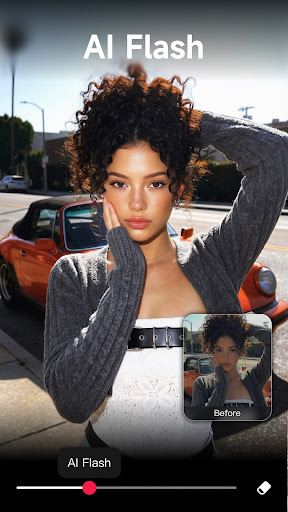
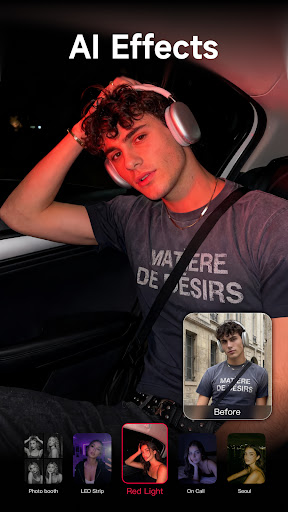
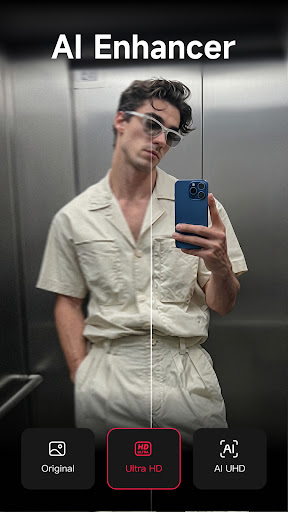
The core of Meitu’s appeal lies in its versatile photo editing capabilities. The app makes it easy to make your photos look professional and eye-catching. For those who love experimenting with aesthetics, Meitu offers over 200 filters. These original effects help you animate and enliven your images, making dull photos a thing of the past. Plus, with the AI flash feature, you can achieve a vintage or artistic vibe with just a tap.
One of the standout features is the AI Art Effects. This cutting-edge technology automatically transforms your portraits into beautiful illustrations or stylized artworks, perfect for social media or personal projects. The instant beautification feature lets you choose your preferred beautification level, instantly smoothing skin, defining muscles, enhancing lip fullness, and whitening teeth—making your selfies look flawless.
Advanced Editing Tools for Precision and Creativity
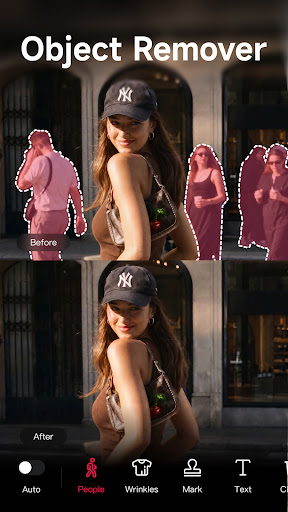
Meitu provides a rich set of editing tools to refine your images. You can use the mosaic tool to cover unwanted objects, or doodle over photos with the Magic Brush. The Remover utilizes AI to effortlessly erase any unwanted elements from your shots. Additionally, you can customize your images by adding frames, text, or stickers, or by creating collages using a variety of templates and layouts. These features make it easy to craft personalized, visually engaging content.
Retouch and Makeup Features to Highlight Your Natural Beauty
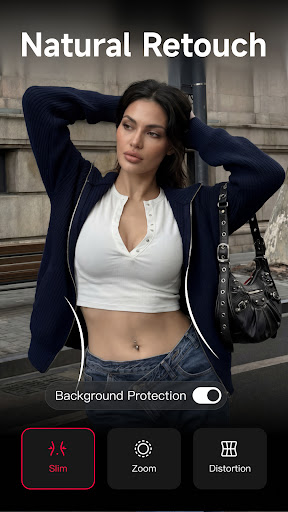
Meitu excels at retouching, giving you control over skin, blemishes, and body shape. You can smooth and brighten your skin, remove acne or dark circles, and experiment with virtual makeup—adding eyelashes, lipstick, or contouring to enhance your features. For a fun twist, the Body Shape tools allow you to adjust your figure to be curvier, slimmer, or more muscular, all while keeping the background intact.
AI-Driven Enhancements for a More Lifelike and Fun Experience
The application harnesses the power of artificial intelligence to automatically detect facial features during live selfies. This enables real-time effects such as cute motion stickers or hand-drawn effects, adding a playful and creative dimension to your photos. With AI, Meitu makes face editing seamless and intuitive, ensuring your photos look perfect every time.
Video Editor: Create Professional-Quality Videos on Your Phone
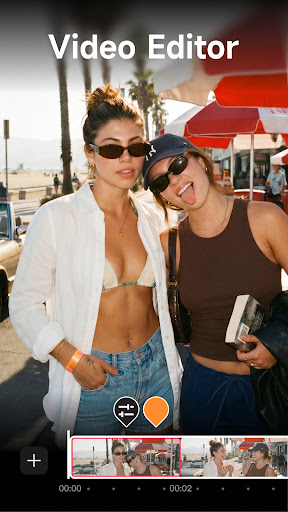
In addition to photos, Meitu offers robust video editing functionalities. Users can effortlessly create and customize videos by adding filters, special fonts, stickers, and music, making it ideal for crafting engaging Vlogs or TikTok content. The app’s retouch tools extend to videos as well, allowing adjustments to makeup, skin texture, and body shape, giving your videos a polished, high-end look.
Meitu VIP: Unlock Premium Content and Exclusive Features
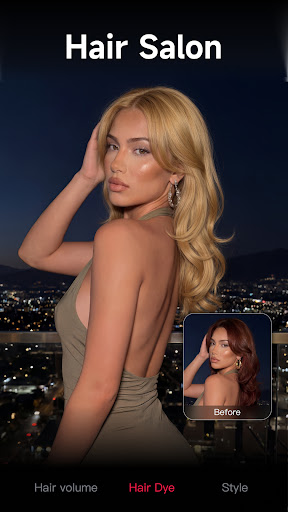
Upgrade to Meitu VIP to access over 1000 materials including unique stickers, filters, AR cameras, and stylish makeup options. VIP members unlock exclusive features such as teeth correction, hair bangs adjustment, wrinkle removal, and eye retouching—further enhancing your editing experience. With VIP, your creative possibilities expand dramatically, making your photos and videos stand out even more.
Why Choose Meitu? A Perfect Blend of Simplicity and Power
In today’s visually-driven digital landscape, having a reliable editing app like Meitu can truly transform your content. Its combination of straightforward usability and advanced AI-powered tools makes it suitable for users of all levels. Whether you're enhancing selfies, designing eye-catching social media posts, or experimenting with creative effects, Meitu delivers professional results in just a few taps. Discover the joy of transforming your everyday images into stunning visuals with this feature-rich, free photo and video editing app.
Pros
- Provides comprehensive photo editing features.
- Intuitive interface for straightforward navigation.
- Offers high-quality filters and effects.
- Supports editing of both photos and videos.
- Receives frequent updates introducing new functionalities.
Cons
- Includes in-app purchase options.
- May require a reliable internet connection.
- Some features are available only via a paid subscription.
- Advertisements may be disruptive.
- Large app size may take up significant storage space.











