








Meeting - Video Conference
Overview
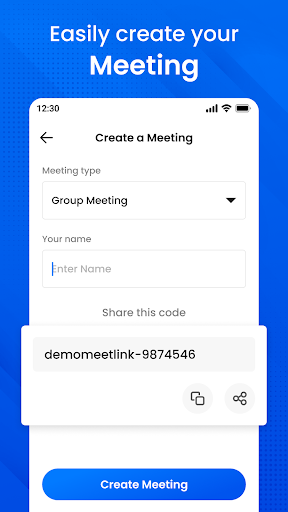
Discover instant video conferences that scale with you. Whether you’re coordinating with family, friends, or colleagues, Meeting - Video Conference helps you stay connected with ease. This app makes online meetings simpler, letting you quickly reach out to others for quick catch‑ups or important discussions. It delivers high‑quality video calling and serves as a free tool to connect with your network, no matter where you are. You can securely connect, collaborate, and celebrate from anywhere, and the mobile version provides the accessibility and reliability you need to take your work on the road and across the globe. Create a meeting, invite participants by sharing a meeting code directly from the app, and rejoin previous sessions by browsing your history. You can also chat with other users during the meeting.
- Keep your conversations private with secure video meetings
- Global coverage connect with anyone, from anywhere, at any time
- Amazing video and audio quality
- High definition video meetings
- Join and present at any meeting
- Large-scale meetings, easy to use
- Contact availability status
- Create meetings and share the meeting code directly from the app
Download the app and stay connected.
Getting Started
Hey there—let’s dive into the Meeting - Video Conference app. In today’s fast‑paced world, staying connected with your team, friends, or family is essential, and this app aims to make it effortless. Whether you’re working from home or catching up with friends across the globe, it’s designed to simplify virtual meetings and keep everyone in sync.
Getting started is a breeze. The app is available on both Android and iOS, easy to find in your respective app store. Installation is swift, and once you open the app you’re greeted with an intuitive, user‑friendly interface. With just a few taps, you’re ready to roll.
Features That Stand Out
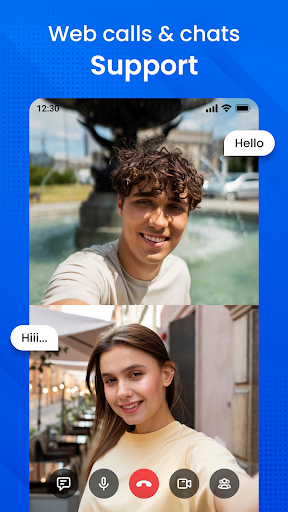
One of the coolest features is the ability to host up to 100 participants at once, making it ideal for large business meetings or virtual events. The screen sharing option is super handy for presentations or collaborative projects, and it works smoothly without noticeable lag. The in‑call chat lets participants send messages while the discussion continues, which is perfect for sharing links or notes without interrupting the speaker. Plus, the app supports HD video and audio for crystal‑clear meetings, reducing those “Can you hear me now?” moments.
Beyond convenience, the app emphasizes security and privacy. End‑to‑end encryption helps keep calls private, and you can lock meetings so that only invited participants can join. It’s a thoughtful touch that helps you stay focused on the conversation at hand.
Security and Privacy
Privacy is a top priority, and the app provides robust protections to keep your conversations secure. End‑to‑end encryption ensures calls stay private, and meeting locks give you precise control over who can join. These features help you collaborate with peace of mind, no matter what you’re discussing.
Wrapping It Up
All in all, Meeting - Video Conference is a solid choice for anyone seeking a reliable video conferencing tool. It’s packed with features that make virtual meetings easier and more enjoyable, from large participant support to seamless screen sharing and real‑time chat. While no app is perfect, this one offers dependable performance and a thoughtful approach to privacy and security. If you’re in the market for a new video conferencing solution, give Meeting - Video Conference a try—you might find it becomes your go‑to app for staying connected.
Pros
- High-quality video and audio
- Supports large group meetings
- User-friendly interface
- Cross-platform compatibility
- Reliable connection
Cons
- Can be resource-intensive
- Limited free version features
- Occasional connectivity issues
- Requires account registration
- No end-to-end encryption











