
Discover MediBang Paint: Your Ultimate Digital Art & Comic Creation App
MediBang Paint is a versatile and user-friendly art application designed for sketching, painting, drawing, and coloring. Whether you are a beginner or a professional artist, this app provides a comprehensive suite of tools to help you bring your creative ideas to life. With its intuitive interface and powerful features, MediBang Paint is an ideal choice for creating digital artwork, comics, illustrations, and sketches with ease.
Main Features of MediBang Paint
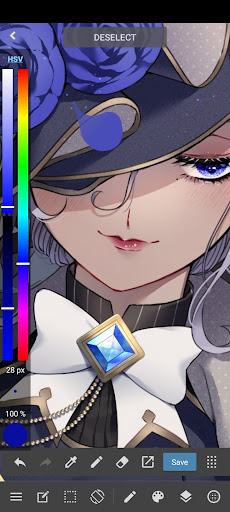
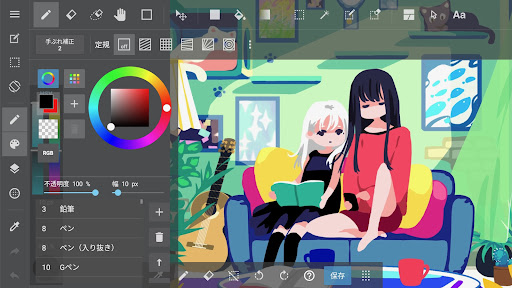
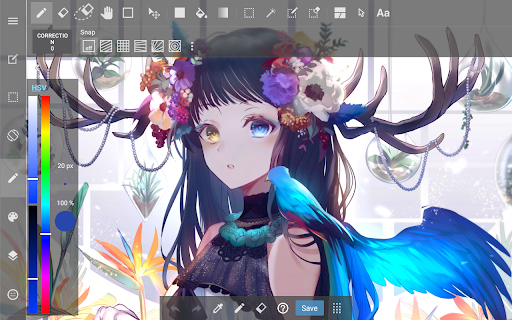
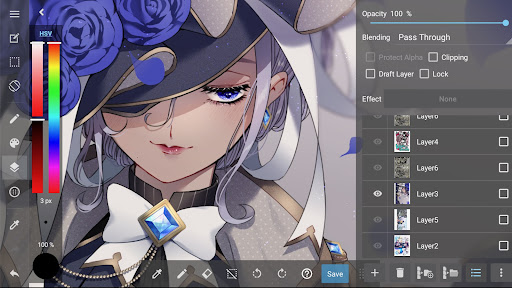
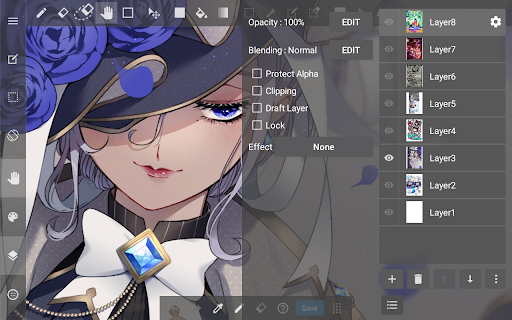
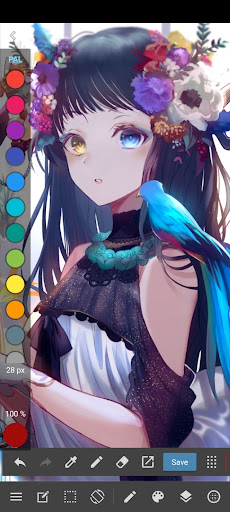
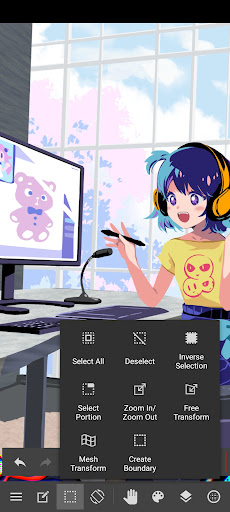
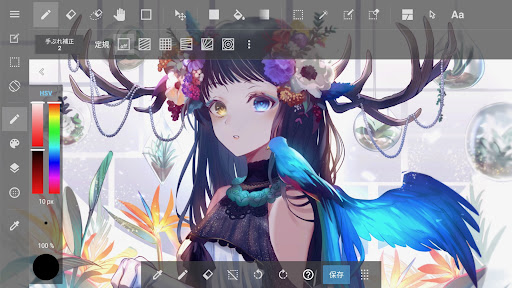
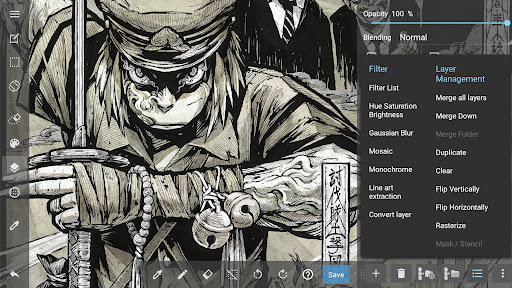
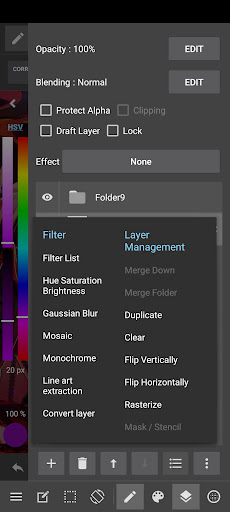
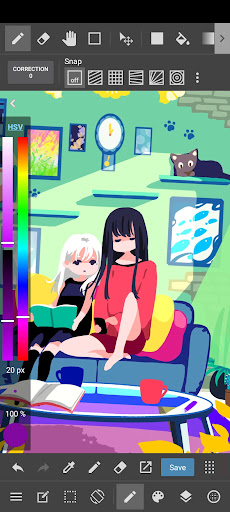
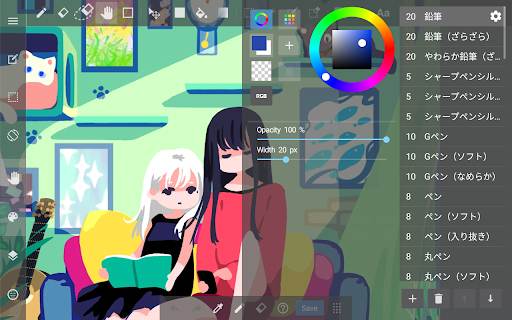
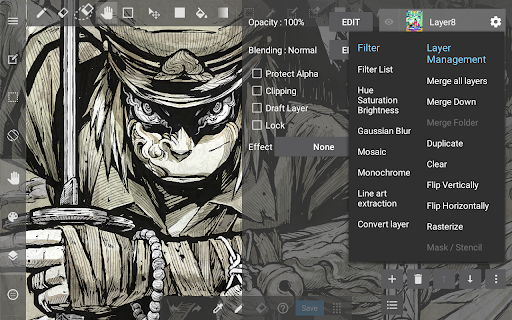
One of the standout aspects of MediBang Paint is its extensive brush library. It comes equipped with over 180 brushes, including pencils, pens, airbrushes, and watercolor tools, making detailed sketching and smooth coloring effortless. For artists seeking more variety, a subscription unlocks access to over 700 additional brushes, along with options to create custom brushes tailored to your unique style.The app is specially optimized for mobile and tablet devices, ensuring a responsive and seamless drawing experience whether you're working on a phone or a larger screen. For comic and manga creators, MediBang Paint offers a range of specialized tools such as comic paneling, screentones, speech bubbles, and a library of over 60 fonts, making it easier than ever to produce professional-quality manga pages or comic strips.Additionally, MediBang Paint supports PSD and CMYK formats, facilitating professional publishing and print-ready artwork. Its intuitive layering system allows for flexible editing and experimentation, and the cloud sync feature enables artists to work across multiple devices effortlessly. Collaboration is made simple with the ability to share your workspace with friends or team members, making group projects or joint creations straightforward and enjoyable.For artists eager to showcase their process, the app includes a timelapse recording feature, allowing you to document and share your creative journey. Moreover, users have access to a wealth of tutorials, templates, and helpful resources through the MediBang Library, supporting continuous learning and inspiration.
Ease of Use and Community Engagement
Starting with MediBang Paint is incredibly straightforward—its friendly interface and well-organized tools make digital art accessible for everyone. Whether you're a beginner just exploring the vast world of digital painting or an experienced artist refining your craft, the app's design ensures a smooth learning curve. The layering system and brush customization options empower users to experiment freely without fear of ruining their work.Collaboration plays a significant role in the platform. Cloud integration allows you to save your projects automatically and access them from different devices, making creative workflows more flexible. Additionally, the app facilitates sharing your art directly to social media platforms or with other artists, fostering a vibrant community where feedback and inspiration flow freely.Best of all, MediBang Paint is completely free to download and use. While optional in-app purchases are available to unlock additional features, the free version offers a robust toolkit capable of handling most artistic projects. This accessibility makes it an excellent alternative to more expensive software, providing a professional-level experience without breaking the bank.
Why Choose MediBang Paint for Your Digital Art Journey?
Whether you're venturing into digital art for the first time or seeking a portable, powerful tool for professional projects, MediBang Paint is a trusted and lightweight application that caters to all artistic styles and workflows. Its comprehensive features, such as built-in comic creation tools, extensive brush options, and cloud collaboration, make it suitable for manga artists, illustrators, and hobbyists alike.The app's versatility means it can serve as a professional alternative to popular software like Procreate or Clip Studio, especially for artists needing a cross-device solution with collaborative capabilities. From drafting initial sketches to finalizing detailed works, MediBang Paint supports every stage of the creative process efficiently and reliably.So, if you're ready to start your next artistic project—be it a comic, illustration, or digital painting—give MediBang Paint a try. Unlock your creative potential, experiment with different styles, and share your art with a global community of passionate creators. With MediBang Paint, the possibilities are endless.
Pros
- Wide variety of brushes and tools.
- User-friendly interface suitable for beginners.
- Cloud storage for accessing work from any location.
- Supports multiple layers and customizable shortcuts.
- Available for free with optional in-app purchases.
Cons
- Advertisements are present in the free version.
- Some features require an internet connection.
- Text editing capabilities are limited.
- Possible lag on older devices.
- Complex features may be overwhelming for absolute beginners.











