

Manual Camera: DSLR Camera Pro – Elevate Your Mobile Photography
Imagine having the power of a DSLR camera right in your pocket. Manual Camera: DSLR Camera Pro is designed for photography enthusiasts who want to push the limits of their smartphone's camera capabilities. This feature-rich app transforms your mobile device into a professional-grade camera, offering complete manual control over essential photography parameters such as ISO, shutter speed, exposure, and focus. Whether you're capturing stunning night shots, high-definition videos, or creating time-lapse sequences, this app provides the tools necessary to produce professional-quality images and footage.
Getting Started with Manual Camera: DSLR Camera Pro
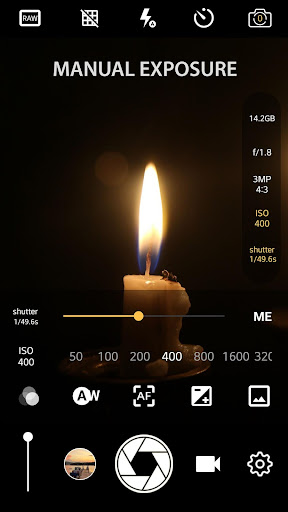
Upon launching the app, users are greeted with a clean and intuitive interface that echoes the familiar layout of a professional DSLR. The design ensures that both beginners and experienced photographers can easily navigate its features. The main controls—ISO, shutter speed, white balance, and manual focus—are readily accessible, making it simple to adjust settings on the fly. This level of manual control allows creative experimentation and helps users achieve the desired aesthetic with ease, effectively turning their smartphone into a mini DSLR.
Core Features for Professional Photography
One of the standout features of Manual Camera: DSLR Camera Pro is its ability to shoot in RAW format. Saving images as RAW (DNG files) grants photographers greater flexibility during post-processing, enabling color correction, exposure adjustments, and detailed editing in tools like Adobe Lightroom or Photoshop. This capability is especially valuable for those who prioritize image quality and want full control over their edits.
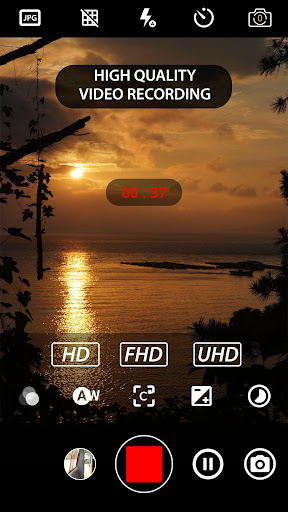
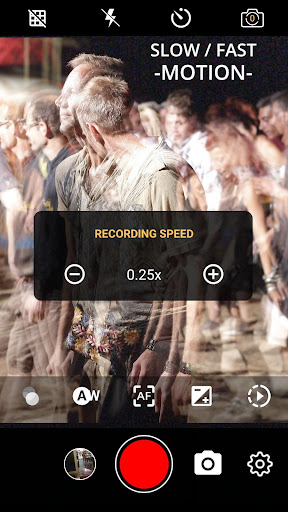
Another notable feature is the real-time histogram, which provides live feedback on exposure levels, allowing photographers to fine-tune their settings before capturing the shot. The app also supports 4K UHD video recording on supported devices, perfect for videographers aiming for crisp, detailed footage. Additional video functions include slow motion, timelapse, and adjustable frame rates and bit rates—bringing your cinematic vision to life.
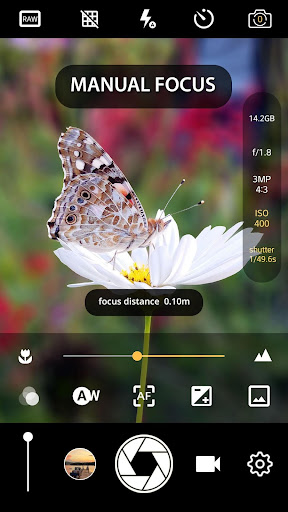
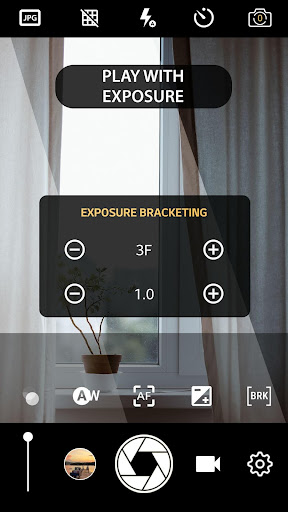
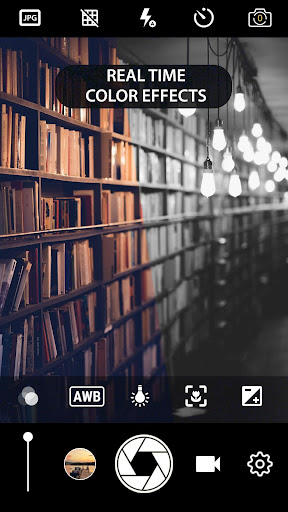
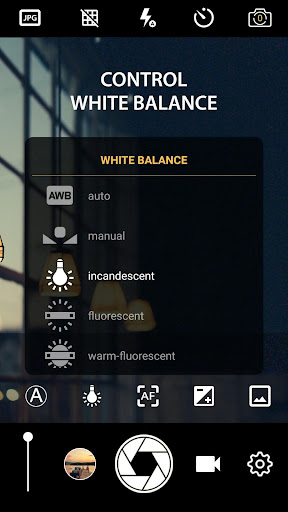
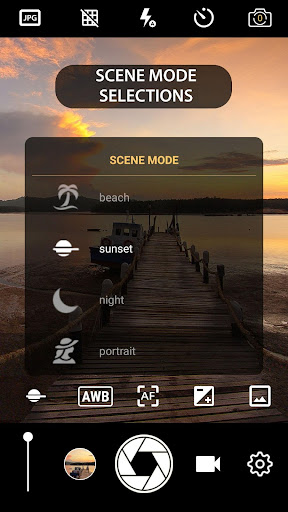
For creative versatility, the app offers various effects, scene modes, focus modes, color effects, and white balance options. Users can lock exposure manually, turn off shutter sounds for silent shooting, and enable geotagging to embed location data in photos and videos. It also features tools like intervalometers for interval shooting, essential in creating stunning time-lapse videos, as well as face detection and manual focus distance controls for precise focusing.
Another notable feature is the real-time histogram, which provides live feedback on exposure levels, allowing photographers to fine-tune their settings before capturing the shot. The app also supports 4K UHD video recording on supported devices, perfect for videographers aiming for crisp, detailed footage. Additional video functions include slow motion, timelapse, and adjustable frame rates and bit rates—bringing your cinematic vision to life.
For creative versatility, the app offers various effects, scene modes, focus modes, color effects, and white balance options. Users can lock exposure manually, turn off shutter sounds for silent shooting, and enable geotagging to embed location data in photos and videos. It also features tools like intervalometers for interval shooting, essential in creating stunning time-lapse videos, as well as face detection and manual focus distance controls for precise focusing.
Advanced Photography and Video Capabilities
This app is equipped with professional-grade features tailored for serious photographers:
- Burst Mode with configurable delays, perfect for stop motion or capturing fast-moving subjects.
- Manual Focus with distance control, mimicking DSLR focus adjustments.
- Support for manual ISO and shutter speed, providing ultimate creative control.
- Options to shoot in portrait or landscape orientation lock, ensuring your shots remain in the desired frame.
- Remote control compatibility and a customizable volume key to execute quick operations like zoom or exposure adjustments.
- Ability to record in 4K resolution with optional audio recording, making your phone a true professional camera device.
Performance, Usability, and Compatibility
Designed for Android 5.0 and above with Camera2API support, Manual Camera: DSLR Camera Pro guarantees smooth and rapid performance. During testing, the app exhibited excellent responsiveness, quick burst mode execution, and reliable manual control adjustments. Its compact size and user-friendly interface make it accessible for users of all skill levels.
Night photography enthusiasts will appreciate long exposure support, allowing for stunning astrophotography and light trails. The app also enables silent operation, which is crucial for discreet shooting situations. Multi-touch gestures facilitate effortless navigation, and customizable volume keys streamline workflow, mimicking the tactile controls found on professional cameras.
Night photography enthusiasts will appreciate long exposure support, allowing for stunning astrophotography and light trails. The app also enables silent operation, which is crucial for discreet shooting situations. Multi-touch gestures facilitate effortless navigation, and customizable volume keys streamline workflow, mimicking the tactile controls found on professional cameras.
Conclusion: Unleash Your Creative Potential
Whether you're an aspiring photographer or a seasoned pro, Manual Camera: DSLR Camera Pro combines powerful manual controls with a user-friendly interface, bringing DSLR-like capabilities to your smartphone. Its extensive feature set—including RAW support, 4K video, real-time filters, and professional settings—empowers you to capture stunning images and videos with precision and creativity.
Transform your mobile photography experience and unlock new possibilities without the need for expensive equipment. This app turns your device into a versatile, professional camera, giving you the tools to achieve high-quality results every time. Dive into the world of professional mobile photography with Manual Camera: DSLR Camera Pro and start creating masterpieces today.
Transform your mobile photography experience and unlock new possibilities without the need for expensive equipment. This app turns your device into a versatile, professional camera, giving you the tools to achieve high-quality results every time. Dive into the world of professional mobile photography with Manual Camera: DSLR Camera Pro and start creating masterpieces today.
Pros
- Complete manual control over camera settings.
- High-quality RAW image capturing capabilities.
- User interface is customizable.
- Supports recording in 4K video resolution.
- Offers advanced focus and exposure controls.
Cons
- Requires a high-end device for optimal performance.
- Limited features in the free version.
- Can be complicated for beginners.
- Occasional app crashes may occur.
- Uses more battery power.











