


Overview of the Joist Invoices for Contractors App
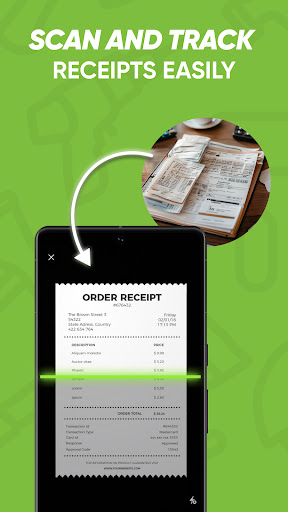
The Joist Invoices for Contractors app is a powerful tool designed to streamline the financial management tasks of small and trade contractors. Built with ease of use in mind, it enables contractors to create professional estimates, invoices, bills, and receipts quickly and efficiently. Whether you are a general contractor, handyman, electrician, plumber, or landscaper, this app offers a comprehensive suite of features to help you stay organized, save time, and grow your business. The app is available on Android, iPhone, iPad, and desktop platforms, ensuring accessibility wherever you are—at the jobsite or on the go. With its cloud-based architecture, all your data is securely stored and synchronized across devices, making project management and invoicing simple and hassle-free.
The main benefits of using the Joist estimate and invoice maker include the ability to quickly generate accurate estimates and invoices, accept credit card payments directly through the app, and maintain detailed client records. This helps contractors win more jobs by providing quick quoting, improve cash flow by accepting immediate payments, and stay organized by managing client and project details all in one place. The app also supports customization, allowing you to add your company logo, tailor estimates and invoices to your branding, and attach photos or contracts for a professional presentation. As a result, contractors can project credibility, enhance client trust, and focus more on their craft rather than paperwork.
Overall, the Joist app for contractors is a must-have tool that combines estimating, invoicing, and project management into a single, easy-to-use platform—making small business operations more efficient and profitable.
The main benefits of using the Joist estimate and invoice maker include the ability to quickly generate accurate estimates and invoices, accept credit card payments directly through the app, and maintain detailed client records. This helps contractors win more jobs by providing quick quoting, improve cash flow by accepting immediate payments, and stay organized by managing client and project details all in one place. The app also supports customization, allowing you to add your company logo, tailor estimates and invoices to your branding, and attach photos or contracts for a professional presentation. As a result, contractors can project credibility, enhance client trust, and focus more on their craft rather than paperwork.
Overall, the Joist app for contractors is a must-have tool that combines estimating, invoicing, and project management into a single, easy-to-use platform—making small business operations more efficient and profitable.
Key Features of Joist for Contractors
The Joist estimate and invoice creator is packed with features designed specifically to help contractors work smarter:
- Easily calculate material & labor costs when estimating and invoicing, saving time and reducing errors.
- Build a list of commonly used items to quickly add materials and services to your estimates and invoices.
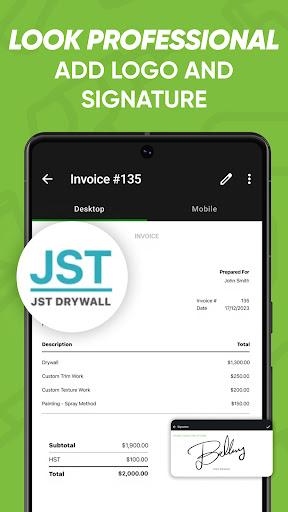
- Customize estimates & invoices with your company information, logo, and personal touches, enhancing your brand’s professionalism.
- Attach a client contract and collect signatures directly on-site, streamlining the agreement process.
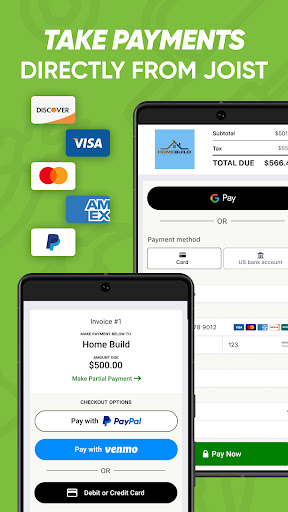
- Accept credit card payments within the app, providing a convenient payment method for clients and improving cash flow.
- Attach photos to estimates and invoices, offering visual proof of work or material conditions.
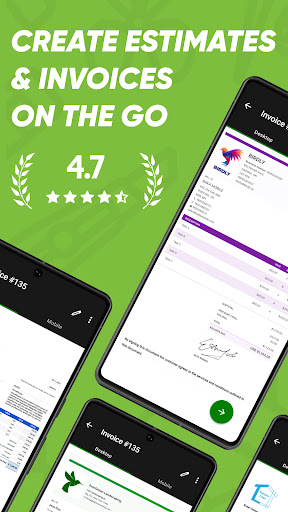
- Preview estimates & invoices before sending, ensuring accuracy and professionalism.
- Print or email estimates & invoices instantly, saving time and maintaining clear communication with clients.
- Create personal messages to add a professional touch to client communications.
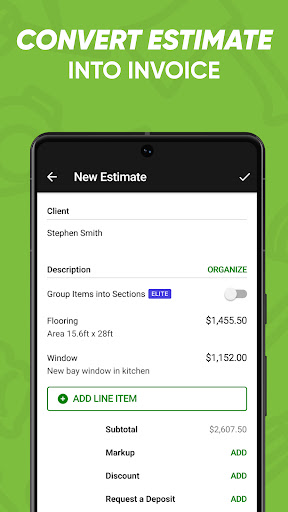
- Convert estimates into invoices with a few taps, simplifying the workflow.
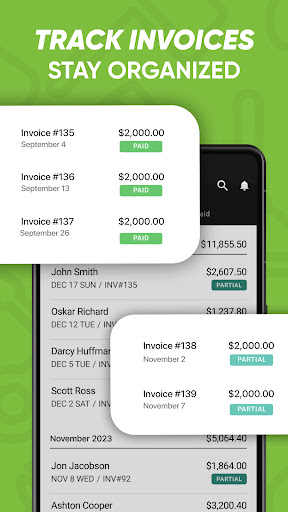
- Track customer payments and amounts owed to keep your accounts up-to-date.
- Manage and store client information for easy access and follow-ups.
- Set tax rates applicable to your projects.
- Export data to your finance management or accounting software to reduce bookkeeping efforts.
- Access all info from any device and the web, thanks to cloud syncing, ensuring your data is always available.
Who Uses Joist?
The Joist estimate invoice maker caters to a wide range of trade and service professionals, including:
- General contractors
- Handymen
- Electricians
- Plumbers
- Builders
- Landscapers
- Arborists
- Roofers
- Painters
- Carpenters
- HVAC specialists
- Flooring installers
- Bathroom and kitchen remodelers
- Renovators
- Deck builders
- Drywallers
- Lawn care professionals
- And more!
Subscription Plans and Accessibility
The Joist app offers flexible subscription plans to suit different business needs:
- Joist Pro Monthly
- Joist Pro Annual
- Joist Elite Monthly
- Joist Elite Annual
Conclusion
Managing finances as a contractor no longer has to be a hassle with the Joist Invoices for Contractors app. Its intuitive interface and comprehensive features make it easy to generate estimates, invoices, and receipts with professionalism and accuracy. From quick project estimates to immediate payment processing, the app helps contractors save time, win more business, and stay organized. Whether you're a small renovation company or a large trade contractor, Joist provides a reliable, all-in-one solution to elevate your business operations. Download the app today and experience a smarter way to handle your project finances.
Pros
- User-friendly interface simplifies invoicing.
- Customizable templates for branding.
- Automatic payment reminders improve cash flow.
- Integration with accounting software.
- Secure cloud storage allows easy access.
Cons
- Limited features in the free version.
- Occasional synchronization issues with bank accounts.
- Requires a stable internet connection.
- Customer support availability is limited.
- Mobile app lacks some desktop functionalities.











