
Introducing Invoice Simple: Invoice Maker
If you're a freelancer, small business owner, or entrepreneur, managing invoices can often feel overwhelming. Between keeping track of billing, estimates, and receipts, the process can turn into a time-consuming chore. Luckily, Invoice Simple: Invoice Maker is here to streamline your workflow and make professional invoicing effortless. This user-friendly app allows you to create, customize, and send invoices directly from your mobile device, giving you more time to focus on growing your business.
Design and Usability
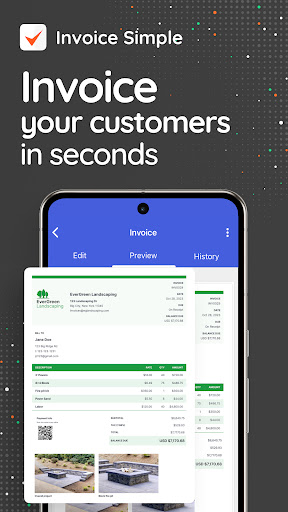
The first thing you'll notice about Invoice Simple is its clean and intuitive interface. Designed with usability in mind, the dashboard offers a straightforward layout that even beginners can navigate with ease. Creating an invoice, estimate, or bill receipt takes just a few taps—perfect whether you're next to your client, in your truck, or working from your desk. The simplicity of the app ensures you don't waste time figuring out complicated menus or settings, so you can send professional invoices in minutes.
Key Features of Invoice Simple
Customizable Invoice Templates
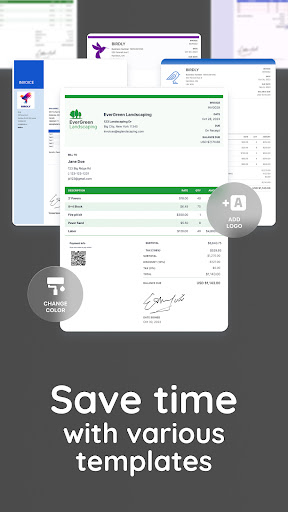
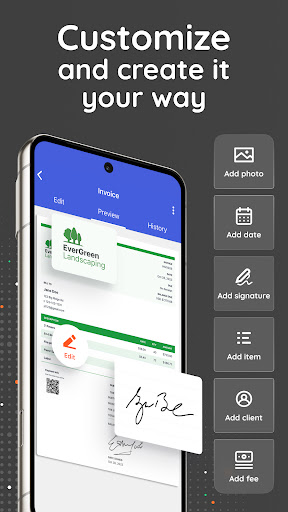
Personalize your invoices to match your brand. Add your logo, choose your color scheme, and tweak the layout to reflect your style. The app supports multiple currencies and languages, making it suitable for international clients. Customization options help your invoices look more professional and reinforce your brand identity.
Easy Payment Integration
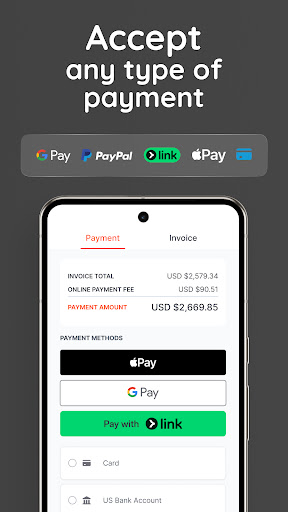
Get paid faster with seamless integration to popular payment platforms such as PayPal and Stripe. Clients can click a payment link directly on the invoice, making online payments quick and straightforward. The app also offers a simple fee structure for accepting credit card payments, adding convenience for both you and your clients. Accept checks and cash as well, giving your customers multiple options to settle their bills.
Track Payments and Notifications
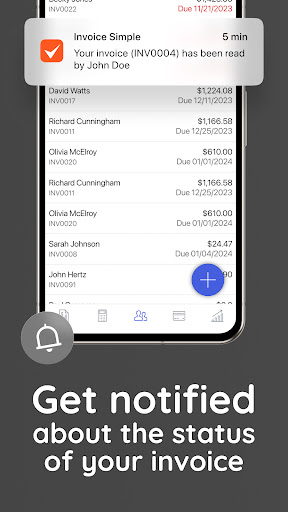
Stay organized with real-time updates. Receive instant alerts when an invoice is viewed, paid, or overdue. Automatic reminder features help you chase late payments without hassle, ensuring you're always on top of your receivables. This efficient tracking means you spend less time following up and more time focusing on your work.
Comprehensive Document Customization
Along with logos and layout options, you can add essential details such as banking information, product images, and even your signature. Discounts, taxes, and client details can be easily included or imported from your contacts, saving you time and reducing errors. Every invoice, estimate, or receipt can be tailored to fit your specific business needs.
Multiple Delivery Options & Mobile Access
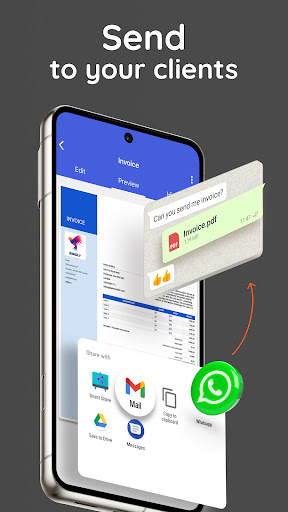
Send invoices via email, text, WhatsApp, or simply download a PDF version to share or print. The mobile convenience allows you to generate and send billing documents wherever you are. Plus, with instant notifications for opened or paid invoices, you'll always be in the loop regarding your finances.
Flexible Plans to Suit Your Business
Invoice Simple offers various subscription plans, including a free trial that lets you create up to two documents without entering credit card details. The Essentials plan allows for up to 3 invoices per month with features like online payments, expense tracking, and real-time read receipts—perfect for small-scale operations. The Plus plan increases your limit to 10 invoices, adds photo attachments, a personal signature, and due date reminders. For larger businesses, the Premium plan provides unlimited invoicing with priority customer support.
Why Choose Invoice Simple
When it comes to invoicing apps, simplicity combined with powerful features sets Invoice Simple apart. Whether you're managing bills for entertainment supplies or landscaping projects, this app offers a professional billing solution that’s both easy to use and scalable. Its comprehensive features include bill organization, expense tracking, business reporting, and the ability to customize every detail, ensuring your financial documents reflect your professionalism.
Say goodbye to manual invoicing and chasing checks. With Invoice Simple, you can generate invoices and estimates quickly, accept online payments effortlessly, and maintain an organized digital record—saving you time and reducing errors. Whether you’re just starting out or managing an expanding business, this app is your reliable partner in billing.
Pros
- User-friendly interface for quick invoicing
- Supports multiple currencies for international business
- Customizable templates to enhance brand identity
- Real-time notifications for invoice status updates
- Efficient tracking and management of expenses
Cons
- Limited analytics and reporting capabilities
- Lacks integration with accounting software
- Requires a subscription for access to premium features
- Available only as a mobile app
- No desktop version available
- Occasional synchronization issues with cloud storage











