


Overview of Invoice Maker - Invoice Fly
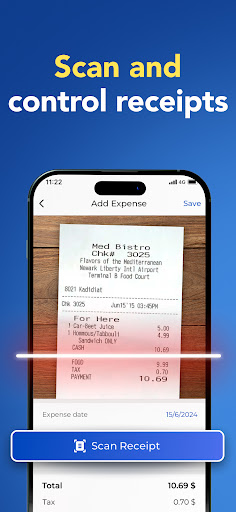
Invoice Fly is the most user-friendly app designed to help small businesses, freelancers, and contractors create and send professional invoices. Its primary goal is to simplify the invoicing process, making it quick and hassle-free to manage your business finances directly from your smartphone. Whether you need to generate an invoice or estimate, Invoice Fly stands out as the #1 invoice app tailored for professionals on the go.
Key Features of Invoice Fly
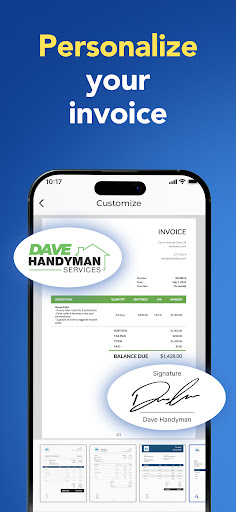
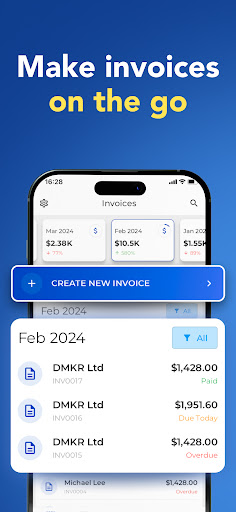
This versatile invoicing solution offers a plethora of features aimed at streamlining your workflow. You can create invoices in less than a minute from anywhere, thanks to its intuitive interface. The app allows you to generate invoices directly from estimates with a single tap, saving you time and effort. You can select from different invoice templates and customize them by adding your company logo, changing colors, and attaching images or notes to make your invoices uniquely yours. Additionally, the app supports discounts and taxes on both per-item and total basis, providing flexibility for various billing needs.
Seamless Sending and Tracking
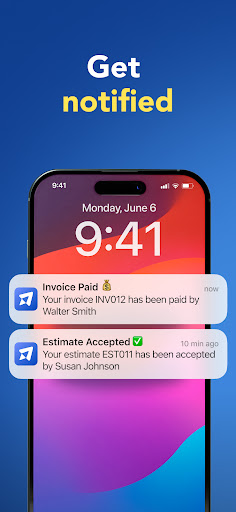
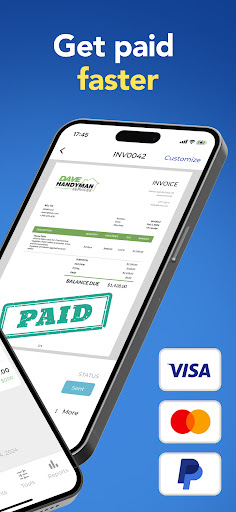
Sharing your invoices is simple — you can share or print invoices on the go. Once sent, Invoice Fly sends notifications when your client receives or opens the invoice, giving you peace of mind. Setting up clients is effortless by syncing with your phone's contact list, and all data remains synchronized across your devices through the same account. The app also offers comprehensive income tracking via easy-to-understand reports, helping you keep your finances organized.
Additional Functionality
Other notable features include the ability to add multiple images, extra notes, signatures, and discounts per item or overall. You can configure due dates, include payments details, and enjoy the convenience of quickly setting up clients. With 24/7 support, you’re always backed by assistance whenever needed.
How to Use Invoice Fly
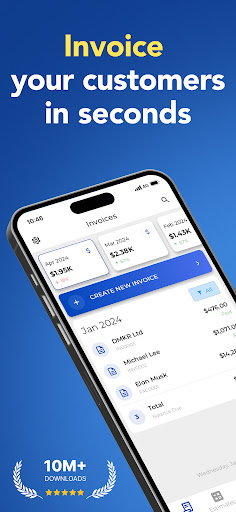
Creating an invoice is straightforward: tap create invoice, select your client from your contacts, add the items and prices, and then save and send. This step-by-step process ensures invoices are dispatched swiftly, even while on the move, making invoice management hassle-free.
Why Choose Invoice Fly for Your Business
If you've ever been caught needing to send an invoice quickly but didn't have your laptop or desktop nearby, Invoice Fly is the lifesaver app you've been waiting for. Designed for on-the-go invoicing, it caters especially to freelancers and small business owners who need quick and reliable tools at their fingertips. The app’s interface is highly user-friendly, making it accessible for users of all tech levels. Plus, its robust customization options allow you to craft invoices that truly reflect your branding, enhancing your professional image.
Security and Reliability
Security is a top priority for Invoice Fly. Your data is encrypted and protected, ensuring that sensitive financial information remains secure. The app's reliability means it’s always ready when you need to generate, send, or track invoices, making it an essential tool for managing your business finances seamlessly.
Final Thoughts
Invoice Maker - Invoice Fly offers a comprehensive invoicing solution that combines ease of use, customization, and security to meet the needs of freelancers, small business owners, and contractors. It empowers you to handle your billing efficiently, whether you're in the office or out in the field. With features like instant invoice creation, customizable templates, and automatic notifications, this app truly transforms how you manage your invoices. If you're searching for a reliable, pocket-sized invoicing app, Invoice Fly is definitely worth trying — once you start, you'll wonder how you ever managed without it!
Pros
- User-friendly interface makes billing straightforward.
- Supports various currencies for international business.
- Customizable invoice templates improve branding.
- Provides real-time invoice tracking to save time.
- Ensures privacy with secure data storage.
Cons
- Limited features in the free version.
- No offline mode available.
- Steep learning curve for new users.
- Response times from customer support can vary.
- Requires a stable internet connection.











