

Discovering Inky - Run Inkscape on Android
If you've ever wished to carry the power of a desktop vector graphic editor in your pocket, Inky - Run Inkscape on Android might be just what you need. This innovative application brings the robust features of Inkscape, the popular open-source vector graphics editor, directly to your Android device, enabling you to create and edit vector images on the go. Whether you're a professional designer, a hobbyist, or someone exploring digital art, Inky offers a comprehensive toolset that transforms your mobile device into a portable vector graphic studio.
Getting Started with Inky
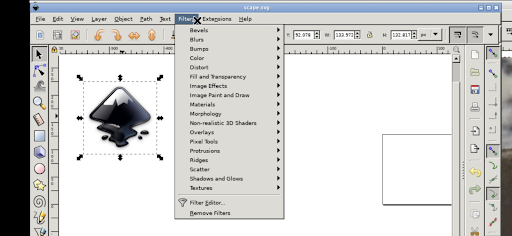
Downloading Inky - Run Inkscape on Android from the Play Store is quick and straightforward. The installation process is seamless, and once installed, you'll be ready to start creating immediately. Upon launching the app, you'll find an interface that closely resembles the desktop version of Inkscape. This familiarity helps ease new users into the interface, which can initially seem daunting but is made user-friendly through an included tutorial section guiding you through the basics of vector editing.
User Interface and Experience
Designed with both power and usability in mind, the user interface of Inky is surprisingly intuitive. The toolbar provides access to essential tools—from drawing simple shapes to performing complex path manipulations. Because the app runs on a smaller screen, especially on smartphones, some might find the workspace a bit compact. However, the developers have optimized the layout efficiently, making tools accessible without cluttering the interface. Employing a stylus can greatly improve precision, but even finger navigation is smooth and responsive. The pinch-to-zoom feature works flawlessly, allowing you to zoom in on details or zoom out for an overview. Despite handling complex vector projects, the app maintains a high level of responsiveness, making your editing experience fluid and enjoyable.
Features That Make Inky Stand Out
One of the most impressive features of Inky is its ability to handle SVG files seamlessly. You can import and export SVG images without any loss of quality—crucial for professional work. The app also supports layers, enabling users to organize their designs by different components, which simplifies working on intricate illustrations. Moreover, because Inky is based on Inkscape, it allows for easy continuation of projects started on desktop computers. This cross-platform compatibility means you can start a design on your home PC and continue editing on your Android device, making your workflow more flexible than ever.
Practical Tips for Using Inky on Android
While the app is primarily designed for tablets and stylus use, it is fully functional on smartphones and with finger input. To adapt to the Android interface:
- Tap with one finger to perform a left click.
- Slide your finger to move the mouse cursor around.
- Use pinch to zoom for detailed work.
- Press and hold then slide with one finger to pan when zoomed in.
- Slide two fingers up or down to scroll through your canvas.
- Tap on the screen to bring up a set of icons, then select the keyboard icon to access text input.
- To perform a right click, tap with two fingers.
- Changing desktop scaling can be done through the Android notification settings, but you'll need to restart the app for changes to take effect.
Seamless Integration with Android Files
Inky offers convenient access to your files through the standard Android directory structure, including locations like /home/userland, Documents, and Pictures. This means you can work directly with files stored on your device, eliminating the need for cumbersome import or export procedures and streamlining your workflow.
Licensing and Availability
This app is released under the GPLv3 license, ensuring open-source transparency. The source code is openly available for review or modification. The application is not officially developed by the main Inkscape team but is an adaptation that enables the Linux version to operate on Android devices using the UserLAnd platform. The icon features the original Inkscape Logo and is licensed under CC-By-SA 3.0.
Final Thoughts
Inky - Run Inkscape on Android unlocks the full potential of vector graphic design in a portable, mobile format. While it might not entirely replace the desktop version for very complex projects, it provides an impressive set of features suitable for professional designers and hobbyists alike. Whether you’re sketching ideas on a tablet, refining SVGs during a commute, or continuing work on a project started at your desktop, Inky makes vector editing accessible and convenient. Experience the freedom of creating detailed vector graphics anywhere—your Android device becomes your new portable vector graphics studio. Don't miss out on transforming your mobile device into a powerful tool for digital artistry with Inky.
Pros
- Intuitive interface suitable for beginners
- Supports SVG file format
- Provides layers and grouping features
- Offers a variety of tools
- Free to download and use
Cons
- Lacks some advanced features
- Performance can be sluggish on older devices
- Occasional application crashes reported
- Requires a stylus for precision work
- Limited support from the community











