
Infinite Design: The Ultimate Mobile Drawing App for Digital Artists
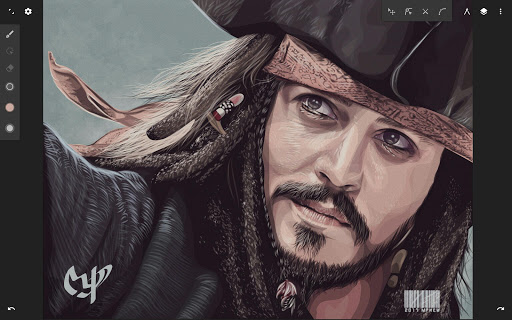
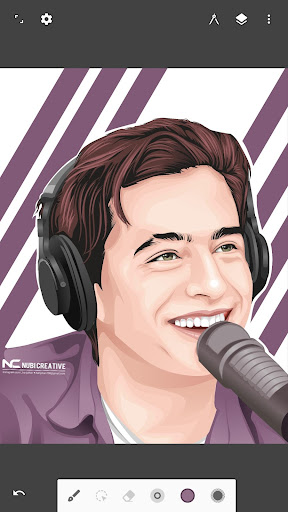
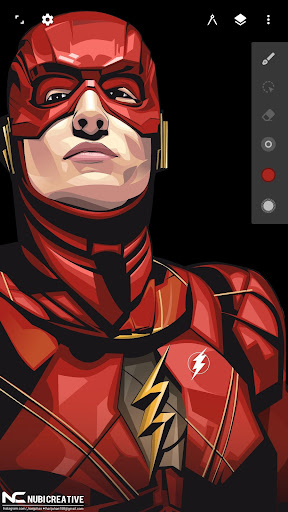
Are you a passionate digital artist searching for a versatile and powerful drawing application? Look no further than Infinite Design, a feature-rich mobile app that redefines what you can achieve on your device. Built from the ground up, Infinite Design offers an unparalleled creative experience with its blazing speed, stability, and an intuitive user interface that caters to both beginners and professional artists alike. Whether you're into vector art, illustrations, or detailed cityscapes, this app provides all the essential tools to help your imagination come alive.
Rebuilt for Excellence
The developers have completely overhauled Infinite Design, ensuring it is now faster, more stable, and more user-friendly. At its core, the app features an infinite canvas that lets you pan, zoom, or rotate seamlessly — imagine having a limitless paper at your fingertips. This makes it ideal for creating intricate artwork with endless detail without worrying about space limitations. The improved interface is streamlined to keep your workflow smooth and organized, allowing you to focus solely on your creative process.
Powerful and Superior Tools
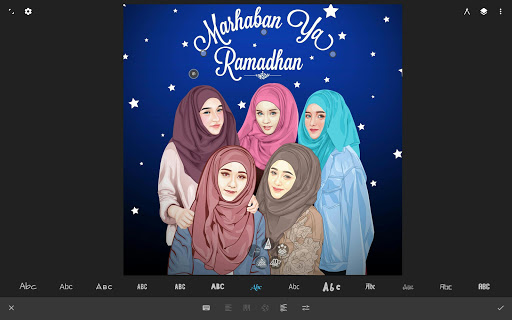
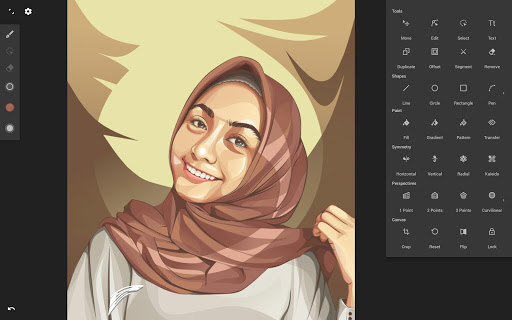
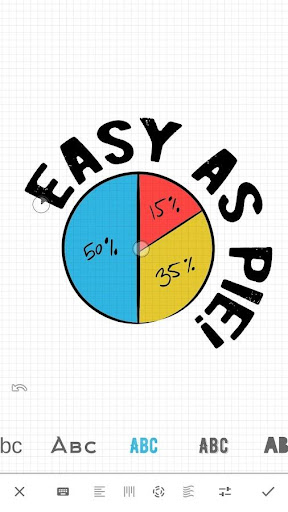
Infinite Design is packed with tools that satisfy both novice and professional designers. Experiment with four types of symmetry to craft perfectly balanced patterns or designs. The app supports unlimited layers and undo history with a slider, making modifications and refinements hassle-free. Constructing shapes is effortless with the pen tool, and you can even draw 3D cityscapes using five different perspective guides. For text, options include horizontal, vertical, circular, or text-following paths, providing versatile typography tools to enhance your artwork.
Streamlined User Interface
Simplicity meets functionality in Infinite Design’s interface. It’s clean, organized, and designed to put your tools within easy reach. You can move your favorite tools to the top bar for quick access, and the app allows you to drag out the color wheel with two fingers for effortless color selection. This thoughtful design ensures that your creative flow remains uninterrupted and intuitive.
Advanced Features for Creative Freedom
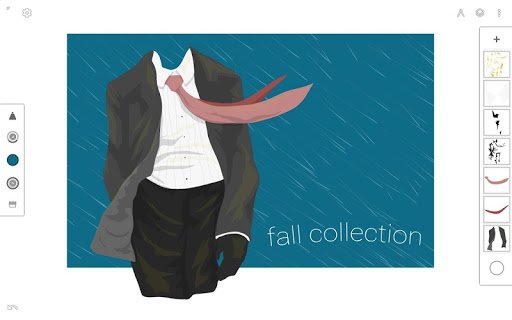
Transformations such as Translate, Scale, Rotate, Flip, Distort, and Skew give you precise control over your objects. Take advantage of gradient and pattern fill options to add depth and texture to your work. Rotate and flip the canvas itself for orientation adjustments, while the automatic shape detection feature simplifies shape creation. Use the embedded grid for reference or snap objects into place. Additionally, the vectorize feature allows you to turn any image into fully editable vector paths, making it easy to incorporate detailed images into your designs.
Import and Export Made Easy
Infinite Design offers flexible options for seamless workflow integration. Import and export SVG files, allowing you to work across different platforms or software. You can add images from your gallery, capture photos using your camera, or even search the web directly within the app. Export your artwork as high-resolution JPEG, PNG, or SVG files suitable for professional printing or sharing on social networks. Plus, you can share your creations directly to the Infinite Studio community or on Instagram to showcase your talent.
Why Infinite Design Stands Out
Designed for convenience and power, Infinite Design is the go-to app for digital art enthusiasts and professional designers. Its extensive toolkit, combined with features like unlimited layers, history slider, and high-quality export options, empower users to produce stunning artwork with ease. Whether you're creating complex vector illustrations or exploring creative concepts, this app adapts to your needs. The ability to experiment with multiple symmetry modes and perspective guides makes it particularly suitable for architectural or cityscape design.
Conclusion
If you're serious about digital drawing on your mobile device, Infinite Design is a must-try application that offers innovative tools and a user-centric interface. It combines the flexibility of an infinite canvas with powerful features like advanced transformation, customizable layers, and high-resolution export options — perfect for artists eager to push their creative boundaries. Download Infinite Design today and unlock unlimited possibilities in your digital art journey. Whether doodling for fun or crafting detailed masterpieces, this app has everything you need to bring your ideas to life.
Pros
- Intuitive interface for straightforward navigation
- Professional-grade tools for advanced design work
- Supports scalable vector graphics
- Layer system enables detailed editing
- Regular updates introduce new features
Cons
- May consume significant resources on older devices
- Limited tutorials available for beginners
- Premium features require payment
- Occasional bugs in complex projects
- Lacks cloud saving for projects











