

Inbox Homescreen: The Ultimate Email Launcher for an Efficient Inbox
Unified access to all inboxes
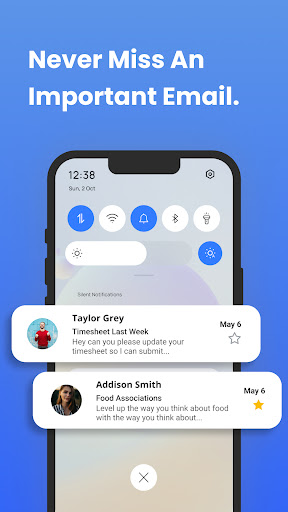
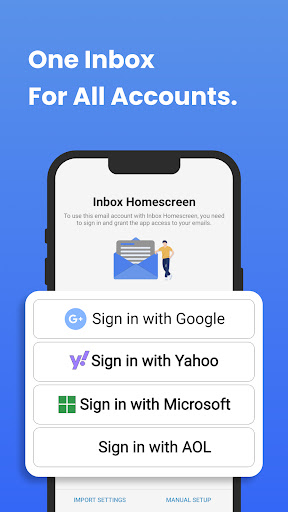
Meet Inbox Homescreen, a smart email launcher built to streamline how you manage mail. Access all of your email accounts from a single, centralized place. It works with Gmail, Outlook, Yahoo, and other major providers, letting you send, receive, and manage messages with ease.
Powerful organization and automation
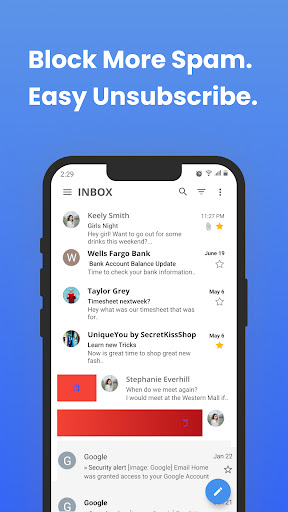
The app includes powerful tools to keep you organized: create filters that automatically sort messages into categories, highlight priority emails, and even schedule messages to be sent later. This smart automation helps you stay on top of what matters most.
Personalization and aesthetics
You can tailor the look and feel with a variety of themes and layouts to match your style, making your inbox feel just right every day. The customizable options let you choose colors, fonts, and arrangements that suit your preferences.
Ease of use and quick navigation
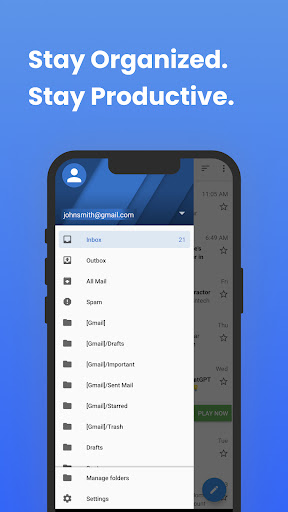
The interface is designed for intuitive navigation, so you can move through messages and folders without friction. A clean, user-friendly layout helps you stay focused on inbox tasks rather than chasing the UI.
Search and on-device configuration
During setup, you can enable a unified search experience that aligns with your preferred search provider. In some configurations, the app can update your on-device search settings to use Yahoo for results on your Home Screen, simplifying how you find messages and apps across your device.
Utility features for speed and productivity
Utility features provide quick access to commonly used actions right from your Home Screen, maximizing ease of use and overall productivity. This email launcher is built for fast task completion, helping you stay organized and efficient throughout the day.
Neat, Efficient Smartphone Experience: A Personal Take
First impressions: a clean slate
Ever wished for a neater, tidier smartphone? Inbox Homescreen delivers a game-changing approach to phone organization. Right from the first use, the app feels sleek and user-friendly, transforming a cluttered homescreen into an organized, accessible workspace where everything has its place. No more endless scrolling to find that one app you need.
Features that stand out
A standout feature is smart categorization. Inbox Homescreen automatically sorts apps into categories like social, productivity, games, and more—almost like having a personal assistant who knows exactly where everything belongs. If you like customization, you’ll enjoy tweaking these categories to suit your taste.
The quick access bar is another favorite. Pin your most-used apps for instant reach, which is perfect for the few apps you rely on throughout the day. The search function is intuitive and efficient, making it easy to locate any app or function on your device in seconds.
User experience: Smooth sailing
Using Inbox Homescreen feels incredibly intuitive. The app runs smoothly with little to no lag and works across a wide range of devices. The developers clearly put thought into a truly user-friendly design, and it shows in every detail of the experience.
Final thoughts: A must-try for the organized enthusiast
If you value organization and efficiency, Inbox Homescreen is worth trying. It has transformed how I interact with my phone, making it easier to find what I need exactly when I need it. Once you start using it, you’ll wonder how you ever managed without it. In short, Inbox Homescreen offers a fresh approach to managing apps and your homescreen layout—with smart categorization, customizable features, and a user-friendly interface, it’s a strong choice for anyone looking to declutter their digital life. Give it a shot and feel the difference.
Pros
- Customizable widget sizes.
- Seamless integration with calendar.
- Minimalistic design enhances focus.
- Quick access to frequently used apps.
- Supports multiple email accounts.
Cons
- Limited theme options.
- Occasional sync issues.
- No offline mode available.
- Limited third-party app support.
- Requires frequent updates.











