

Introduction to Homebase: Employee Scheduling
Homebase is a comprehensive employee scheduling and workforce management app designed specifically for small businesses. With its intuitive interface and powerful features, Homebase helps business owners and managers streamline their daily operations—covering work schedules, time clocks, payroll, HR, and internal communication. Trusted by over 100,000 small businesses, Homebase has established itself as an essential tool to conquer the challenges of managing a team effectively and efficiently.
Key Features of Homebase
Efficient Scheduling and Shift Management
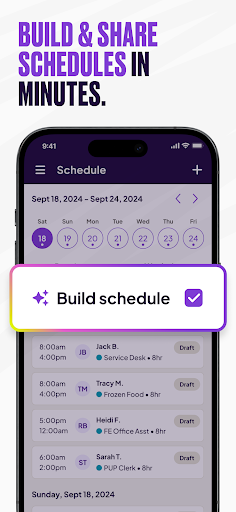
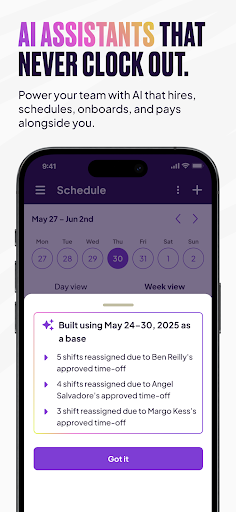
Homebase simplifies the process of creating, sharing, and editing employee work schedules. Using customizable templates, managers can quickly build shift plans, track team availability, and manage time-off requests. The app's automation features enable scheduling based on labor costs, sales forecasts, and team availability, reducing chaos and double-booking. Notifying team members of schedule changes is seamless through in-app alerts or email notifications, ensuring everyone stays aligned.
Time Tracking and Attendance Monitoring
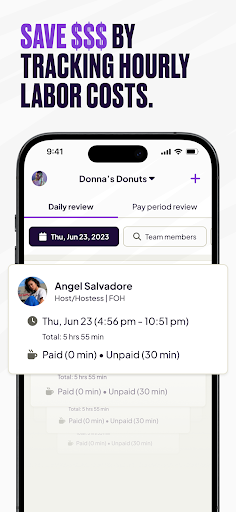
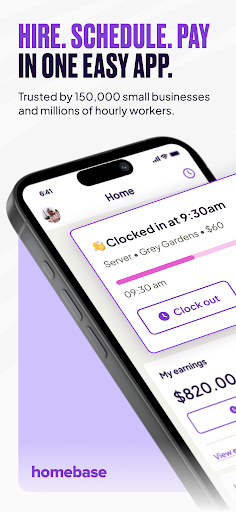
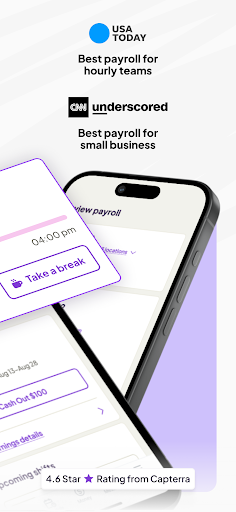
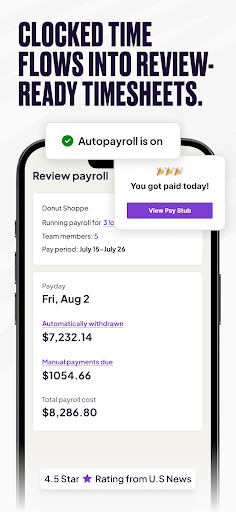
One of Homebase’s standout features is its integrated time clock. Employees can clock in and out directly from their smartphones or via POS systems like Clover, Square, or Toast. The app tracks hours, breaks, overtime, and attendance, providing real-time alerts for late arrivals or overtime. Timesheets generated within the app facilitate accurate payroll processing and labor cost management, making payroll prep straightforward and reducing administrative burdens.
Payroll and HR Management
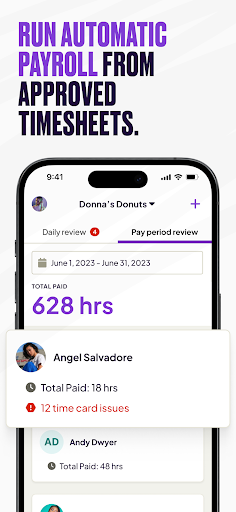
Homebase’s payroll capabilities allow for automated wage calculations, syncing with payroll providers such as Gusto, QuickBooks Online Payroll, and Square Payroll. Running payroll is just a few clicks away, with streamlined processing that reduces errors and saves time. Additionally, the app offers HR tools including handling time-off requests, shift trades, and updating employee availability, all in one centralized platform.
Effective Communication and Collaboration
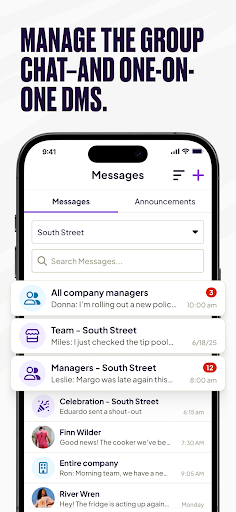
Keeping teams connected is easy with Homebase’s messaging feature, which supports group chats and direct messaging. Whether you need to send shift reminders, quick updates, or coordinate with individual employees, the internal communication tools foster a collaborative work environment.
Reporting and Business Insights
Managers can generate detailed reports on employee hours, attendance, labor costs, and sales. These insights support better decision-making, help optimize staffing levels, and ensure compliance with labor laws. The reporting features are robust yet easy to use, empowering small business owners to analyze their workforce performance effortlessly.
Plans and Subscription Options
Homebase offers a range of plans tailored to different business needs:
- Free Basic Plan: Up to 20 employees with core scheduling and time tracking features.
- Essentials Plan at $24.49/month: Adds advanced scheduling capabilities.
- Plus Plan at $59.99/month: Includes hiring tools and paid time off (PTO) management.
- All-in-One Plan at $99.95/month: Combines onboarding, HR support, payroll, tips management, background checks, and more.
Why Small Businesses Choose Homebase
The compelling combination of user-friendly design, automation, and comprehensive features makes Homebase a top-rated business scheduling tool in 2023 and beyond. Its ability to save managers over five hours each week by automating scheduling, attendance, and payroll tasks is a game changer for small teams. Business owners and managers appreciate how effortlessly they can handle employee communications, reduce administrative errors, and gain valuable insights into their labor costs and productivity.
Conclusion
If you’re searching for a reliable, all-in-one employee scheduling and workforce management solution, Homebase stands out as a leading choice. Its features are tailored to meet the unique needs of small businesses—helping streamline team scheduling, time tracking, payroll, HR, and communication—all in one platform. Download Homebase today and experience how simple managing your team can become. With its robust capabilities and positive user feedback, it’s the smart solution for small business success in today’s competitive landscape.
Pros
- User-friendly interface for easy navigation.
- Seamless integration with payroll systems.
- Customizable schedules suitable for any business.
- Provides real-time updates and notifications.
- Supports multiple languages for global teams.
Cons
- Limited offline functionality.
- Occasional synchronization issues with servers.
- Requires internet connection to access all features.
- May present a learning curve for new users.
- Customer support is limited on weekends.











