
HiPaint - Sketch Draw Paint it! - Features Overview
Unleash your creativity with HiPaint, the digital art and illustration app designed for pad lovers. It offers smooth brushes, layers, and pro-grade tools that let you paint like never before. Whether you're sketching, doodling, illustrating, drawing anime, creating artwork, or designing animations, HiPaint makes digital art easy and fun. Download now and start creating! HiPaint is a drawing app for iPad, drawing pad, and phone. It delivers professional, lightweight painting functions so you can create art freely and complete your own artwork.
Light User Interface
A simple user interface that gives larger space to think and create, and allows you to focus on the digital drawing itself.
Quick sliders that let you quickly adjust brush thickness and opacity.
Brand-new dark UI interface, simpler and more powerful, better for finger drawing.
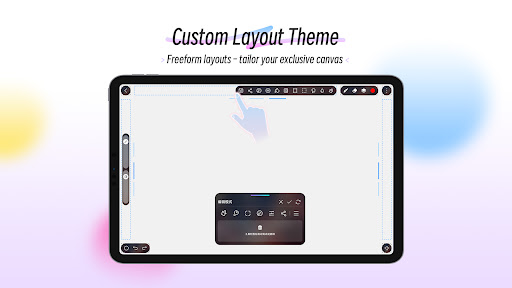
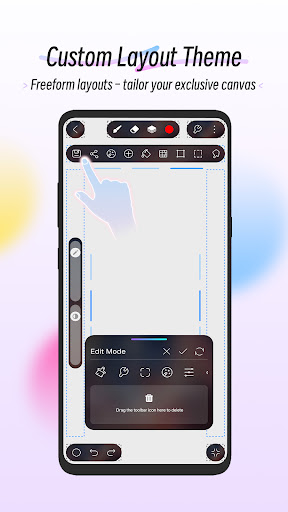
Custom Themes & DIY Workspace: Fully personalized themes with drag-and-drop tool icons—arrange everything to match your workflow.
Brushes Features
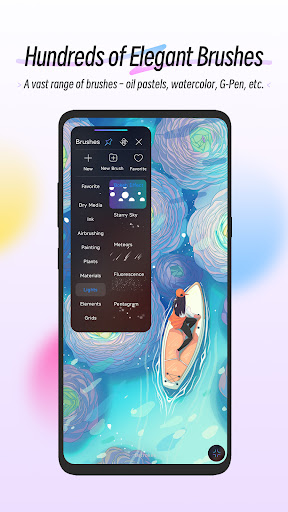
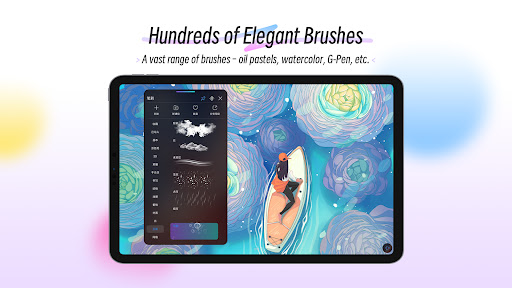
100+ kinds of common and delicate brushes, including leaf brushes, air brushes, digital pens, sketch brushes, ink brushes, flat brushes, pencils, oil brushes, charcoal brushes, crayons, stamps, lights, plants, elements, grids, and noise brushes.
90 customizable brush parameters for better and more realistic drawing and painting.
Brush Studio – design your own custom brushes.
Color Features
Eyedropper for precise color picking.
Paint Bucket Tool for quick fills.
Previous Color and Color Palette to maintain color consistency.
7 kinds of colors you used recently, easy to switch to the color you used.
Layer Features
Well-organized layer function interface.
Up to 100 layers supported to make your creation efficient.
Multiple layer parameters.
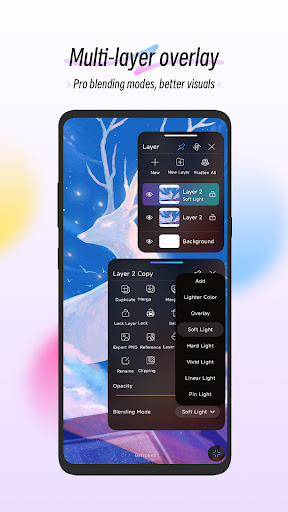
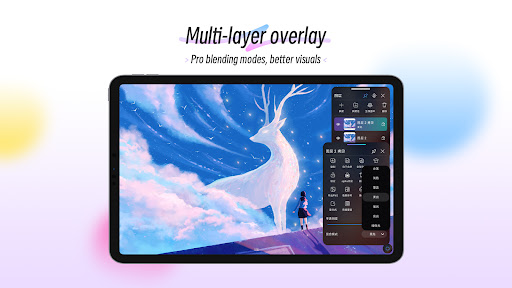
Access over 20 layer blend modes for professional composition.
Layer group - manage your artwork simply.
Other Important Digital Painting Tools
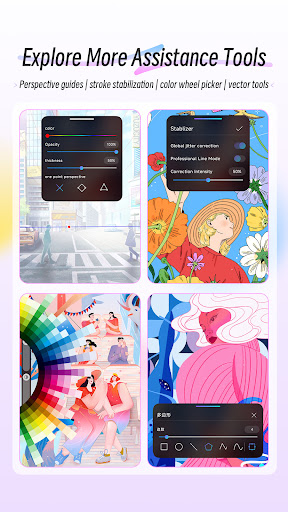
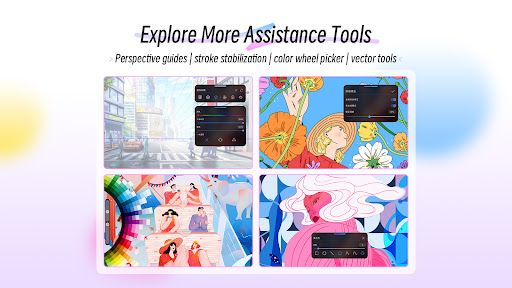
Stabilizer smooths and perfects your strokes in real time.
Insert shapes like line, rectangle, and oval.
Canvas can be flipped horizontally and vertically, with symmetry visual guides.
Import your image to edit or copy an artwork for speed painting.
Reference feature – import an image as the art reference.
Stroke stabilization and clipping mask features.
Dramatic Finishing Effects
Gaussian filters, HSB and RGB adjustments.
Real-time Hue, Saturation, and Brightness adjustments.
Sketch filter to extract lines from an artwork.
Gaussian and Motion Blur filters for depth and movement, or Sharpen for clarity.
Multi-Touch Gestures Features
Two-finger tap to undo.
Two-finger pinch to zoom in/out and rotate your canvas.
Three-finger tap to redo.
Long press the screen to activate Eyedropper tool.
Create the perfect circle, square, and straight line at a specific angle with another finger tap.
Undo and Redo
Quickly undo and redo through the quick button or using keyboard shortcuts on a graphic tablet.
Save, Export, and Share
Share your creativity with friends and family, and export your artwork to continue creating on computer.
Just paint it! Draw! We hope you’ll enjoy this digital painting and sketching app. Ready to start your digital painting journey with HiPaint?
HiPaint - Sketch Draw Paint it! — User Experience Review
When it comes to digital art on mobile, we’ve got a plethora of options. But HiPaint - Sketch Draw Paint it! stands out. I found this app while searching for a good drawing app, and it has been a delightful discovery.
First impressions are strong: HiPaint greets you with an intuitive and sleek interface. It’s one of those apps that doesn’t require a manual to get started. You’re not bombarded with features, yet everything you need is at your fingertips. The minimalistic design helps you stay focused on creating art.
The brushes are a highlight. Whether you’re into sketching, painting, or inking, there’s a brush for every occasion. Customization options are vast, letting you adjust size, opacity, and pressure sensitivity to suit your needs. The layering system is smooth and responsive, even on high-resolution projects, and the blending features make shading and coloring a breeze.
Performance is solid: HiPaint feels lightweight yet powerful, handling older devices without slowing down. It runs well on both Android and iOS with a consistently smooth experience. The app is stable and rarely crashes, which matters when you’re in the creative zone.
The community feature is a welcome addition — you can share your artwork directly from the app and receive feedback from fellow artists. There’s also a beginner-friendly tutorial section, which is a big help for newcomers to digital art.
If you’re passionate about digital art and want an app that balances functionality with simplicity, HiPaint is worth a download. It’s free to use with some in-app purchases, which is pretty standard these days. All in all, HiPaint - Sketch Draw Paint it! functions as a portable art studio for doodling, sketching, or composing more ambitious pieces. Give it a try and see how it fits your creative workflow.
HiPaint - Sketch Draw Paint it! Blog-Style Feature Description
HiPaint is a versatile digital painting app designed for mobile and tablet artists who want a powerful yet approachable drawing app for iPad and beyond. With a rich brush library, robust layers, and pro-grade tools, this app supports sketching, illustrating, and painting with confidence. Its lightweight engine keeps performance smooth on older devices, making it an excellent iPad drawing app for on-the-go creativity. The interface is clean and minimal, letting you focus on the art rather than menus.
The brush lineup is impressive—more than 100 brushes cover sketching, ink, oil, charcoal, and stamps, with adjustable size, opacity, and pressure sensitivity. The Eyedropper, Paint Bucket, and a color history palette ensure color accuracy and quick reuse in your digital painting workflow. Layering is a strong suit as well, supporting up to 100 layers and more than 20 blend modes, plus layer groups for organized projects.
Smart tools like a real-time stabilizer, shape insertion (lines, rectangles, and ovals), canvas flipping, and symmetry guides streamline design and illustration. Importing reference images, clipping masks, and a robust stroke stabilization feature enhance the ability to work quickly and precisely. Multi-touch gestures further improve the experience: undo with two fingers, zoom and rotate with a pinch, redo with three fingers, and snap precise shapes with an additional tap. Exporting and sharing capabilities turn your work from a private sketch into a collaborative piece or portfolio piece.
HiPaint works across iOS and Android, offering a portable studio that suits beginners and professionals alike. A helpful tutorial section assists newcomers, while the lightweight footprint ensures smooth performance on older devices. The app is free to start, with optional in-app purchases that unlock extra content and tools, making HiPaint accessible to hobbyists and serious artists alike. In short, HiPaint - Sketch Draw Paint it! is more than just a drawing app; it’s a complete creative companion for digital painting, concept art, and on-the-go sketching.
Pros
- Intuitive user interface
- Wide range of brushes
- Customizable canvas sizes
- Layer support for complex art
- Smooth and responsive drawing
Cons
- Limited free features
- Occasional performance lags
- Requires internet for some tools
- Ads in the free version
- No vector graphic support











