
HD Camera: Professional Camera - Feature Overview
The HD Camera is a comprehensive camera application designed to elevate your photography experience. Whether you're aiming to capture stunning HD photos or record high-definition videos, this app offers a suite of professional features tailored for both amateurs and seasoned photographers. With intuitive controls and powerful functionalities, the HD Camera makes it easy to shoot with precision and creativity.
Key Functionalities and Features
White Balance
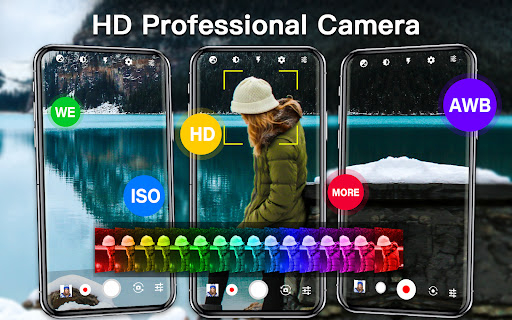
Choose from various white balance options such as Auto, fluorescent, white, daylight, cloudy to ensure your photos have accurate color representation under different lighting conditions.
Beautiful Scene Modes
Enhance your shots with scene modes like Auto, AR, sports, HDR, night, sunset, and party. These modes optimize camera settings for specific environments, helping you capture perfect images every time.
Resolution Support
The app supports a variety of resolutions compatible with different device capabilities, enabling you to choose the best quality for your photos and videos.
HD Video Capture
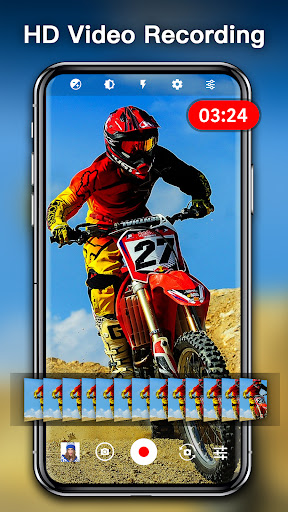
Tap the shutter button to capture HD videos and photos seamlessly during recording, ensuring you never miss a beautiful moment.
Focus and Zoom
Utilize optical and digital zoom features, tap to focus, and see a focus halo display for precise control over your shots.
Exposure Adjustment
Adjust the exposure value to get the perfect brightness and contrast for every scene.
Ease of Use
Set a timer for automatic shooting, making it convenient to capture selfies or group photos without rush.
Focus Modes
Choose between different focus modes like auto, infinity, macro, or fixed to suit your shooting needs.
Download immediately and start capturing beautiful moments with high-quality lenses, making every shot professional-grade.
Experience and Usability Insights
Dear photography enthusiasts, if you're searching for a powerful camera app that combines professional-grade features with ease of use, HD Camera: Professional Camera might be your ideal choice. Upon launching the app, you're greeted with a sleek interface that balances functionality with simplicity, suitable whether you're a beginner or an advanced user.
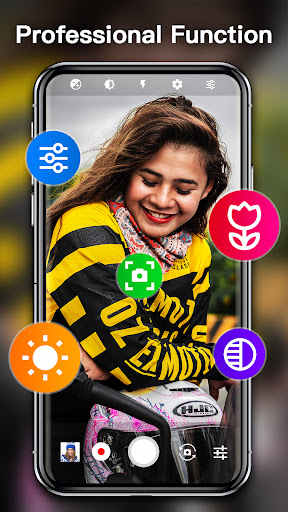
This app stands out with its ability to simulate DSLR-like quality. Thanks to advanced controls over exposure, focus, and ISO settings, you can effortlessly achieve professional results. The manual controls are intuitive and responsive, allowing quick adjustments during your shoot, much like operating a dedicated camera.
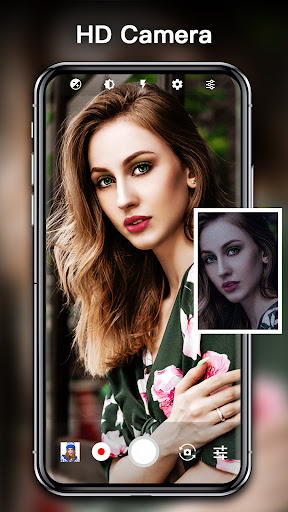
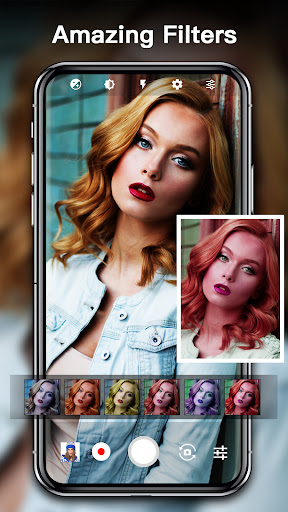
The app also features real-time filters and effects that can instantly enhance your images. The white balance settings are highly adjustable, ensuring your photos look perfect under various lighting conditions. Additionally, support for high-resolution image and video capture, along with seamless integration with your device's gallery, makes it easy to manage your creative work.
Built-in face detection technology ensures each selfie or portrait is sharp and vibrant. The minimal learning curve and user-friendly design mean you can focus more on capturing moments rather than fiddling with settings. This ease of use combined with high performance makes the HD Camera app a versatile tool for both amateur and professional photographers.
Final Thoughts
To sum up, HD Camera: Professional Camera combines advanced features and an intuitive interface, providing users with a powerful platform to elevate their photography. The app's wide array of shooting modes, manual controls, and high-resolution support empower you to capture stunning images and videos effortlessly. Whether you're capturing landscapes, portraits, or spontaneous moments, this app delivers professional-quality results every time.
If you're serious about photography and want an app that offers both functionality and simplicity, giving this camera app a try is highly recommended. Unlock your creative potential and start taking breath-taking photos with ease today!
Pros
- High-quality image capture.
- User-friendly interface design.
- Extensive manual controls.
- Supports 4K video recording.
- Various shooting modes available.
Cons
- Drains a lot of battery power.
- Performance may be slow on older devices.
- Limited free features.
- Occasional advertisements interrupting usage.
- Requires significant storage space due to large app size.











