
HCMtoGo App: Setup, Access, and Core Features
Company Shortname Required! This app requires a company shortname, which is a unique company identifier which you can get from your company administrator. Tada! The new HCMtoGo mobile app is here! Before you jump in and download it be sure to take a look at the following.
IMPORTANT MESSAGE FOR NEW HCMtoGO USERS BEFORE YOU LOGIN - employees and managers:
If your administrator has not setup the new HCMtoGO app for your organization, you will NOT be able to get access. Please check with your manager or company admin to get access to the new app.
When logging in with HCMtoGO you will need to select the region you are using as well as the Company Shortname (The unique Identification number your company administrator needs to provide to you.)
After you enter that information you will be prompted to enter in your Company, Username, and Password. If you get stuck on this your COMPANY ADMIN can help you out.
Companies need to be using approval workflows to process To Do Items.
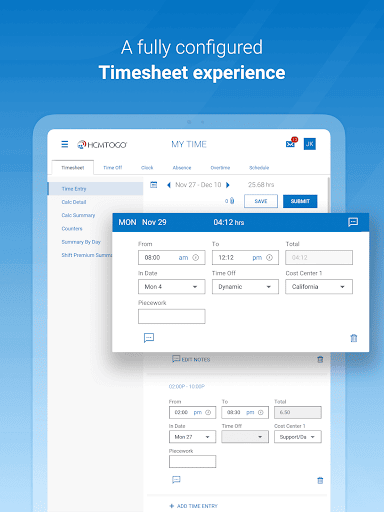
Supported Timesheet Profiles are Bulk Hours and Start/End (All Days) only.
Administrator should provide their company’s Short Name to users for login.
Now that you are ready to join HCMtoGO here are some of the awesome things you can do within the new app to enhance your human resource needs:
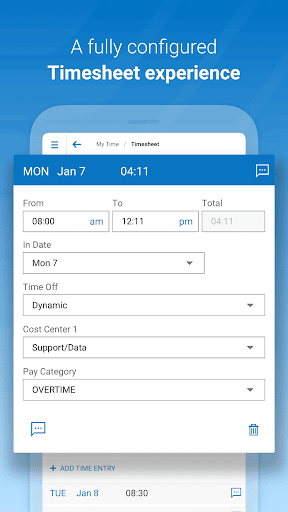
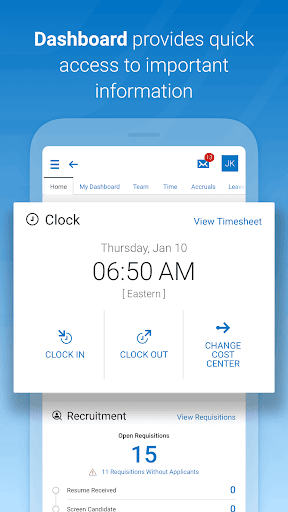
Check and/or edit your timesheets for accuracy
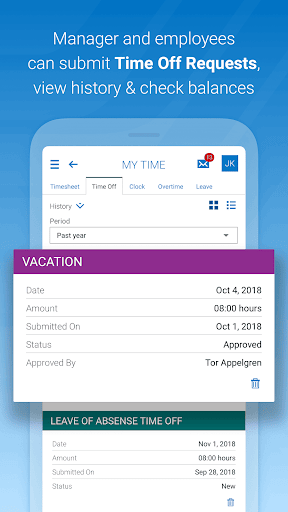
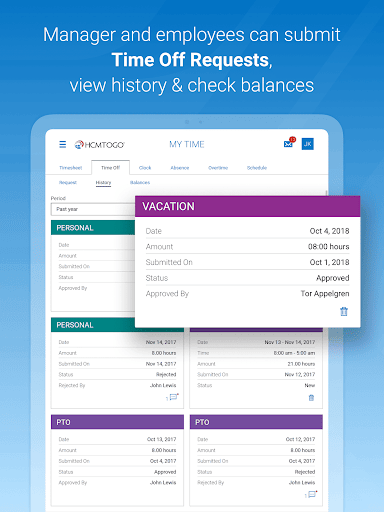
Submit and view time off requests
Check vacation/sick balances
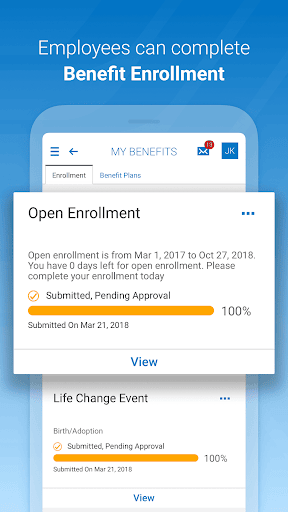
Enroll in benefits and view existing benefits
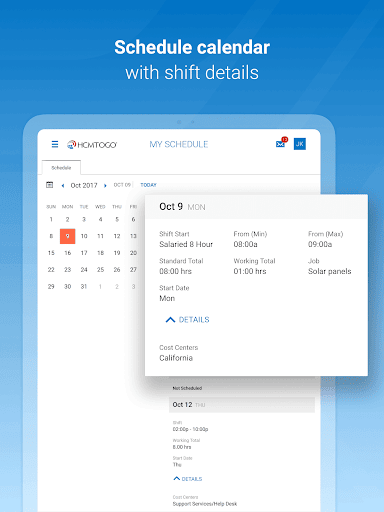
Check your schedule
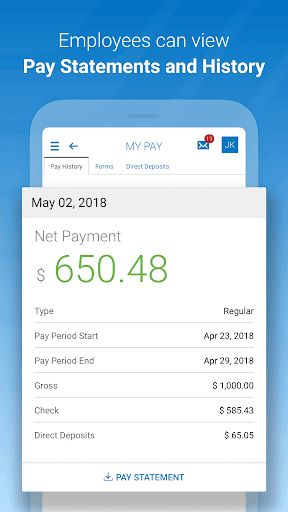
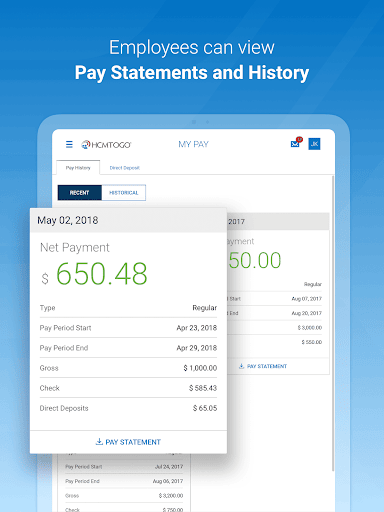
View pay stubs and manage direct deposits.
Check your schedule and, if enabled, swap shifts with peers
Your employer must have the HCMtoGO software configured for mobile use. Contact your system administrator for more details.
Key things to know as an administrator
Users need to have permission to access the new app via their security profile.
Users need to be permissioned to have access via their UI Preferences widget within their security profile.
Companies need to be using approval workflows to process To Do Items.
Supported Timesheet Profiles are Bulk Hours and Start/End (All Days) only.
Administrator should provide their company’s Short Name to users for login.
Basic Authentication with SSO is not currently supported.
HCMToGo: Your Mobile HR Companion
Ever found yourself tangled in the web of managing work-life schedules, HR tasks, and employee engagement? Well, if you haven’t tried HCMToGo, you’re in for a treat! This app is like having a personal HR assistant right in your pocket.
Your Mobile HR Companion: Picture this: you’re sipping coffee at your favorite café or lounging on your couch, and you’ve got to check your work schedule or request time off. With HCMToGo, all you need is your smartphone. It’s designed to make your work-life balance a little less chaotic and a lot more organized.
What Makes It Tick? One of the first things I noticed about HCMToGo is its user-friendly interface. Trust me, even if you’re not tech-savvy, navigating through it is a breeze. You can easily clock in and out, view your pay stubs, and get updates on company news. It’s like having the company’s HR department in your hand. Another great feature is how seamlessly it integrates with your existing HR systems. This means less manual data entry and more time for you to focus on what matters most – your work and personal life. Plus, it offers a secure way to manage your personal data, which is a huge relief knowing your info is safe.
Engagement and Connectivity: Now, let’s talk engagement. The app includes features that help you stay connected with your colleagues. Whether it’s sending a quick message or joining a team discussion, it’s all possible with just a few taps. It’s like keeping that office camaraderie alive, even when you’re working remotely. Moreover, the notifications keep you in the loop. No more missing important updates or announcements. You get everything you need to stay informed and engaged, without the clutter.
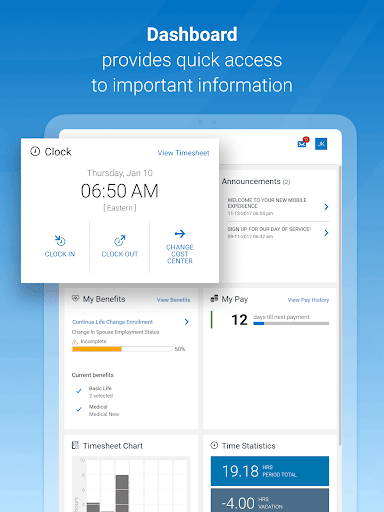
The Little Things That Matter: What really stood out to me is the attention to detail. The app allows you to customize your dashboard according to what you need to access most frequently. It’s these little things that make HCMToGo not just an app, but a personalized experience. If you’ve ever had to deal with the hassle of HR paperwork, you’ll appreciate how this app simplifies everything. It’s like having a personal assistant who takes care of all the nitty-gritty details for you.
In addition, HCMToGo shines in security and privacy. The platform emphasizes data protection with robust encryption, secure storage, and careful handling of personal information. For organizations, this translates into stronger governance, better access controls, and reliable compliance. The app also supports seamless integration with existing HR software ecosystems, offering a cohesive employee self-service experience that reduces manual data entry and speeds up routine tasks like payroll access, benefits enrollment, and shift scheduling.
To maximize value, customize your dashboard to show the tools you use most—timesheets, pay stubs, benefits, and your upcoming shifts. Turn on notifications to stay updated on approvals, pay changes, and company announcements. Try scheduling a recurring reminder for time-off requests or benefits updates to stay ahead of important dates. HCMToGo isn’t just a tool—it’s a practical, mobile-centric solution for modern workers who want a smoother way to manage their work life, stay connected with teammates, and keep essential HR tasks at their fingertips.
All in all, HCMToGo is a versatile mobile HR app designed for busy professionals who value efficiency, security, and seamless interaction with HR services. Whether you’re clocking in, reviewing pay stubs, requesting time off, or swapping shifts with colleagues, this mobile HR assistant brings the HR department into your pocket. Embrace the blend of everyday practicality and enterprise-grade features, and you’ll experience a more organized and less stressful work-life rhythm. If you’re seeking an app that supports employee self-service, enhances engagement, and simplifies HR tasks, HCMToGo is worth trying—and your future self will thank you for adopting a smarter, more connected approach to work life.
Pros
- Intuitive interface for easy navigation.
- Real-time updates for schedules and tasks.
- Seamless integration with payroll systems.
- Efficient time tracking and management.
- Supports multiple languages for global use.
Cons
- Occasional server synchronization issues.
- Limited customization options for users.
- Requires a stable internet connection.
- Complex setup process for beginners.
- No offline mode for remote areas.











